22
User and settings manual
ENG
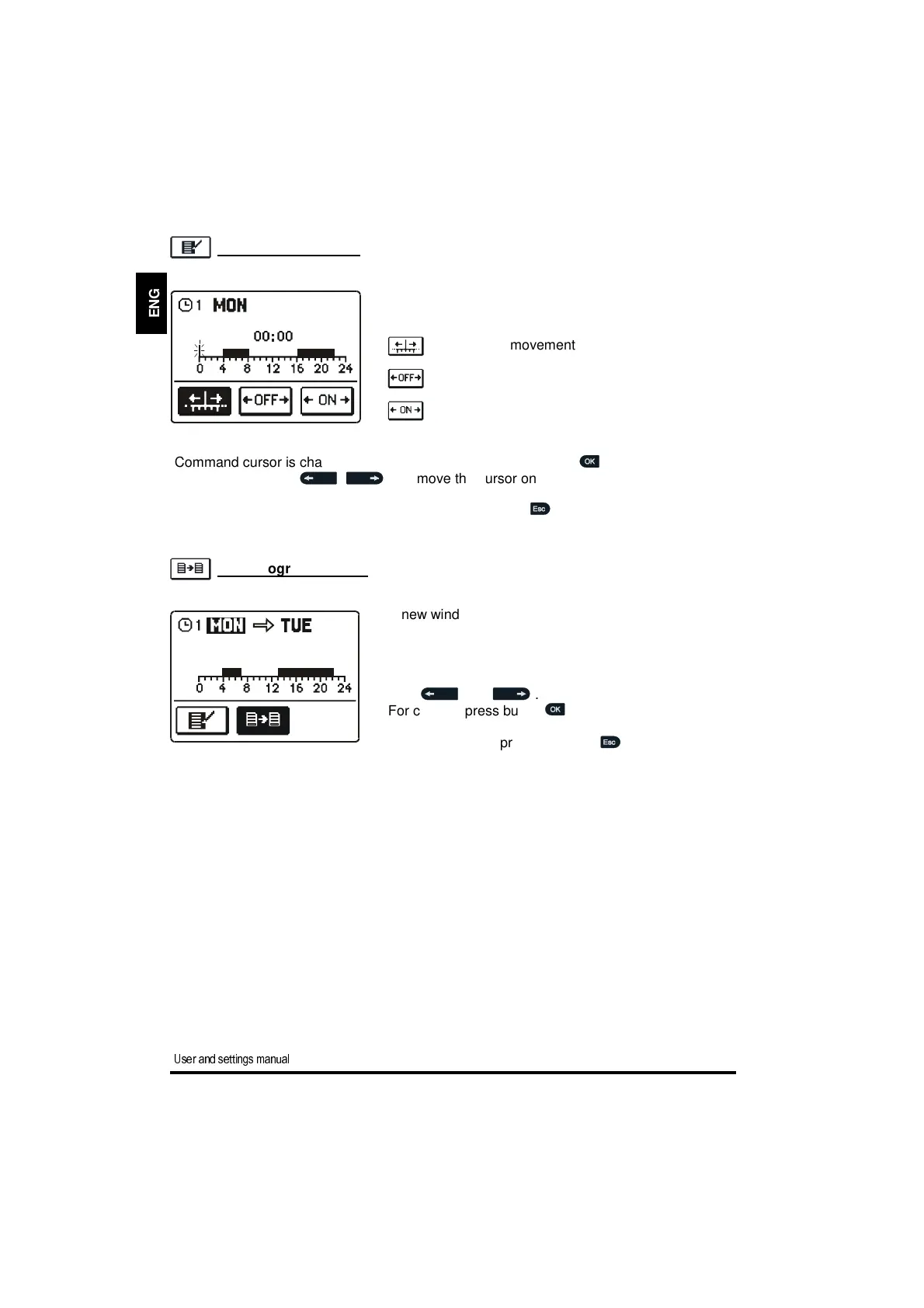
Command cursor is changed by successively pressing the button .
By pressing buttons , you move the cursor on the time axis and draw the
required course of time program.
Editing of the time program is finished by pressing button .
A new window opens which shows the time program
for a selected day and three command icons:
- free cursor movement
- OFF cursor
- ON cursor
A new window opens which shows the time program
for a selected day. At the top is a field where you can
select a day or more days together in which you want
to copy the time program.
A day or group of days are selected by pressing but-
tons and .
For copying press button .
Finish copying by pressing button .
Time program copying
Time program editing


 To Next Page