ENG
28
Service settings manual
SERVICE SETTINGS
Basic parameters are divided into groups P1, P2 and P3. In group P1 there are setting for
differences and hysteresis for built-in thermostats, in group P2 there are settings for mini-
mum and maximum temperatures for individual sensors, and controller performance set-
tings in group P3.
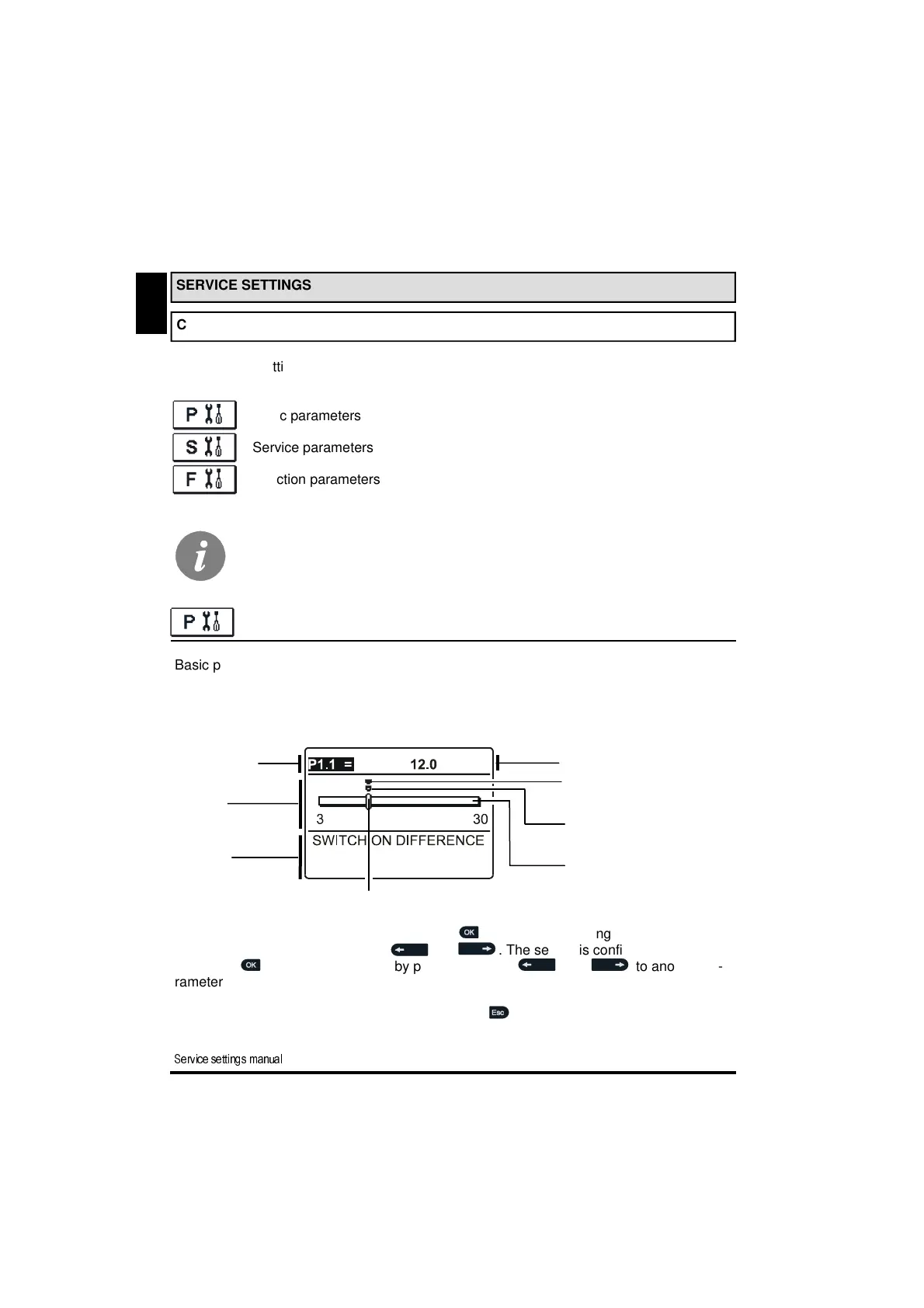
When selecting the required parameter group in the menu, a new window opens:
Parameter mark
Current parameter value
Diagram
of the setting
Factory value
The last confirmed
setting value
Current parameter value
Seting range
You modify the setting by pressing the button . The value of setting starts to flash, and
you can edit it by pressing buttons and . The setting is confirmed by pressing
the button . Now you can move by pressing buttons and to another pa-
rameter and repeat the procedure.
You exit the parameter settings by pressing button .
All additional settings and adjustments of controller performance are carried out by means
of parameters. In controller parameter settings menu there are three selectable groups:
Basic parameters
Service parameters
Function parameters
CONTROLLER PARAMETERS AND AUXILIARY TOOLS
BASIC PARAMETERS
Parameter
description
(Help)
SERVICE SETTINGS MANUAL
You can only see those parameters which have an effect on the selected hy-
draulic scheme. Factory settings for parameters also depend on the selected
hydraulic scheme.


 To Next Page