EN-33Ohaus Discovery
3.7.2 Calibration (Cont.)
Calibration Test
Calibration test allows a check of a known calibration mass against the last stored calibration
information in the balance.
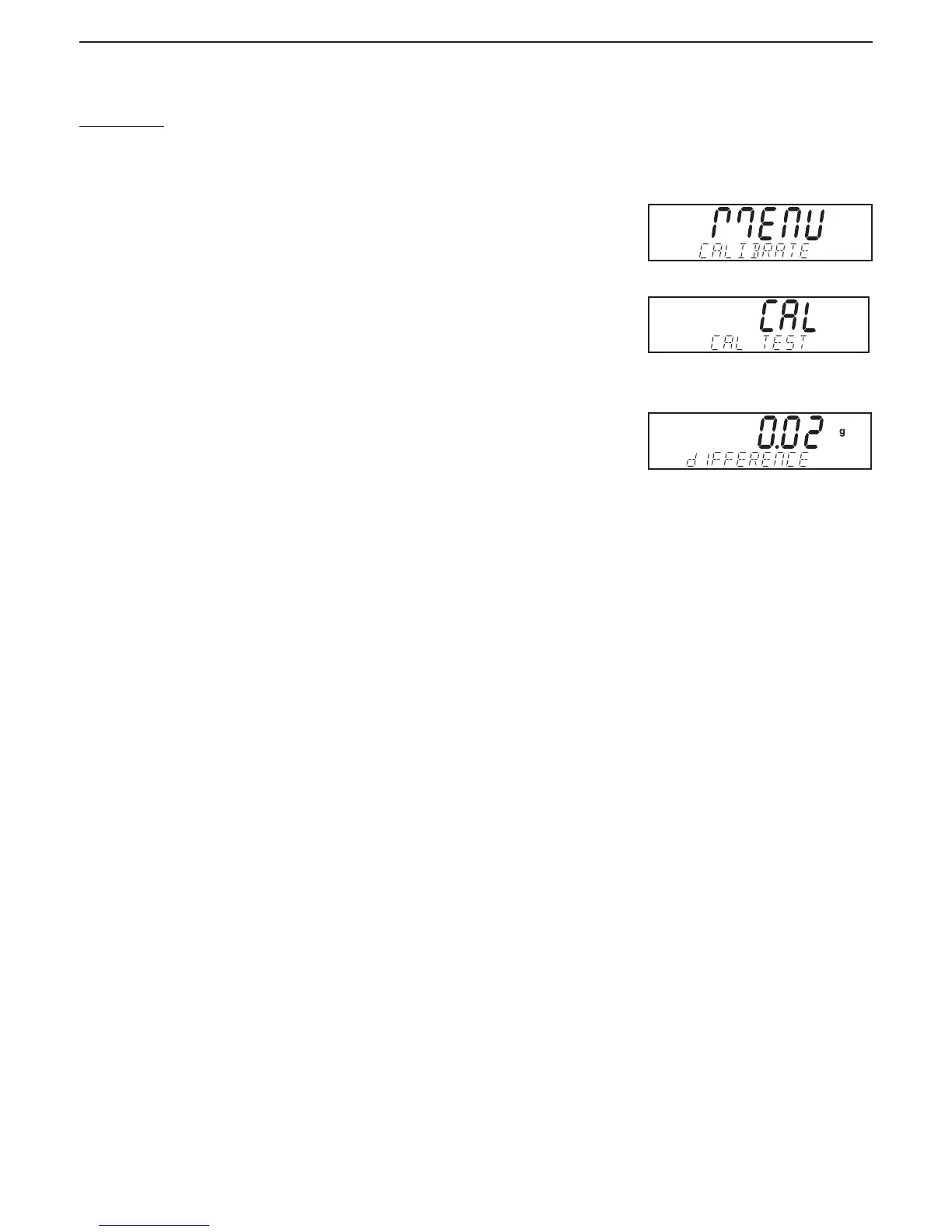
Press and hold the Cal button until MENU CALIBRATE is displayed.
Press Yes to enter calibration.
Press No until CAL TEST is displayed.
Press Yes and follow the screen instructions.
Place the specified weight on the pan. After a short period, the display indicates the difference in
weight from the last calibration, and then will display the calibration weight on the pan. After the
test, remove the calibration weight from the pan. To leave the menu, press Exit.
80104130.indd Sec1:33 2011/11/25 9:08:40





 To Next Page