4-7
CHAPTER 4 REPAIR PROCEDURES
4.3.2 Display PC Board Replacement
1. Refer to Section 4.1 and remove the Top Housing.
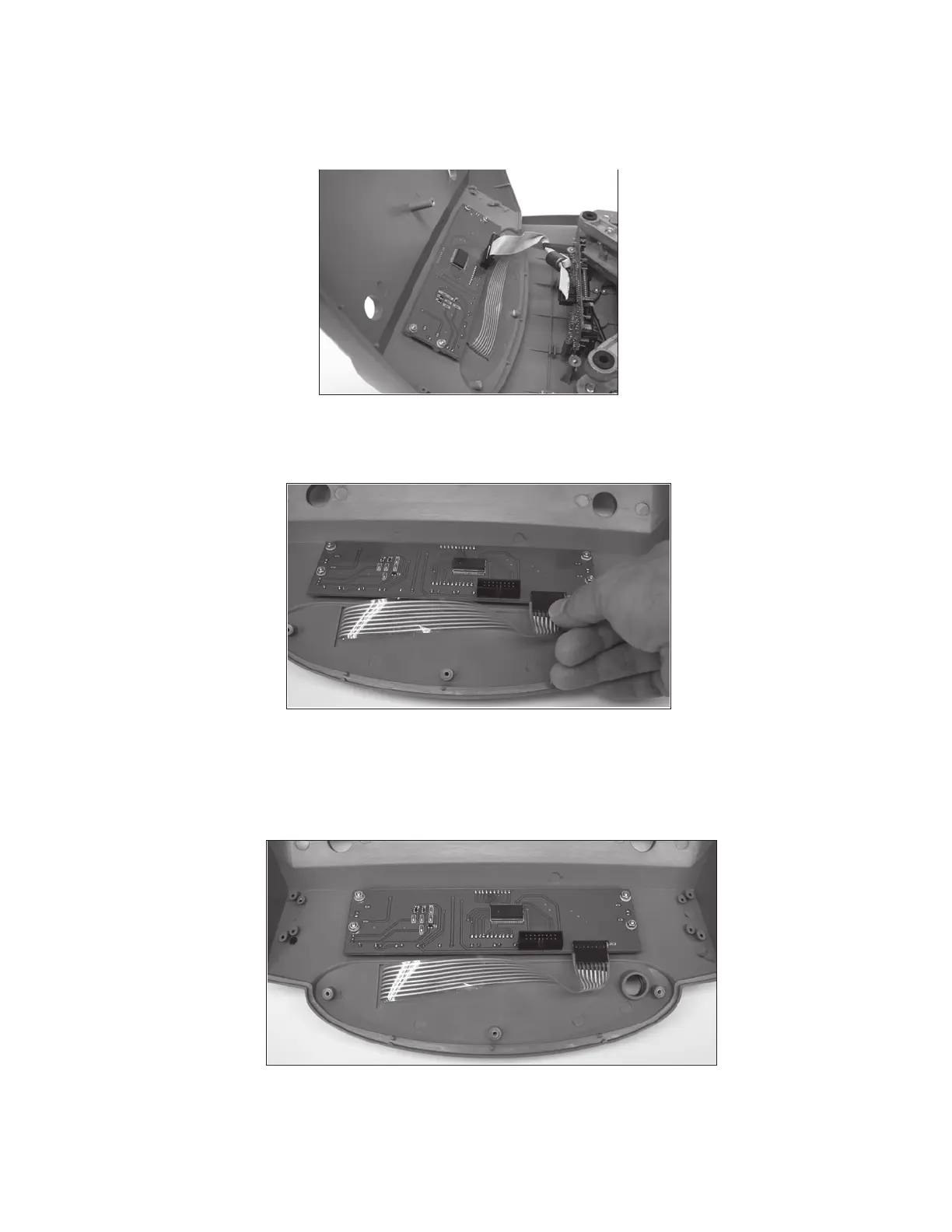
2. Disconnect the Ribbon Cable from the Display PC board. See Figure 4-10.
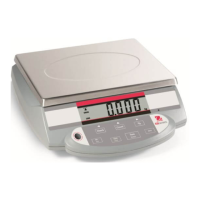
Figure 4-11. Disconnecting the Membrane Switch Cable from the Display PC Board.
3. Disconnect the Membrane Switch Cable from the Display PC Board. See Figure 4-11.
Figure 4-10. Disconnecting the Ribbon Cable.
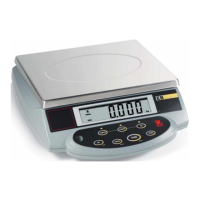
4. Remove the six screws that hold the Display PC Board to the Top Housing. See Figure 4-12.
Figure 4-12. Removing Screws from the Display PC Board.
5. Examine the replacement Display PC board and remove all protective plastic film that may be
covering the LCD display.



 To Next Page