A-1
APPENDIX A EB SERVICE MODES/SERVICE CALIBRATION
A. EB SERVICE MODES
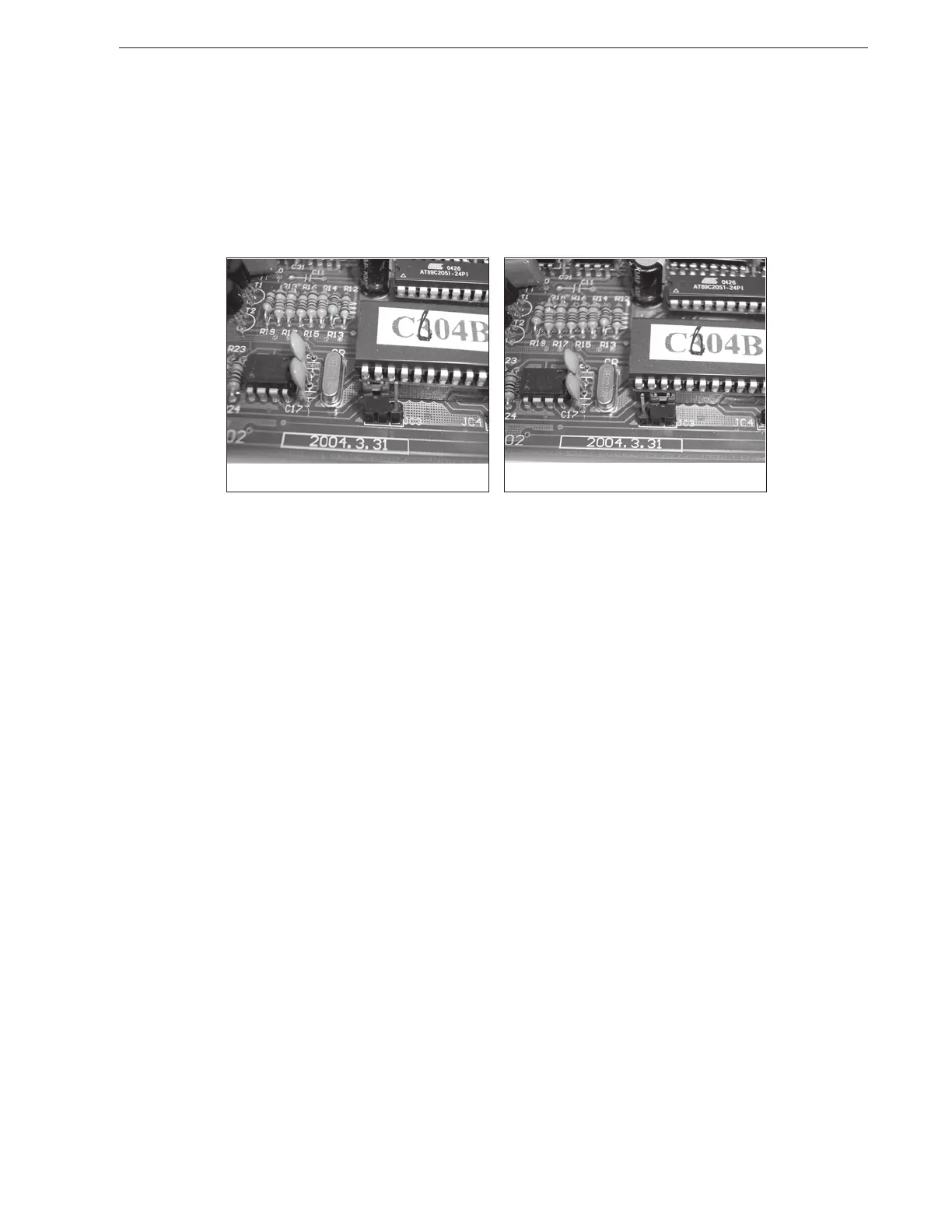
Figure A-1. Main PC Board Jumper Positions.
This Appendix describes the Service menu and sub-menus, which allow authorized service personnel to
configure the EB scale. Configuration settings include setting the capacity and resolution and setting the
decimal point position.
A.1 ENTERING THE SERVICE MENU
1. Open the scale housing and move the jumper to the service position as shown in
Figure A-1.
NORMAL SERVICE
2. Turn on the scale and press and hold the TARE, COUNT and ZERO buttons simultaneously
while the display is counting down, release when either 0.0 or xx000 is displayed.
Notes: 1. If the PCB has calibration data, the display will indicate 0.0. When 0.0 is displayed,
proceed to paragraph A.2 Calibration.
2. If a new PCB has been installed, the display will indicate the resolution of the scale
xx000 where xx= 12, 15, 30, 60 or 75. When xx000 is displayed, proceed to
paragraph A.3 Scale Configuration.
A.2 SERVICE CALIBRATION
Service calibration utilizes a three point calibration technique where calibration weights of 1/3, 2/3 and
full capacity are used. If after performing paragraph A.1 and 0.0 is displayed, proceed as follows:
1. Lightly depress the Platform and wait until the display shows the first calibration weight to add
1/3 of (capacity).
2. Add the displayed weight and wait until the display shows the second (total) weight to add
(2/3 of capacity).



 To Next Page