EXPLORER BALANCES EN-69
4.10.6 Measuring the Density of Porous Material Using Oil
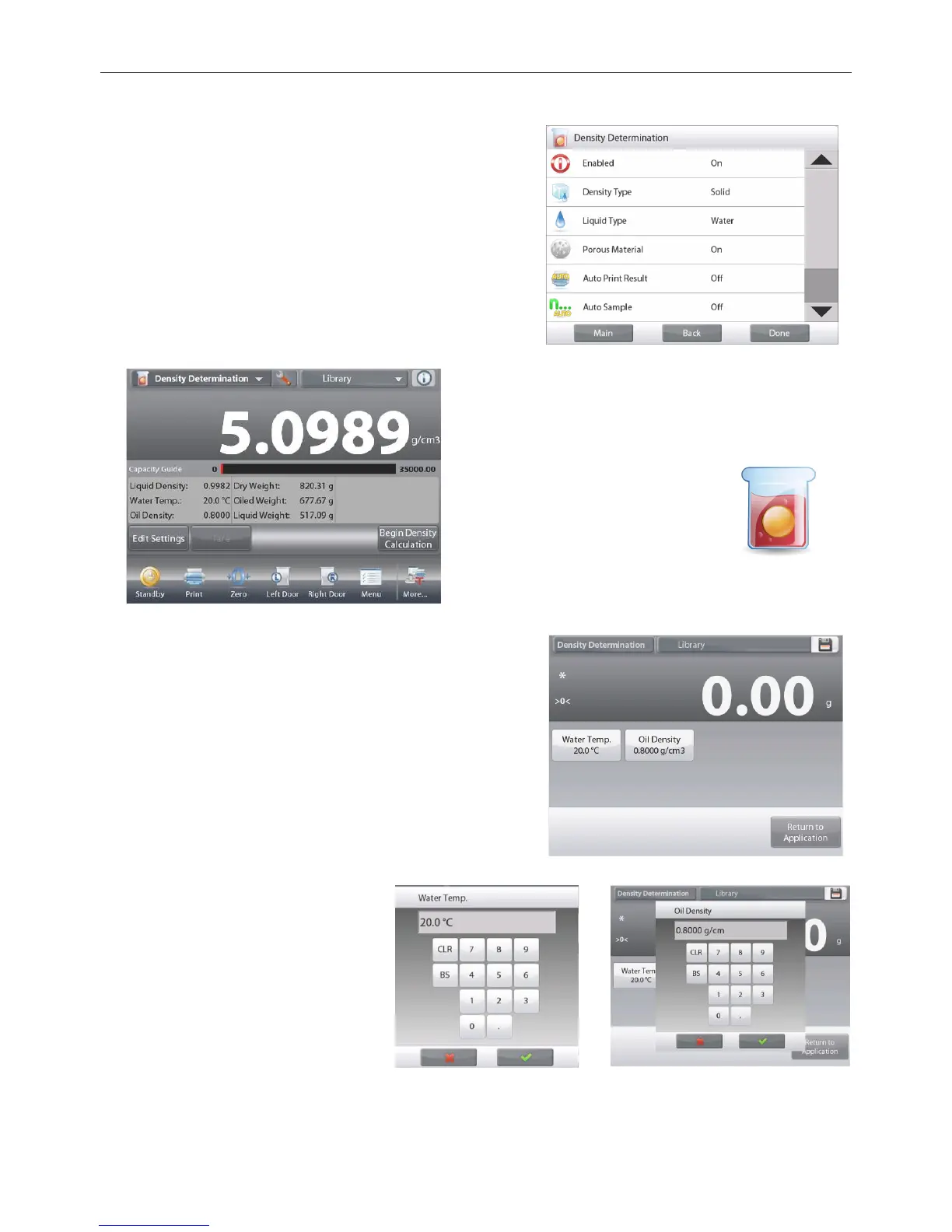
To enable this feature, enter the Density Determination
Setup menu, and set the following:
Density Type: Solid
Liquid Type: Water
Porous Material: On
The DENSITY DETERMINATION – POROUS Home screen
Main Display Line
Second Display Line
Reference Fields
Application Buttons
Functions Application Icon
Confirm the default values displayed (Water Temp) are
correct.
To edit the default values, touch
Edit settings
.
The Settings screen appears.
Settings available: Water Temp, Oil Density
Functions Available:
Return to Application
The balance calculates water density based on the water
temperature value entered (look-up table).
Measure the actual water temperature using a precision
thermometer.
To adjust the Water Temperature or Oil Density values,
touch the Water Temp or Oil Density button.
Numeric input windows appear.
Key in the desired value,
then press .
The display returns to the previous
screen with the new value
highlighted.
To return to the Density
Determination home screen, touch
Return to Application.













 To Next Page