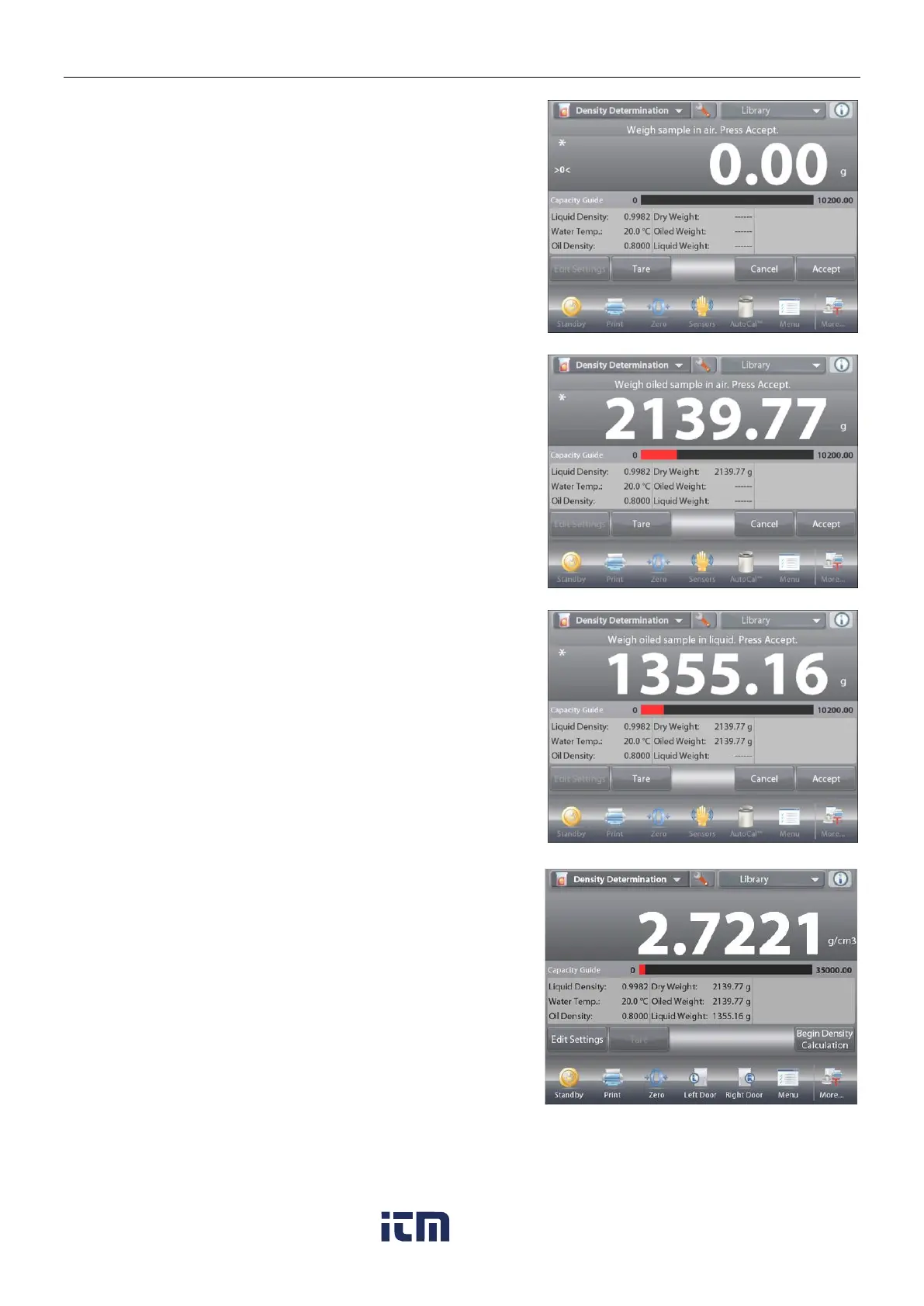
Press Begin Density Calculation.
Step 1 of 3 – Weigh the Un-Oiled Sample in Air.
Follow the screen instructions then press
Accept
to store the
dry sample weight (in air).
Step 2 of 3 – Weigh the Oiled Sample in Air.
Follow the screen instructions then press
Accept
to store the sample weight (oiled).
Step 3 of 3 – Weigh the Oiled Sample Submerged in Liquid.
Follow the screen instructions then press
Accept
to store the oiled sample weight (submerged in liquid).
Once the necessary weights have been determined, the density
of the sample is displayed in g/cm
3
(along with the weight in air,
un-oiled and oiled, and weight in water) on the Application
screen
The value stays on the display until Begin Density
Determination is touched.
Press
Begin Density Determination
to reset all the weight
values and restart the process.
w ww . . co m
information@itm.com1.800.561.8187













 To Next Page