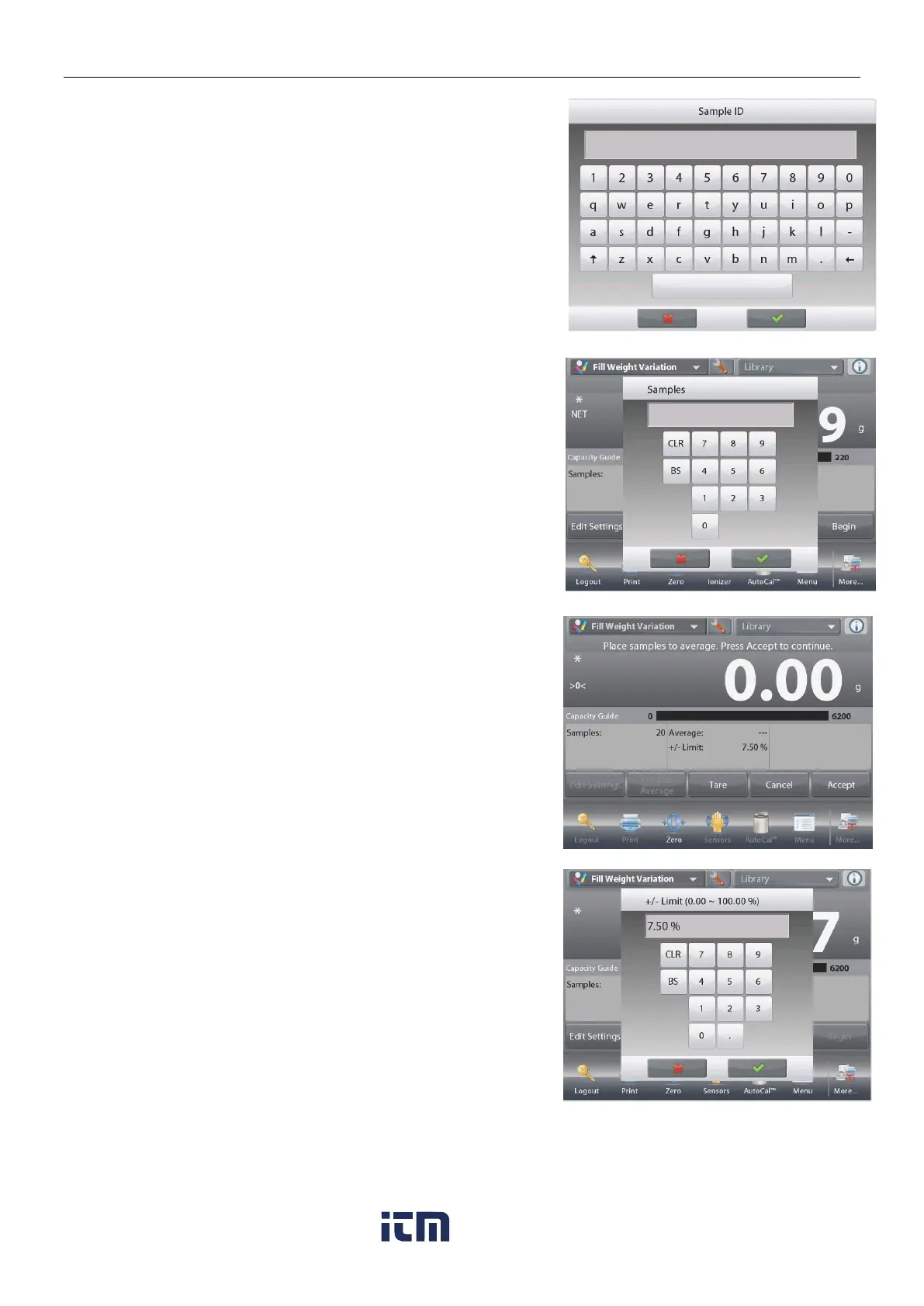
Touch the Sample ID button. Enter the desired sample name,
and then press.
Then touch the Return to Application button to return to the
main screen.
Touch the Samples Average button.
A numeric input window appears.
Key in the number of samples, then press.
The default value is 20 pieces.
A new screen appears with the message:
Place samples to average. Press Accept to continue.
Place all samples together on the pan to calculate the sample
average weight. Then touch the Accept button to continue.
Touch the +/- Limit % button to set the variation percent of the
sample average weight that can be accepted. Sample weight
within this value will be counted as accepted.
The default value is 7.50%.
w ww . . co m
information@itm.com1.800.561.8187













 To Next Page