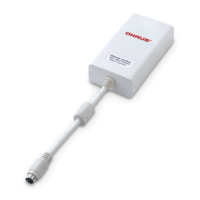
EN-2 Ethernet Interface
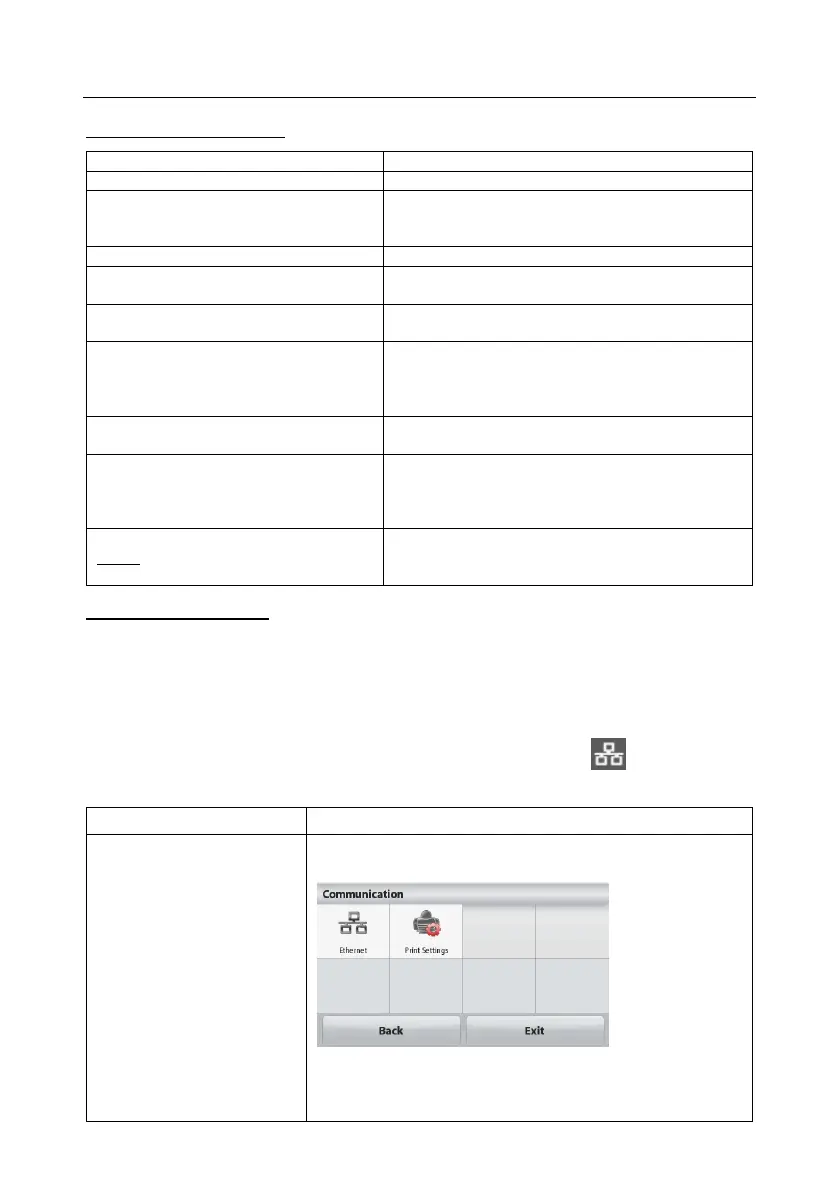
SETUP DEFINITIONS
Only sends data when PRINT is pressed.
PRINT / A.Print / On.Stable – Load,
Load.Zero
Balance only transmits stable data.
Load: Print stable value excluding zero
Load.Zero: Print stable value including zero
PRINT / A.Print / interval - (xx) sec
Balance sends data every (xx) seconds.
PRINT / Auto Print – accept
Balance only sends stable accept data in Check
mode.
PRINT / A.Print – Continuous
Balance repeatedly sends data as fast as
possible.
On: print relevant content after weighing data
Gross – on: G; Net – on: N; Tare – on: T;
Info – on: balance will print application mode
setting parameters
PRINT / Layout / Format - (Single,
Multi)
Single: print all data in one line
Multi: print all data in multiple lines
PRINT / Layout / Feed - (Line, 4
Lines, Form)
Line: feed one line after printing
4 Lines: feed four lines after printing
Form: feed one page after printing (move to the
top of next page after printing)
Displays the balance's IP Address
Use the “No” and “Back” keys to show the entire
number on the display
Ethernet Connection
The Interface has a preset IP Address. The Port Number is always 9761 and
cannot be changed. For more Ethernet configuration, please refer to the Section
Ethernet Configuration.
For STX Balances:
Upon installation, the STX balance will show the Ethernet icon ( ) in the upper
right corner.
Communication
|--Ethernet
|--Ethernet Settings
|--Print Settings
For more info, please refer to the STX instruction
manual.





 To Next Page