21
Chapter 4
| Startup Wizard | Navigation
4
Startup Wizard
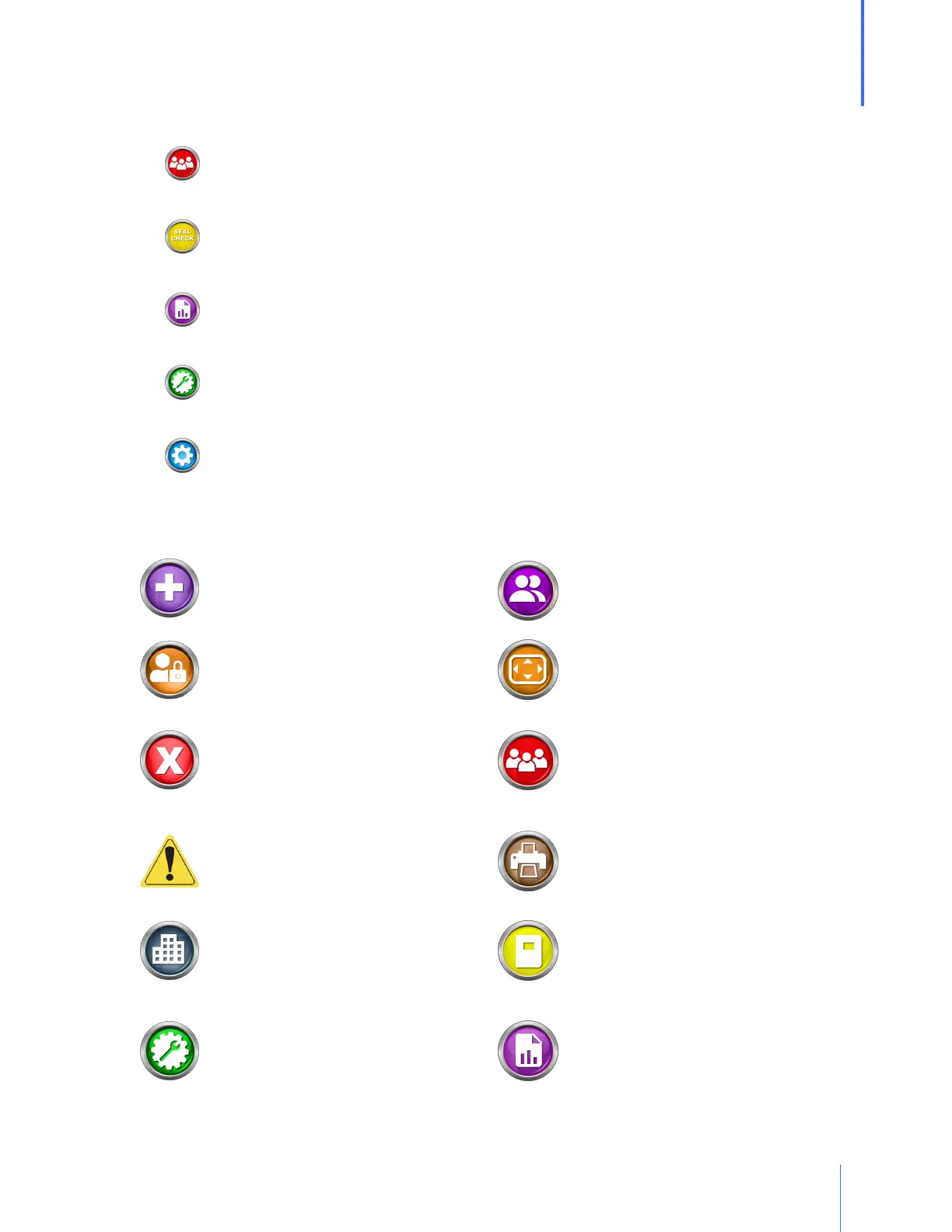
There are five major modules to select from:
o People/Test: Where people are added, edited, or imported, and where tests are
initiated.
o Seal Check: Holding this button will close off the air flow in the respirator so that the
test subject can do a user seal check.
o Reports: Reports that can be printed out or exported one at a time, or by date,
company, or group.
o Daily Verification: Used to perform the daily verification requirement for each day of
operation.
o Settings: Contains parameters that can be changed for the convenience or
requirement of the operator.
Buttons: generally, the function of each button is:
ADD – This button will allow the user to
add to the records currently viewed,
e.g. person, respirator, etc.
OPERATORS - Add/edit operators that
will be assigned to testing individuals
ADMIN MENU - Entry to a menu for
secure and important settings
PARAMETERS - Settings for customizing
mask criteria
CANCEL – This button will close the
current screen. Any values entered by
the operator on the screen will not be
saved.
PEOPLE/TEST – Add/edit people and
initiate fit test
CAUTION - This sign denotes a hazard
which should be understood before
proceeding
PRINT – The print button allows the user
to print a report related to the current
screen
COMPANY – A separation of people
into different groups, teams,
companies, etc.
REGULATIONS - Entry to change the
regulations that were selected in the
Setup Wizard
DAILY VERIFICATION – Will allow the
user to perform a daily verification
when the initial daily calibration has
already been completed
REPORTS – Brings the operator to a
section enabling them to print reports by
date or company


 To Next Page