EasyManua.ls Logo

Ohmeda Biox 3700 - Page 24

Default Icon
130 pages
Print Icon
To Next Page IconTo Next Page
To Previous Page IconTo Previous Page
Loading...
7.
1118-301
GENERAL
OPERATION
GUIDELINES
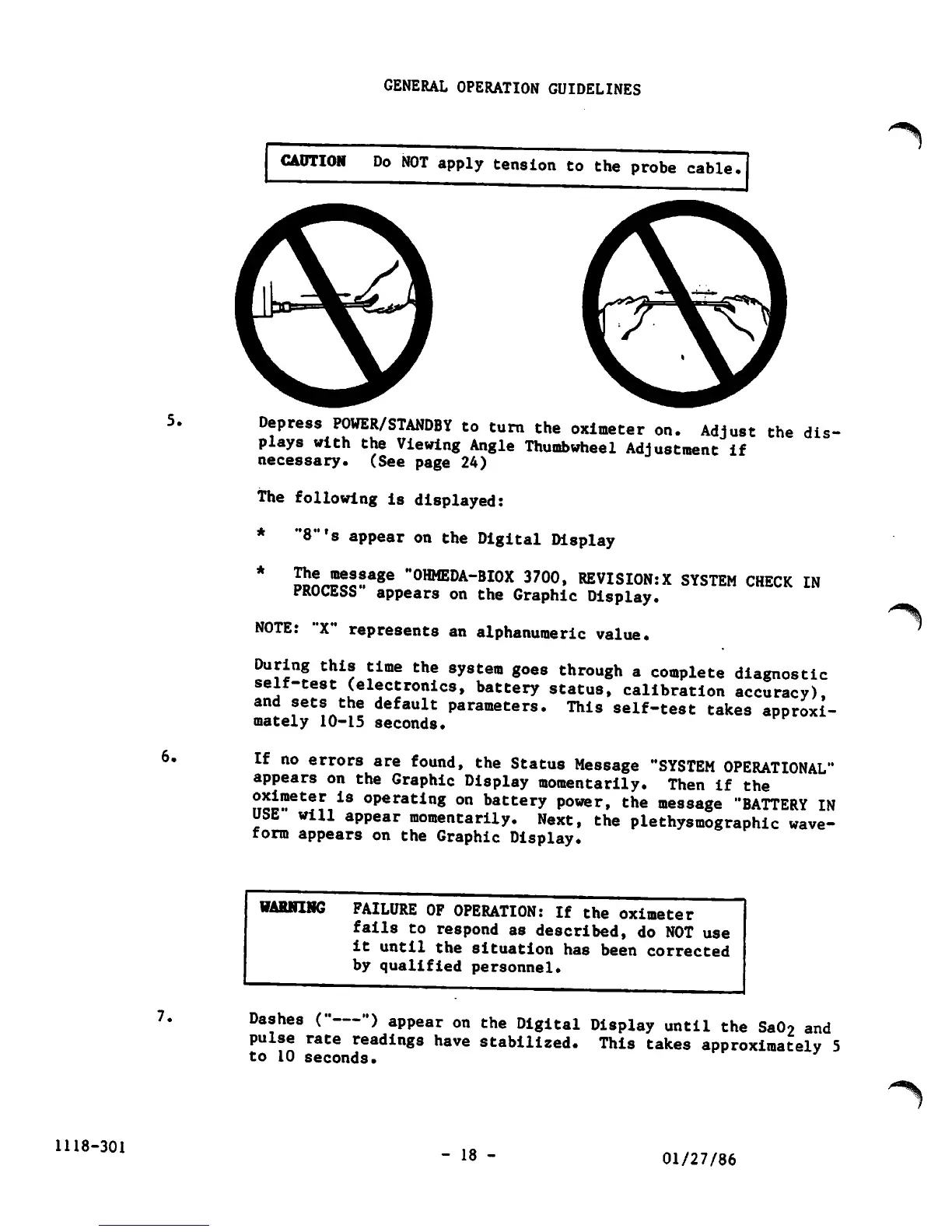
CAUTION
Do
NOT
apply
tension
to
the
probe
cable
Depress
POWER/STANDBY
to
turn
the
oximeter
on.
Adjust
the
dis
plays
with
the
Viewing
Angle
Thumbwheel
Adjustment
if
necessary.
(See
page
24)
The
following
is
displayed:
*
"8"'s
appear
on
the
Digital Display
*
I5LBeS!age
"OHMEDA-BIOX
3700,
REVISIONS
SYSTEM
CHECK
IN
PROCESS
appears
on
the
Graphic
Display.
NOTE:
"X"
represents
an
alphanumeric
value.
During
this
time
the
system
goes
through
a
complete
diagnostic
self-test
(electronics,
battery
status,
calibration
accuracy),
and
sets
the
default
parameters.
This
self-test
takes
approxi
mately 10-15 seconds.
If
no
errors
are
found,
the
Status
Message
"SYSTEM
OPERATIONAL"
appears
on
the
Graphic
Display
momentarily.
Then
if
the
U«»eter
iS
°Peratin8
on
battery
power,
the
message
"BATTERY
IN
USE
will
appear
momentarily.
Next,
the
plethysmographic
wave
form
appears
on
the
Graphic
Display.
WARNING
FAILURE
OF
OPERATION:
If
the
oximeter
fails
to
respond
as
described,
do
NOT
use
it
until
the
situation
has
been
corrected
by
qualified
personnel.
Dashes
("
")
appear
on
the
Digital
Display
until
the
Sa02
and
pulse
rate
readings
have
stabilized.
This
takes
approximately
5
to 10
seconds.
- 18 -
01/27/86

Other manuals for Ohmeda Biox 3700

Related product manuals