EasyManua.ls Logo

Ohmeda Biox 3700 - Digital Interface

Default Icon
130 pages
Print Icon
To Next Page IconTo Next Page
To Previous Page IconTo Previous Page
Loading...
COMPUTER
INTERFACE
DIGITAL
INTERFACE
Most
printers,
display
terminals,
and
computers
with an
RS-232C
interface
and
the
capability
to
accept
ASCII
formatted
data
at
a
1200
BPS
(Bits
Per
Second)
baud
rate
may
be
interfaced
to
the
Ohmeda
Biox
3700
Pulse
Oximeter.
Prior
to
connecting
the
Ohmeda
Biox
3700
Oximeter
with
RS-232C
devices,
make
sure
the
settings
on
the
terminal
or
equipment
are:
1200
Baud
7
Bit
Data
Odd Parity
1 Stop Bit
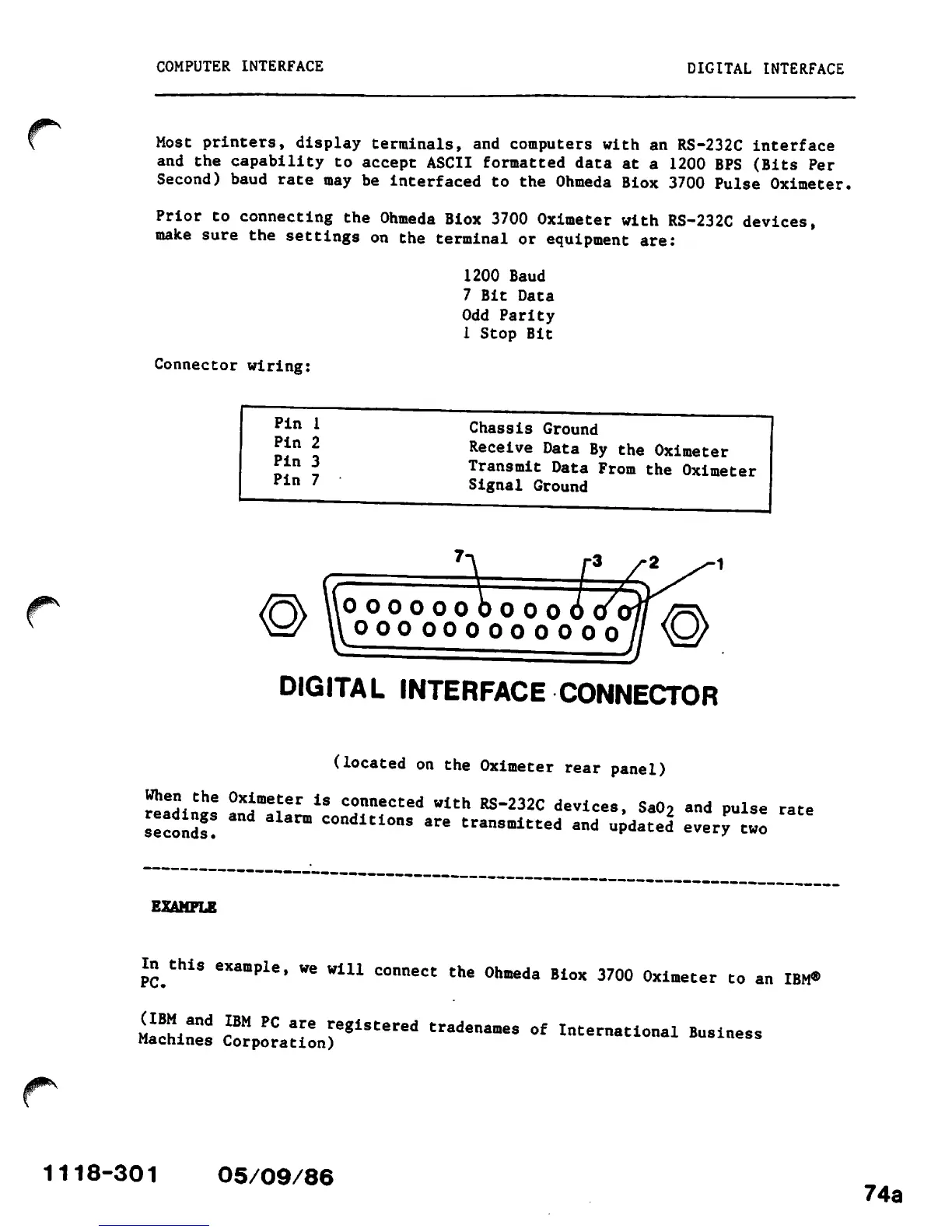
Connector
wiring:
Pin
1
Pin
2
Pin
3
Pin
7
Chassis
Ground
Receive
Data
By
the
Oximeter
Transmit
Data
From
the
Oximeter
Signal Ground
OOOOO61
oooooobooo6tfi
000000000000
DIGITAL
INTERFACE
CONNECTOR
(located
on
the
Oximeter
rear
panel)
When
the
Oximeter
is
connected
with
RS-232C
devices,
SaOo
and
pulse
rate
second!!
aUrm
C°nditi0ns
are
transmitted
and
undated'
every
two
EXAMPLE
In
this
example,
we
win
connect
the
Ohmeda
Biox
3700
Oximeter
to
an
IBM®
Machin^
r8"
?C
T
"glstered
"adenames
of
International
Business
Machines Corporation)
1118-301
05/09/86
74a

Other manuals for Ohmeda Biox 3700

Related product manuals