EasyManua.ls Logo

Ohmeda Biox 3700 - Trend Display (20;60)

Default Icon
130 pages
Print Icon
To Next Page IconTo Next Page
To Previous Page IconTo Previous Page
Loading...
r
1118-301
TREND
20/60
DESCRIPTION
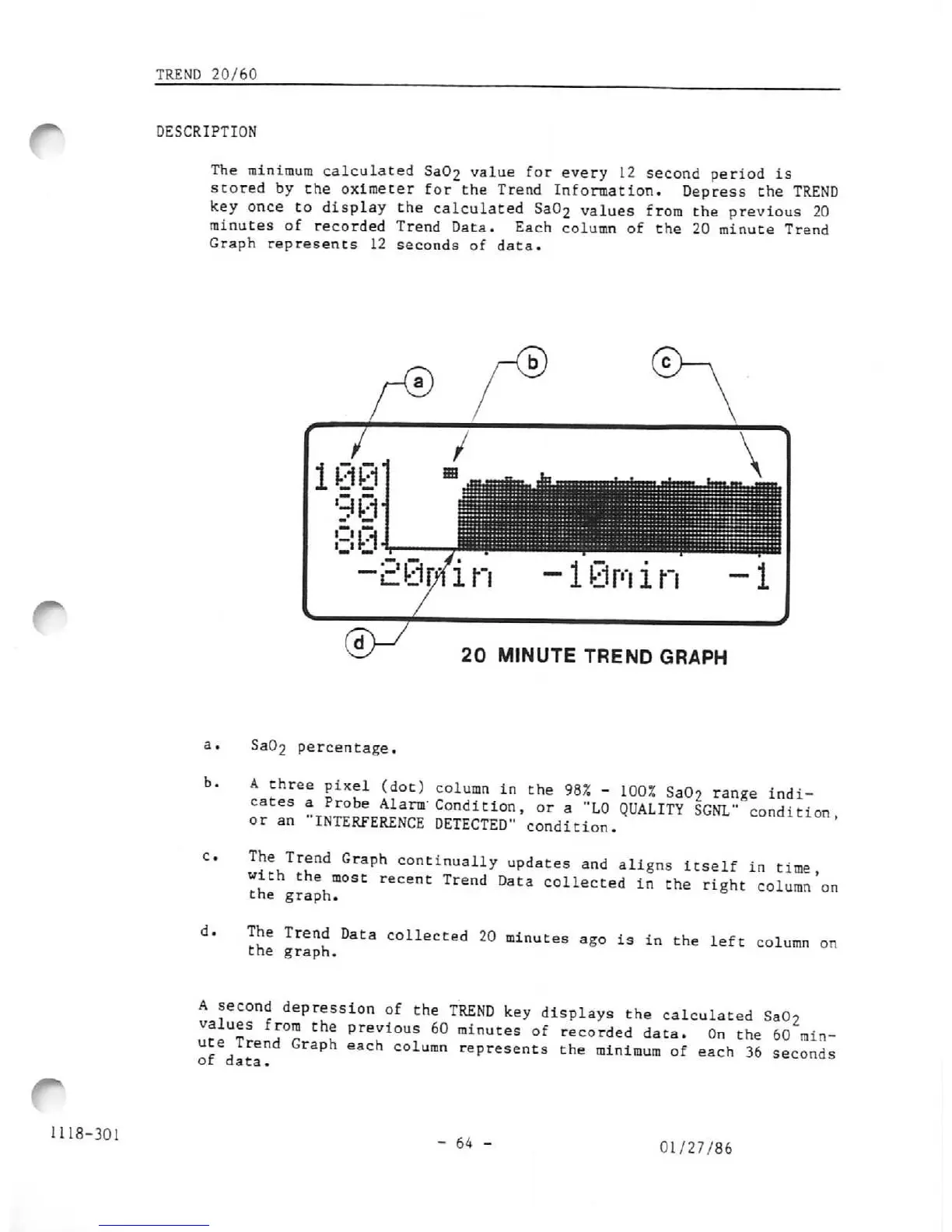
The
minimum
calculated
Sa02
value
for
every
12
second
period
is
stored
by
the
oximeter
for
the
Trend
Information.
Depress
the
TREND
key
once
to
display
the
calculated
Sa02
values
from
the
previous
20
minutes
of
recorded
Trend
Data.
Each
column
of
the
20
minute
Trend
Graph
represents 12 seconds of data.
b.
d.
cUr/fin
-18m
in
-1
20
MINUTE
TREND
GRAPH
Sa02
percentage.
A
three
pixel
(dot)
column
in
the
98%
-
100%
Sa02
range
indi
cates
a
Probe
Alarm'
Condition,
or
a
"LO
QUALITY
SGNL"
condition
or
an
"INTERFERENCE
nFTFrTrn-
„„„
j
„•...•
._
*
INTERFERENCE
DETECTED"
condition.
The
Trend
Graph
continually
updates
and
aligns
itself
in
time
with
the
most
recent
Trend
Data
collected
in
the
right
column
the graph.
The
Trend
Data
collected
20
minutes
ago
is in
the
left
col
the graph.
on
umn
on
A
second
depression
of
the
TREND
key
displays
the
calculated
SaOo
.!£"?!
A°r
t
pre:ious
60
»i™t:es
of
recorded
data.
On
the
60
min
ute
Trend
Graph
each
column
represents
the
minimum
of
each
36
seconds
or
data.
- 64 -
01/27/86

Other manuals for Ohmeda Biox 3700

Related product manuals