EasyManua.ls Logo

Ohmeda Biox 3700 - Page 73

Default Icon
130 pages
Print Icon
To Next Page IconTo Next Page
To Previous Page IconTo Previous Page
Loading...
TREND
20/60
4.
5.
6.
b.
c.
1118-301
The
Status
Message,
"SYSTEM
OPERATIONAL"
appears
on
the
Graphic
Display
indicating
the
oximeter
is
operating
cor
rectly.
Dashes
appear
on
the
Digital Display
until
the
readings have stabilized.
When
the
probe
is
on
a
patient,
the
plethysmographic
wave
form
appears
on
the
Graphic
Display
and
Sa02
and
Pulse
Rate
readings
appear
on
the
Digital
Display.
The
system
is fully operational.
Depress
the
TREND
key,
and
the
previous
Trend
Data
is
dis
played
along
with
the
present
Trend
Data.
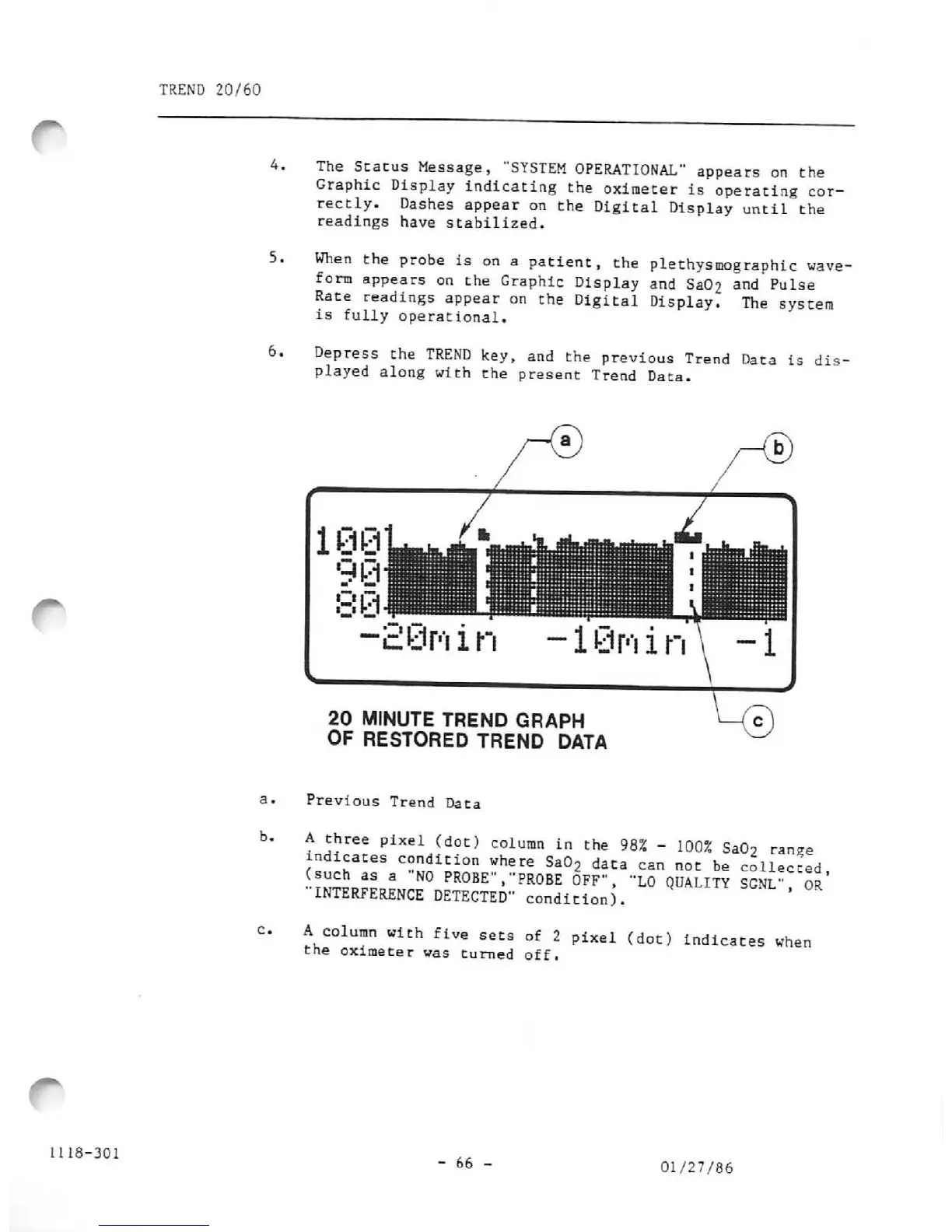
20
MINUTE
TREND
GRAPH
OF
RESTORED
TREND DATA
Previous Trend Data
A
three
pixel
(dot)
column
in
the
98%
-
100%
Sa02
range
indicates
condition
where
Sa02
data
can
not
be
collected
?™f
3
PR°BE"'
"PR0BE
0FF*'>
'*L0
QUALITY
SGNL",
Or'
INTERFERENCE
DETECTED"
condition).
A
column
with
five
sets
of
2
pixel
(dot)
indicates
when
the oximeter was turned off.
-
66
-
01/27/86

Other manuals for Ohmeda Biox 3700

Related product manuals