EasyManua.ls Logo

Ohmeda Biox 3700 - Page 97

Default Icon
130 pages
Print Icon
To Next Page IconTo Next Page
To Previous Page IconTo Previous Page
Loading...
COMPUTER
INTERFACE
Ohmeda
Biox
3700
Oximeter
Communication
with
Computers
* Auto-Output Mode
*
Trend-Output
Mode
*
Waveform
Mode
AUTO-OUTPUT
MODE
AUTO-OUTPUT
MODE
jps\
1118-301
Entering
This
is
the
default
mode.
If
you
have
completed
programmming
the
IBM
PC
as
described
in
the
previous
section,
you
have
already
seen
the
Auto-Output
Mode.
It
is
present
when
the
oximeter
begins
communication
with
a
computer,
and
is
the
mode
the
oximeter
returns
to
when
exiting
from
other
modes.
Enabling
One
line
of
data
is
output
to
terminal
every
two
seconds.
The
message
looks
like
the
following:
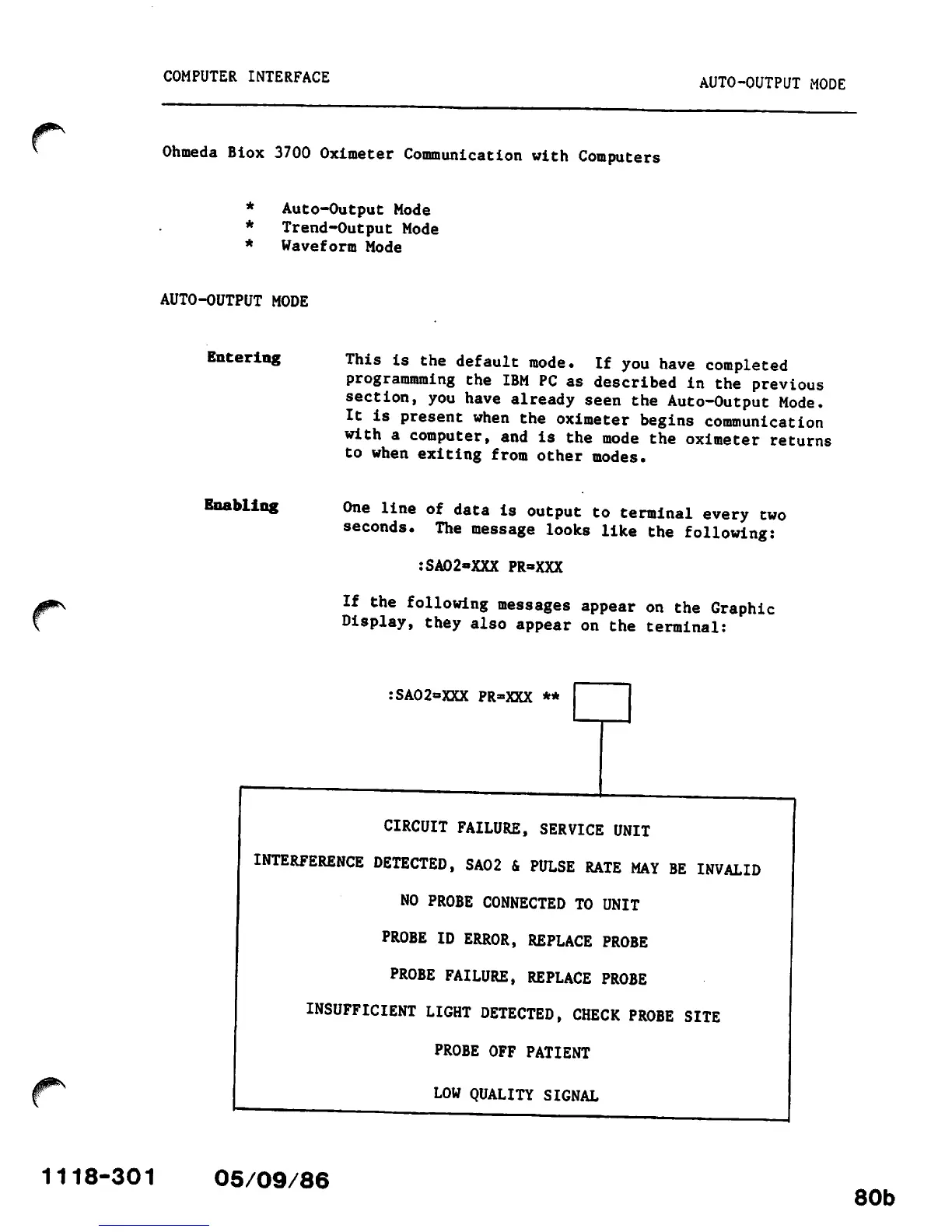
:SA02»XXX
PR-XXX
If
the
following
messages
appear
on
the
Graphic
Display,
they
also
appear
on
the
terminal:
:SA02=XXX PR»XXX **
CIRCUIT
FAILURE,
SERVICE
UNIT
INTERFERENCE
DETECTED,
SA02
&
PULSE
RATE
MAY
BE
INVALID
NO
PROBE
CONNECTED
TO UNIT
PROBE
ID
ERROR,
REPLACE
PROBE
PROBE
FAILURE,
REPLACE
PROBE
INSUFFICIENT
LIGHT
DETECTED,
CHECK
PROBE
SITE
PROBE OFF PATIENT
LOW QUALITY SIGNAL
05/09/86
80b

Other manuals for Ohmeda Biox 3700

Related product manuals