- 109 -
4. Copy
Copying
1
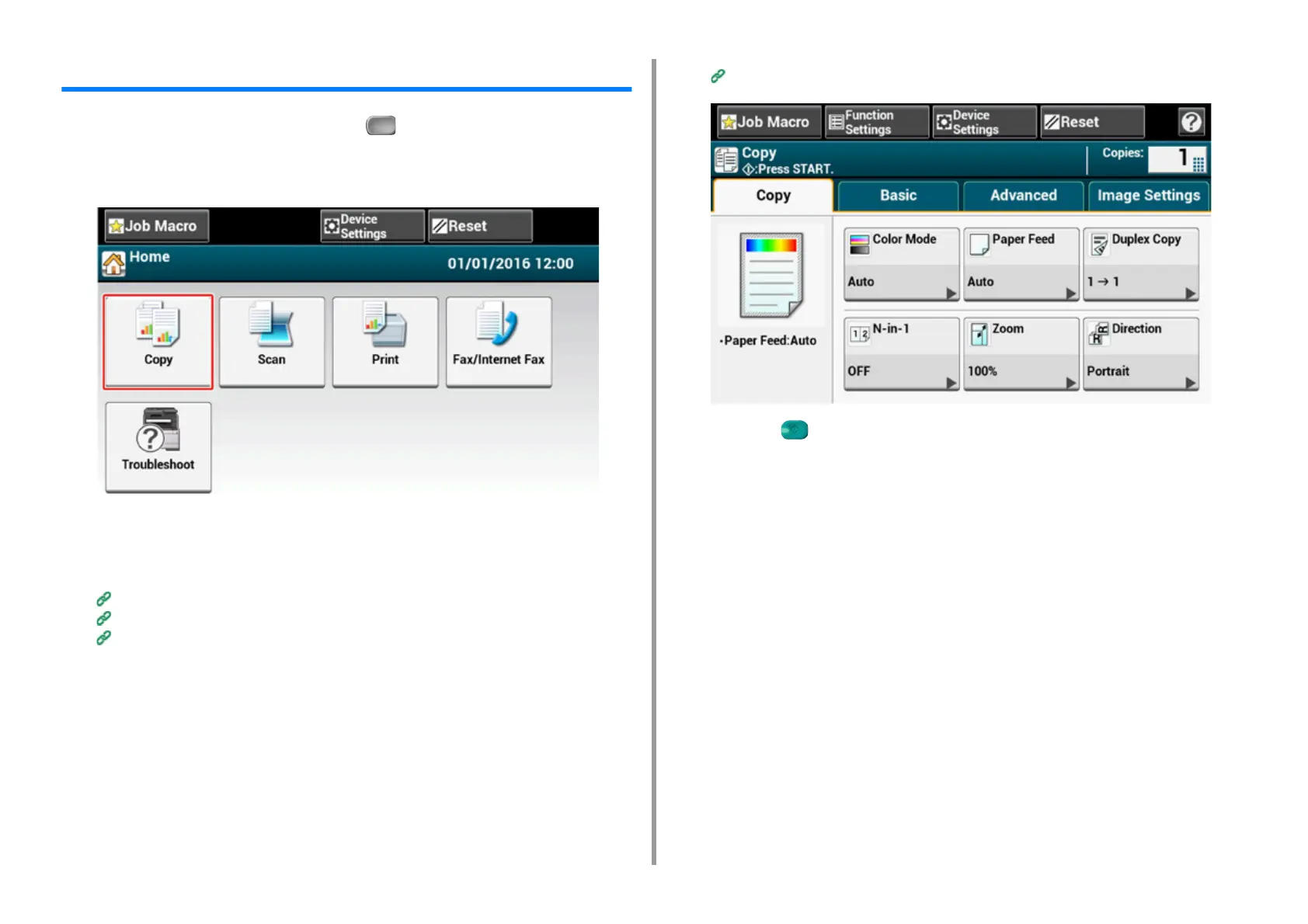
Press [Copy] on the touch panel or the (COPY) button on the operator
panel.
The touch panel display switches to the copy top screen.
2
Set a document in the ADF or on the document glass.
3
Set the copy setting if necessary.
Useful Functions (Advanced Manual)
For a Better Finish (Advanced Manual)
Color Settings (Advanced Manual)
Advanced Copy Settings (Advanced Manual)
4
Press the (START) button.


 To Next Page