- 29 -
Unpacking and Installing the Machine
1
2
4
5
6
3
•
Unpacking and Installing the Machine
1
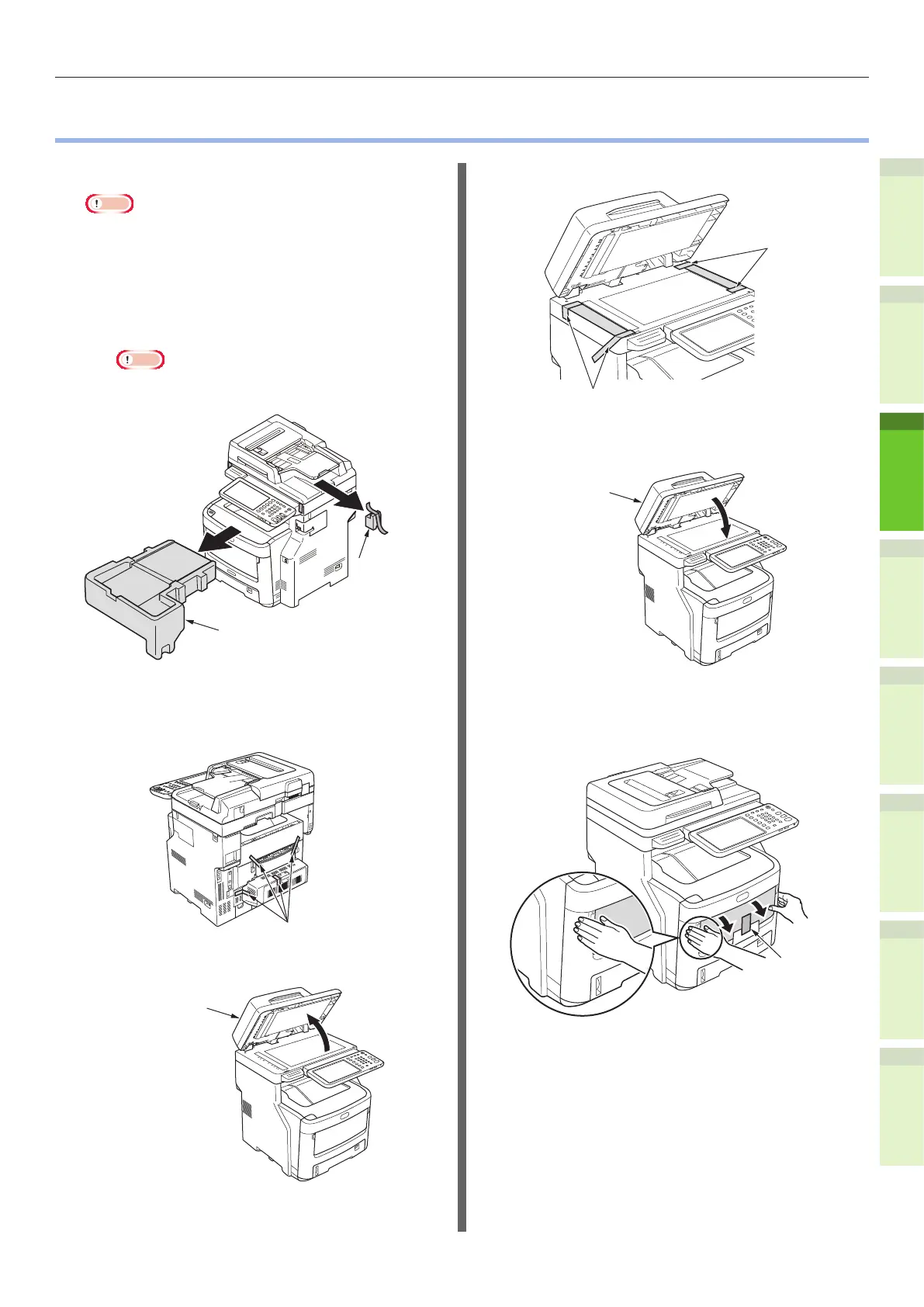
Remove the protector.
Note
•
The box, packaging, and cushioning material are
needed to transport the machine. Do not dispose of
these items.
(1) Remove the machine from
the box, and then remove the
cushioning.
Note
•
Three people are needed to safely lift this
machine.
Cushioning
Cushioning
(2) Remove the protective tape
from the back and sides of the
machine.
Protective Tape
(3) Open the document holder cover.
Document Holder
Cover
(4) Remove the protective tape.
Protective tape
Protective tape
(5) Return the document holder
cover to its original position.
Document
Holder
Cover
(6)
Hold both sides of the multi-
purpose tray (MPT) and fold it
down to open it.
Multi-Purpose
Tray (MPT)


 To Next Page