ML620/ML621 User’s Guide 31
Changing the Forms Tear-Off Setting
Note: The default setting for Forms Tear‑Off is OFF.
To change the Forms Tear-Off setting:
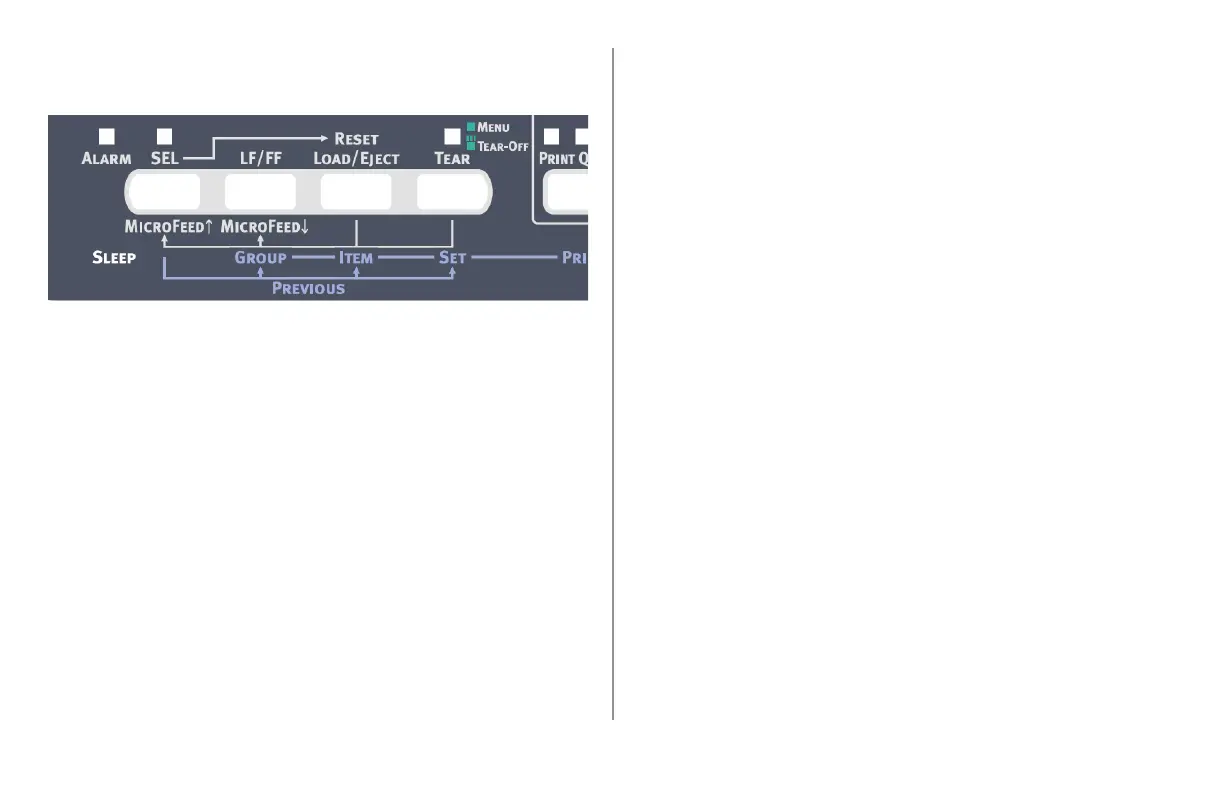
Hold down the CHR PITCH key and press the PRINT
SPEED key.
Press GROUP repeatedly until the Rear Feed or
Bottom Feed group shows in the rst column of
the printed line, depending on which paper feed
you are using.
Press ITEM repeatedly until Form Tear-Off appears
in the second column:
Rear Feed Form Tear‑Off Manual
Press SET until the time interval you wish to
select appears in the third column:
Rear Feed Form Tear‑Off 1 Sec
1.
2.
3.
4.
Hold down the CHR PITCH key and press the
PRINT SPEED key to exit Menu Mode and save the
setting.
Manual Forms Tear Off
If you don’t wish to engage the Forms Tear-Off
feature, you can advance
rear-feed continuous forms loaded on the
built-in tractor
or
bottom-feed continuous forms loaded on the
optional push tractor
up to the tear off position manually by pressing the
LF/FF key and then pressing TEAR.
5.




 To Next Page