pro920WT User’s Guide> 81
Put the removed toner cartridge into a bag and seal it to
prevent the toner from scattering.
4. Check the color of the new toner cartridge, and take out it
from the package.
NOTE
Do not turn the blue lever as the toner may spill out.
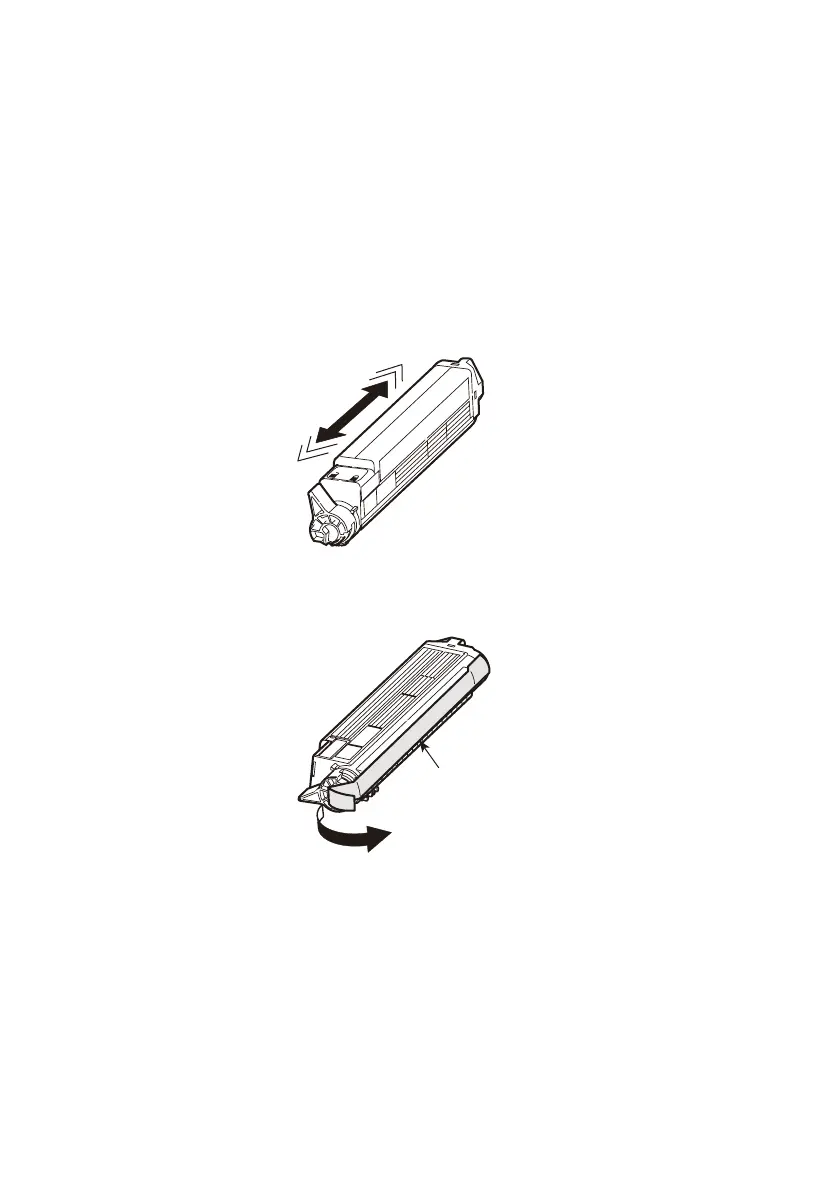
5. Gently shake the new toner cartridge from end to end several
times to loosen and distribute the toner evenly inside the
cartridge.
6. Place the toner cartridge on a flat surface, and peel off the
adhesive tape (3).
3








 To Next Page