8
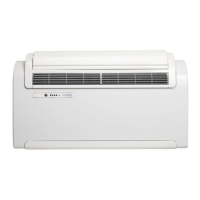
2.4 Control panel
Remote control signal reception indicator
2.4.1 Operating conditions
FUNCTION
Start auto test program
2.5 Remote control
The remote control is the interface between the unit and the end user. It
is very important to learn all the functions of the remote, how to use the
various controls and the meaning of the symbols used on the remote.
2.5.1 Buttons
Time and program set button
Increase or decrease time and temperature
Fresh air button (fresh air kit not available for this unit)
Oscillating louver on/off
Program 1 / Program 2 functions on/off
Report unit display on/off


 To Next Page
 Loading...