6-4
Setting the Number of Rings
(TAD Reception)
If a separately purchased telephone with answering machine
capabilities is connected to this fax machine and TAD Reception is
turned ON – but the answering machine capabilities of the telephone
are turned OFF – the number of times the fax will let the telephone
ring before switching to fax reception can be set here to any number
between 1 - 15. When a call from a facsimile comes in, this fax will
switch to fax reception after the number of rings designated here.
(Refer to “TAD Reception”, page 4-3.)
* BE SURE to select a setting here that is a LARGER number than
the setting made in the answering machine. If you cannot set the
number of rings in your answering machine, select “15 Times”
in this procedure.
*
If you want to cancel the procedure part way through, press the
Reset key. The operation panel will return to the initial mode settings.
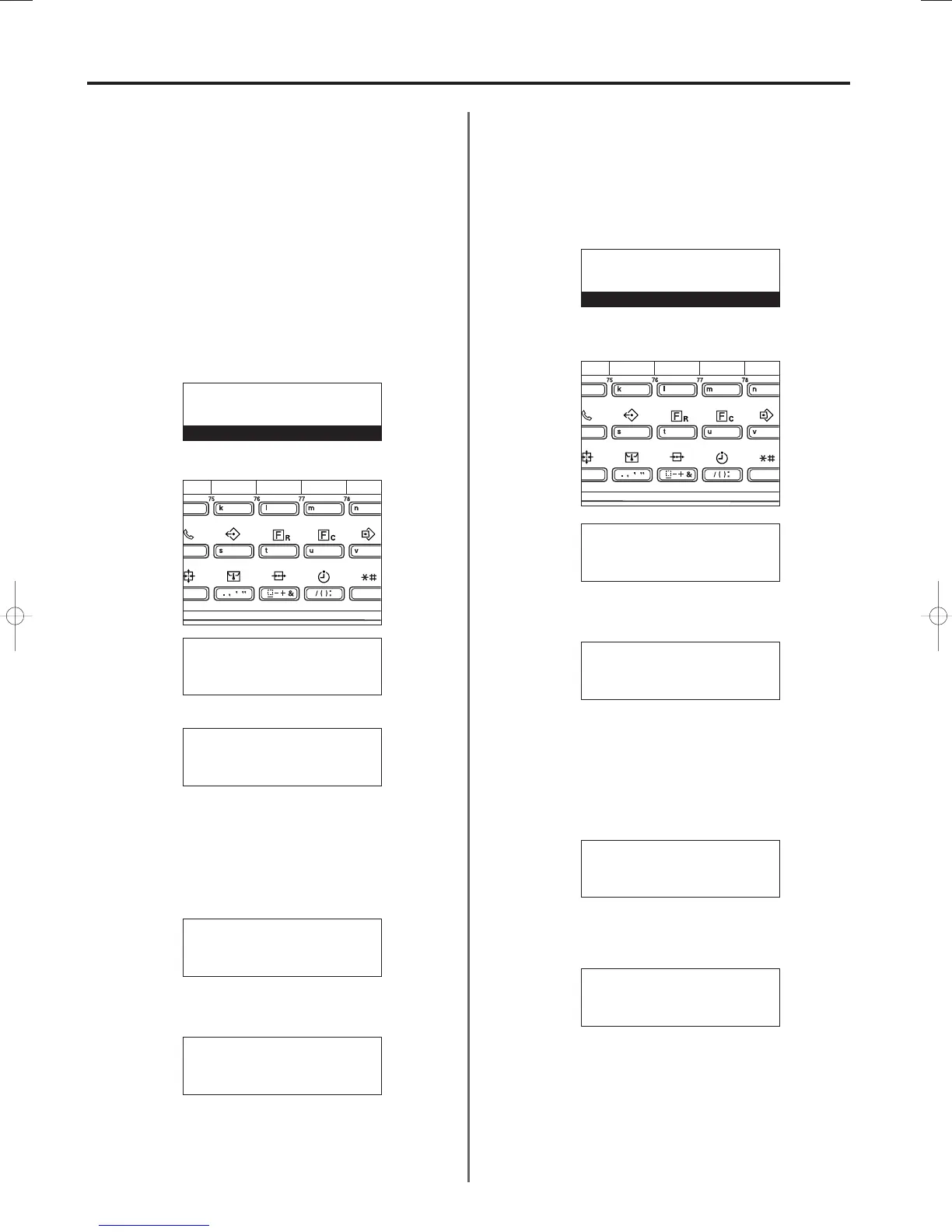
1. Press the CONFIGURE key.
2. Use the cursor up or the cursor down key to select “Nr rings-TAD”.
3. Press the Enter key.
4. Use the cursor up or the cursor down key to select the number of
times the fax will let the telephone ring.
* The asterisk (
*
) in the message display indicates the current
setting.
5. Press the Enter key. The setting for the number of rings in the
TAD Reception mode is complete.
* If you are finished making settings, press the Reset key.
The operation panel will return to the initial mode settings.
Turning 2-up Reception ON/OFF
If 2-up reception is turned ON and two A5 size pages are received in a
row during the same reception, those 2 pages will be printed onto a
single sheet of A4R size paper. In order to accomplish 2-up Reception,
it is necessary to turn this function ON in advance.
*
If you want to cancel the procedure part way through, press the
Reset key. The operation panel will return to the initial mode settings.
1. Press the CONFIGURE key.
2. Use the cursor up or the cursor down key to select “2-up RX”.
3. Press the Enter key.
4. Use the cursor up or the cursor down key to select whether to turn
2-up reception ON or OFF.
* The asterisk (
*
) in the message display indicates the current
setting.
5. Press the Enter key. The setting for 2-up Reception is complete.
* If you are finished making settings, press the Reset key.
The operation panel will return to the initial mode settings.
Section 6 Various Settings and Registration in this Fax
3A180100A
3A1/FaxSystem(A)/MCE-Eng
/ 164
Number of rings (TAD):
*10Times
11Times
➪
12Times
Set fax:
Bulletin board:Delete
Nr of rings : 2Times
➪
Nr rings-TAD :12Times
Set fax:
Bulletin board:Delete
Nr of rings : 2Times
➪
Nr rings-TAD :10Times
01-DEC-1999 12:00
Set original
2-up RX:
➪
On
*Off
Set fax:
RX date/time :Off
Paper feed sel:Auto sel.
➪
2-up RX :Off
Set fax:
RX date/time :Off
Paper feed sel:Auto sel.
➪
2-up RX :On
01-DEC-1999 12:00
Set original
Set fax:
End
➪
TTI :Outside p.
Print report
P
Set fax:
End
➪
TTI :Outside p.
Print report
P
06/Setting/3A1/MCE/Eng.q 23-12-1999 14:28 Page 6-4












 To Next Page