6-10
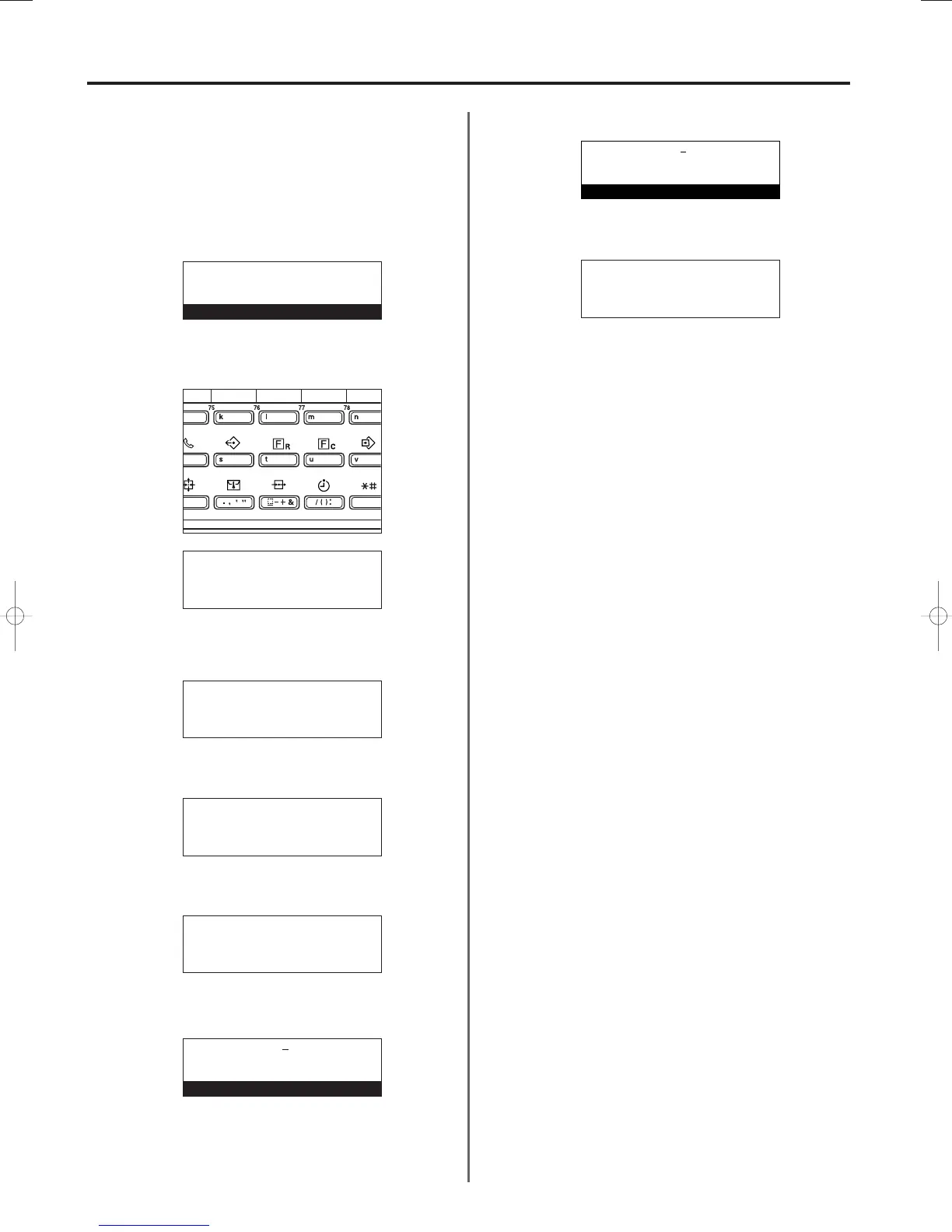
Registering the Remote Test ID
If you have entered into a contract with an authorized service centre
for their Remote Diagnosis service, it is necessary to register in
advance the Remote Test ID that they designate for you.
* A previously registered Remote Test ID can also be modified by
performing the following procedure.
*
If you want to cancel the procedure part way through, press the
Reset key. The operation panel will return to the initial mode settings.
1. Press the REGISTER key.
The “Program” menu will appear in the message display.
2. Use the cursor up or the cursor down key to select “Program fax
parameter”.
3. Press the Enter key.
4.
Use the cursor up or the cursor down key to select “Remote test ID”.
5. Press the Enter key.
6. Use the keypad to enter the designated 4-digit Remote Test ID.
7.
Press the Enter key. Registration of the Remote Test ID is complete.
* If you are finished making settings, press the Reset key.
The operation panel will return to the initial mode settings.
Section 6 Various Settings and Registration in this Fax
3A180100A
3A1/FaxSystem(A)/MCE-Eng
/ 164
Program:
End
➪
Program abbreviated dial
Program one-touch key
Program:
Subaddress box register
Program encryption code
➪
Program fax parameter
P
Program fax parameter:
End
➪
v :
Own name :
Program fax parameter:
Fax forwarding
P
Remote switch :55
➪
Remote test ID:0000
Remote test ID:0000
Enter remote ID
Remote test ID:7268
Enter remote ID
Program fax parameter:
Fax forwarding
P
Remote switch :55
➪
Remote test ID:7268
01-DEC-1999 12:00
Set original
06/Setting/3A1/MCE/Eng.q 23-12-1999 14:29 Page 6-10












 To Next Page