1-31
Section 1 Basic Use of this Fax
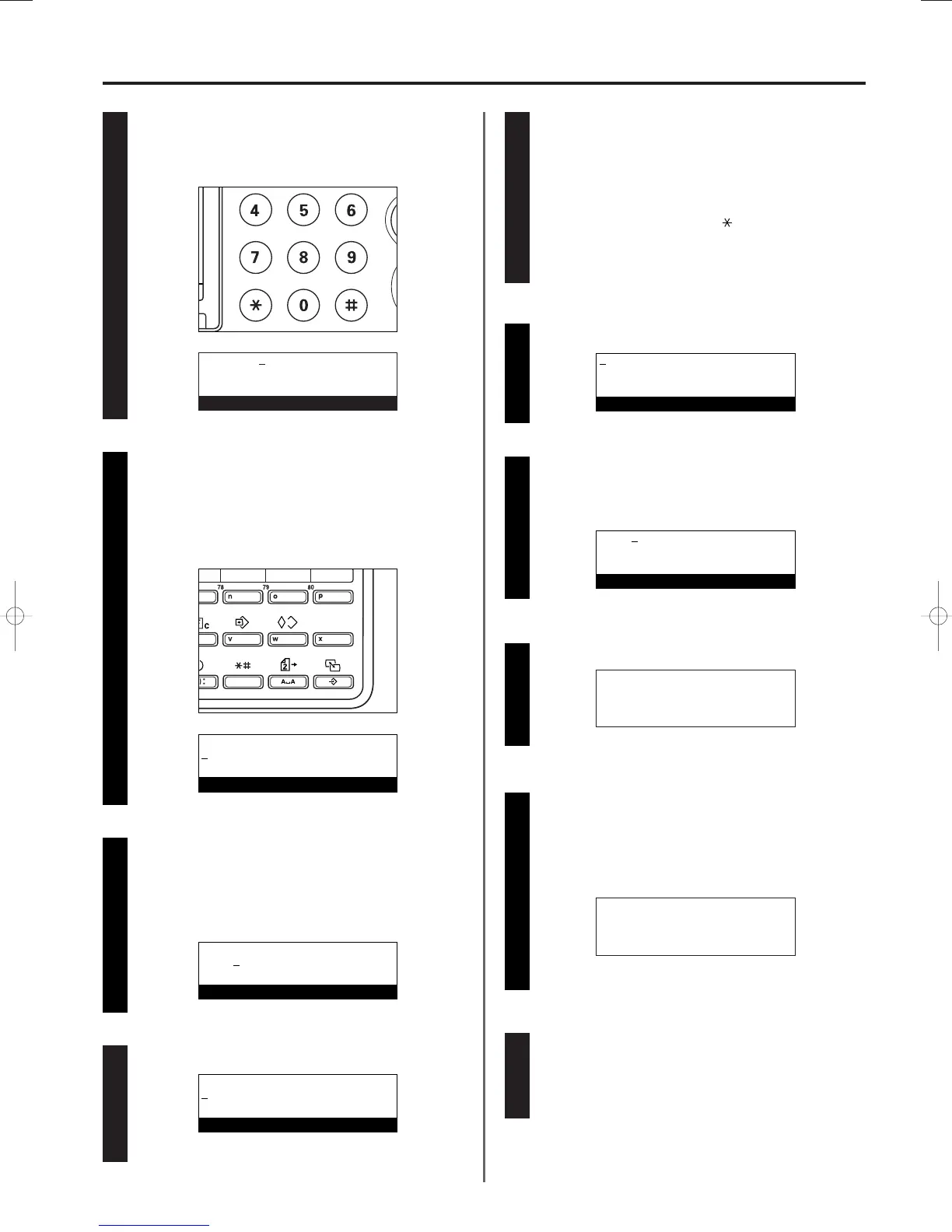
Entering a subaddress
Use the keypad to enter the corresponding subaddress.
*
A subaddress is required during F-Code Based Communication
in order to designate the other party’s F-Code Box.
The subaddress can be up to 20 digits in length and can
include any combination of the numerals 0 - 9.
3A180100A
3A1/FaxSystem(A)/MCE-Eng
/ 164
Entering the fax number
Use the keypad to enter the fax number you want to register
under that one-touch key.
* The fax number can be up to 32 digits in length.
Designating the one-touch key for F-Code Based
Communication
> If you want to designate this key for F-Code Based
Communication, press the SUBADDRESS key and then
proceed to step 8.
> If you DO NOT want to designate this key for F-Code Based
Communication, proceed to step 11.
66
77
88
Press the Enter key.
99
Entering an F-Code password
An F-Code password is used during F-Code Based
Communication. However, you do not have to enter an F-Code
password here if you have determined in advance with the
other party not to use one.
> If you want to register an F-Code password, it can be up to
20 digits in length and include any combination of the
numerals 0 - 9 and the symbols “ ” and “#”.
> If you DO NOT need to register an F-Code password,
proceed to step 11.
Press the Enter key.
Entering the other party’s name
Enter the name of the other party.
* The name of the other party can be up to 20 characters in
length. (Refer to “Entering Characters”, page 1-28.)
Press the Enter key.
> If you pressed the SUBADDRESS key in step 7, proceed to
step 21 on page 1-32.
> If you DID NOT press the SUBADDRESS key in step 7,
press the Enter key and proceed to step 16 on page 1-32.
1100
1111
1122
1133
1144
Selecting the transmission speed
Use the cursor up or the cursor down key to select the desired
transmission speed.
* If communication errors occur frequently at “33600bps”,
change the setting to “14400bps” or “9600bps”.
However, in this case, transmission time will be increased.
1155
v :012345
Enter fax number
Subaddress:
20 digits
Enter subaddress numbers
Subaddress:
66385
20 digits
Enter subaddress numbers
Password:
20 digits
Enter your password
Enter destination name
M.K.W
Enter destination name
TX start speed:
➪
33600bps
14400bps
9600bps
TX start speed:
33600bps
➪
14400bps
9600bps
01/Basic-2/3A1/MCE/Eng.q 23-12-1999 13:24 Page 1-31












 To Next Page