Getting Started12
Connection Case 1 Switzerland
Connection Case 2
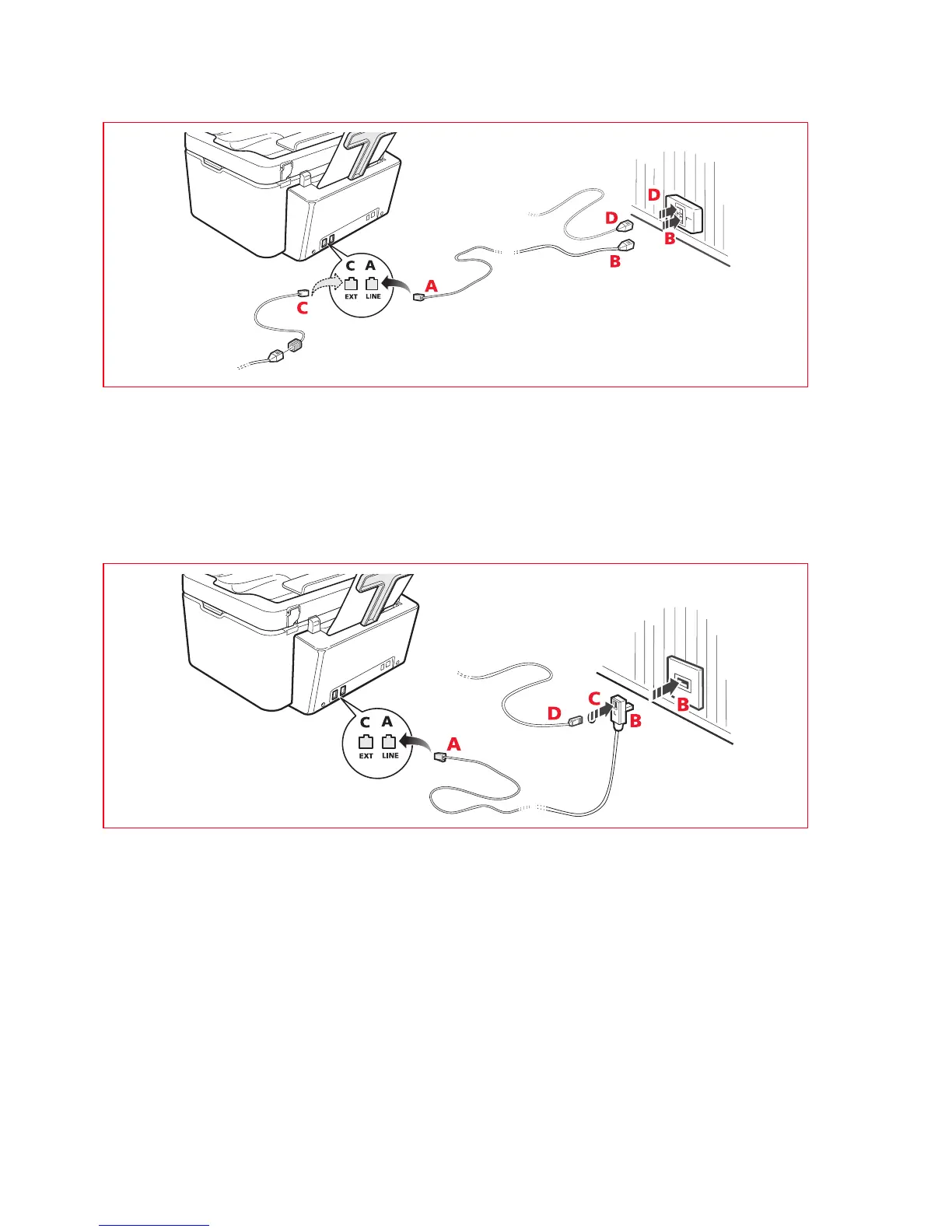
Insert the connector or plug of the additional device into the socket (see the related illustration).
A = telephone line input (LINE IN)
B = wall socket for telephone plug
C = external telephone, with or without adapter, telephone answering device (EXT)
D = socket for external telephone, telephone answering device or other unit.
Connection Case 3
Insert the plug of the additional unit into the wall socket of the telephone line (see the related illustration).
Using the specific adapter (as for the first type of connection), you can connect another device to the printer "EXT"
socket for connection to the telephone line.
A = telephone line input (LINE IN)
B = wall socket for telephone plug
C = external telephone, with or without adapter, telephone answering device (EXT)
D = socket for external telephone, telephone answering device or other unit.














 To Next Page