Getting Started 13
INSTALLING THE FAX
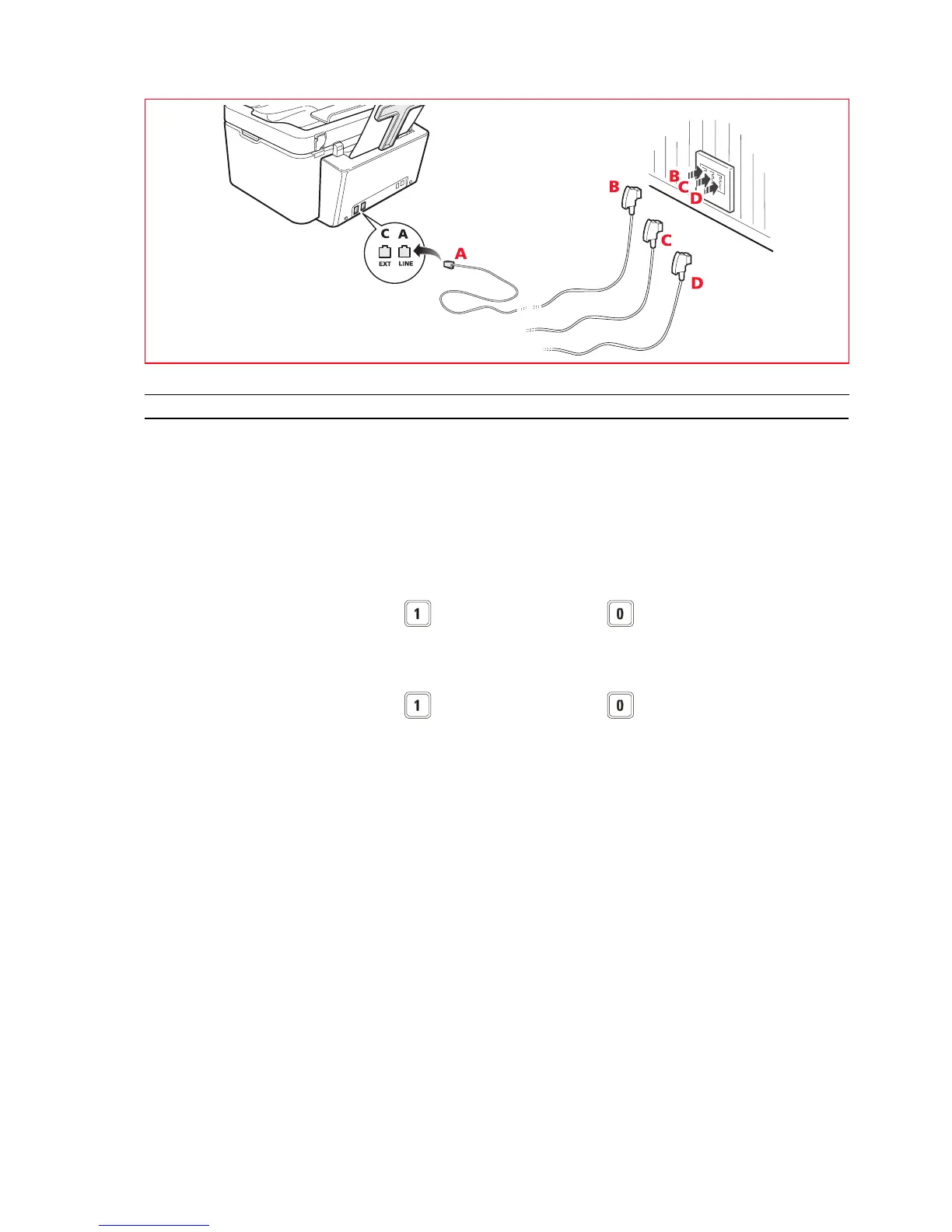
After having connected the telephone cable and the power supply cable, press the On/Off key to switch on the printer.
The printer executes a series of autodiagnostic tests displaying, at the end, a message indicating that the printer is ready
for use as a fax.
Installation Procedure
1 When switched on, the display shows the languages available in sequence, each uniquely identified by a 2-digit
code "nn".
Enter the keys relative to the number "nn" corresponding to the language you want to set.
2 Confirm your selection by pressing the key. Alternatively, press the key to return to step 1.
3 The possible choices for the destination country are shown on the display.
Each country is uniquely identified by a 2-digit code "nn".
Enter the keys relative to the number "nn" corresponding to the destination country you want to set.
4 Confirm your selection by pressing the key. Alternatively, press the key to return to step 3.
5 Installation is terminated.
6 To enter the date and time, press the Menu key followed by the Confirm key. The message "SET DATE/TIME"
appears on the display.
7 Enter the data using the alphanumeric keypad then press the Confirm key.
Note: The date and time can also be sent from the computer by selecting Toolbox > Settings > Fax settings.
Note: If there is a power failure, the date and time settings are lost. When the printer is next switched on, a
message is displayed prompting you for the date and time again.
Note: If you want to change the Destination country setting, press in sequence the keys C + * + *. The display
allows you to choose your language and Destination country. Enter the data and then switch off the printer.
When you switch the printer on again, you must enter the correct date and time.














 To Next Page