EasyManua.ls Logo

Olivetti M15 Plus - The Cursor Control Keys; THE Edit;Shift KEY

Olivetti M15 Plus
118 pages
Print Icon
To Next Page IconTo Next Page
To Previous Page IconTo Previous Page
Loading...
WORKING
WITH
THE
KEYBOARD
pad
will
also
be
dealt
with
in
a
separate
paragraph.
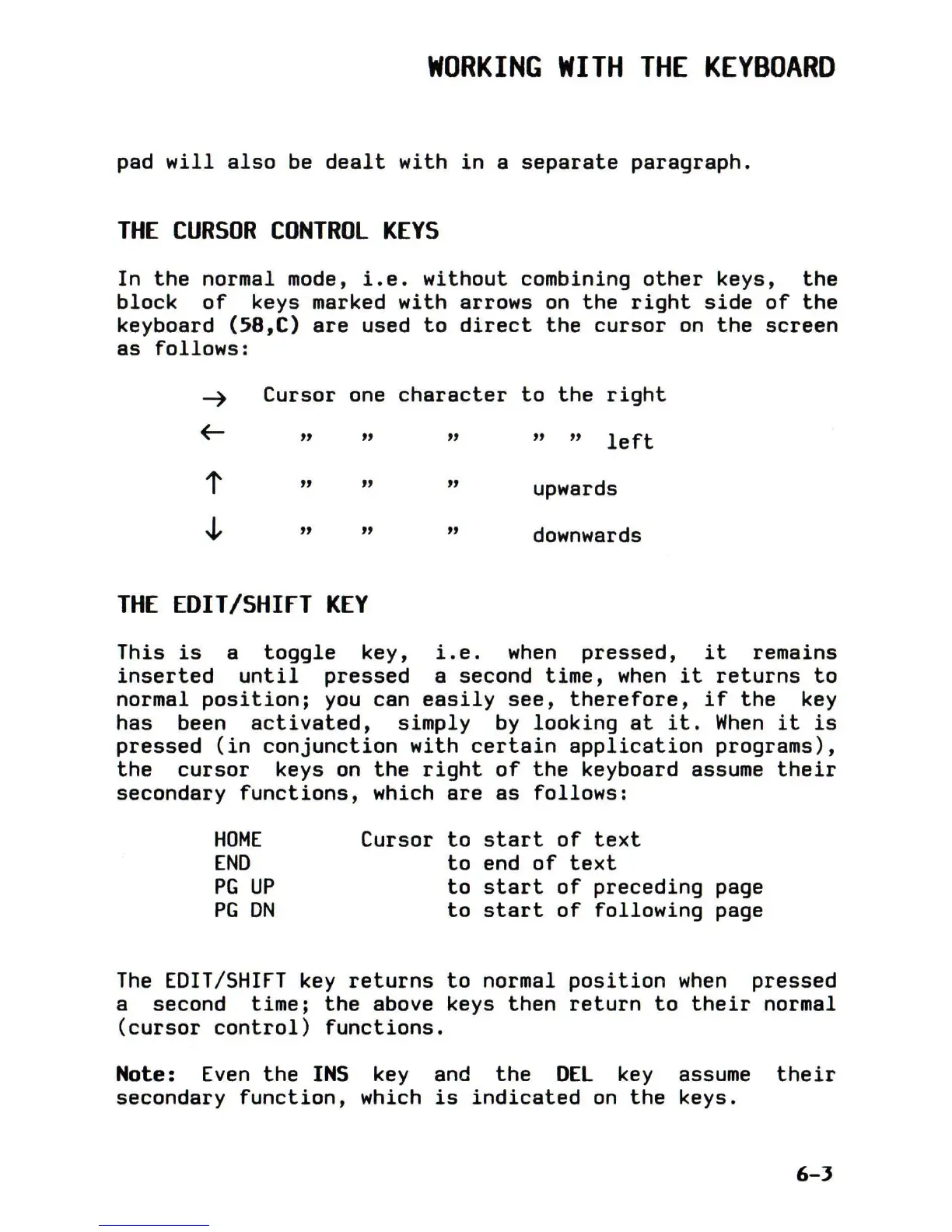
THE
CURSOR
CONTROL
KEYS
In
the
normal mode,
i.e.
without
combining
other
keys,
the
block
of
keys marked
with
arrows
on
the
right
side
of
the
keyboard
(58,C)
are
used
to
direct
the
cursor
on
the
screen
as
follows:
~
Cursor one
character
to
the
right
~
» » » » »
left
t
» » »
upwards
~
» » »
downwards
THE
EDIT/SHIfT
KEY
This
is
a
toggle
key,
i.e.
when
pressed,
it
remains
inserted
until
pressed
a second
time,
when
it
returns
to
normal
position;
you
can
easily
see,
therefore,
if
the
key
has been
activated,
simply
by
looking
at
it.
When
it
is
pressed
(in
conjunction
with
certain
application
programs),
the
cursor
keys
on
the
right
of
the
keyboard assume
their
secondary
functions,
which
are
as
follows:
HOME
END
PG
UP
PG
ON
Cursor
to
start
of
text
to
end
of
text
to
start
of
preceding
page
to
start
of
following
page
The
EDIT/SHIFT
key
returns
to
normal
position
when
pressed
a second
time;
the
above keys
then
return
to
their
normal
(cursor
control)
functions.
Note:
Even
the
INS
key and
the
DEL
key
assume
their
secondary
function,
which
is
indicated
on
the
keys.
6-3

Table of Contents

Related product manuals