71
BXFM
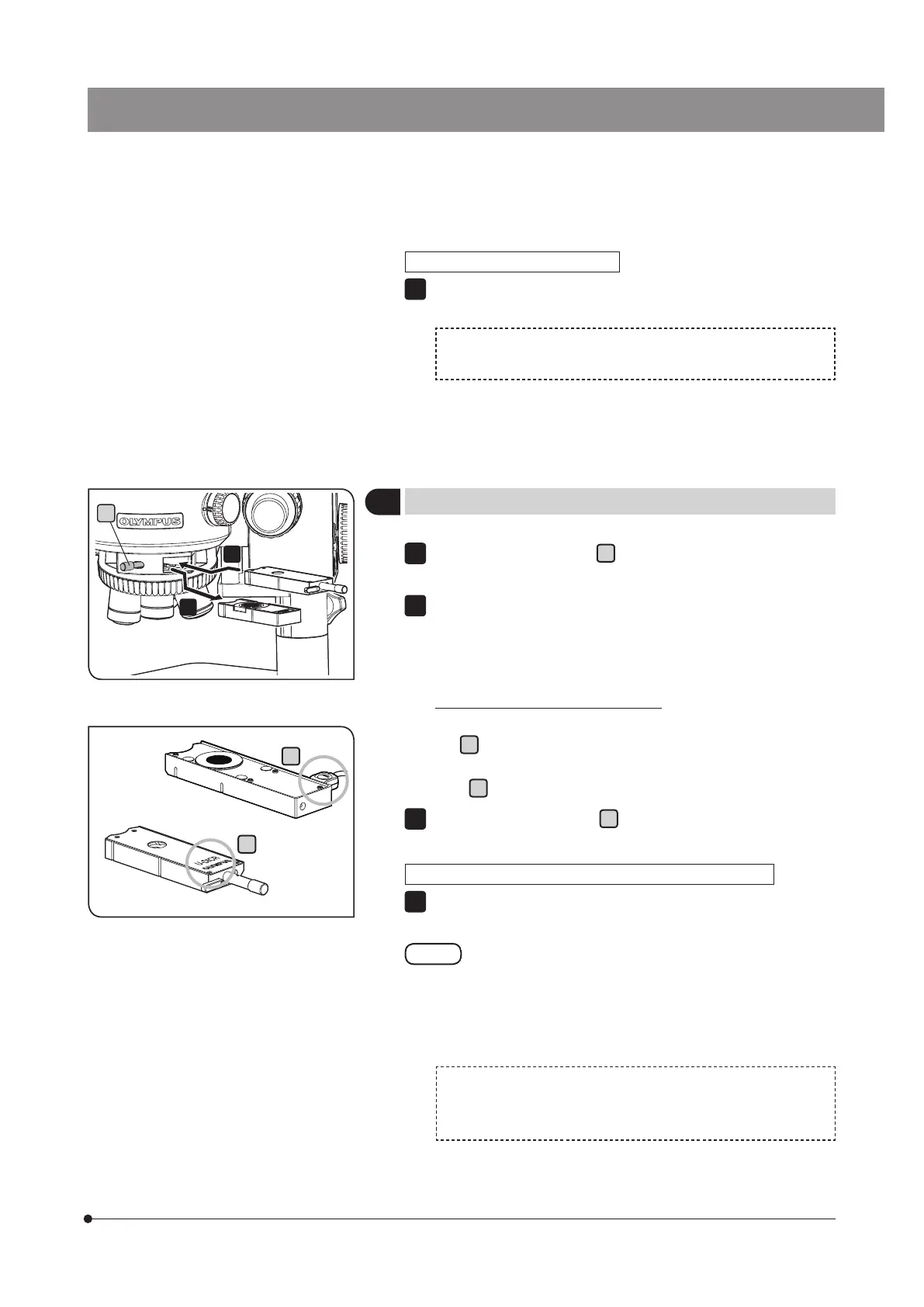
Loosen the mounting knob
a
on the front of the nosepiece and pull
out the dummy slider.
Insert the DIC slider for reflected light observation or the MIX slider for
reflected light observation into the slider insertion slot of the nosepiece
by paying attention to the orientation of the slider, and stop inserting
at the first level (when the clicking sound is heard at first).
Orientation of the slider when inserting
DIC slider for reflected light observation: Set the display surface facing
up. (
b
)
MIX slider for reflected light observation: Set the connector to the right
side. (
c
)
Tighten the mounting knob
a
to secure the slider.
When the MIX slider for reflected light observation is attached
Connect the cable to the connector of the FM control box (BX3M-
CBFM).
Lay out the cable using the provided cable holders so as not
to interfere the operations of the product.
The cable holders are provided with the cable for U-MIXR
(U-MIXRCBL).
For connection of the cable for the MIX slider with the FM control
box (BX3M-CBFM), refer to the instruction manual provided with
the BX3M-CBFM.
1
2
3
11
Attaching the MIX slider / DIC slider for reflected light observation
b
c
Attaching the motorized nosepiece
Set the number of objective mounting holes of the nosepiece using
the dip switch on the side of the FM control box (BX3M-CBFM).
For setting the dip switch, refer to the instruction manual for
BX3M-CBFM.
5
a



 To Next Page