64
Chapter 4 Workstation Access and Setup
OLYMPUS CAPSULE ENDOSCOPE SYSTEM
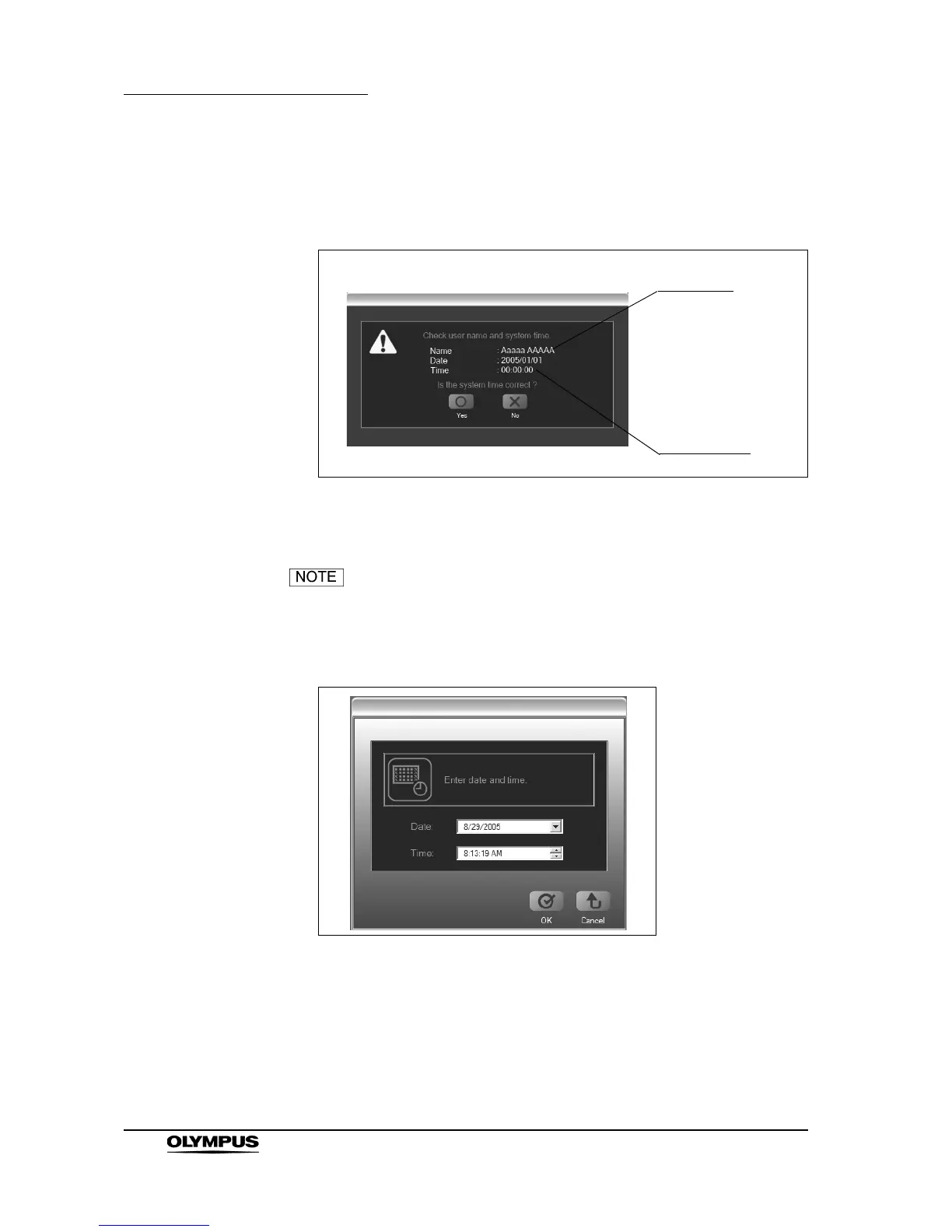
4. If the user ID and password are correct, a confirmation screen for the user
name and system time is displayed. Confirm the user name and system
time (see Figure 4.5).
Figure 4.5
5. To change the system time, click the [No] button.
If you do not need to change the system time, click the [Yes]
button. The main screen is displayed.
6. Set the correct date and time.
Figure 4.6
User name
System time







 To Next Page