66
Chapter 4 Workstation Access and Setup
OLYMPUS CAPSULE ENDOSCOPE SYSTEM
4.2 Start-up of Endo Capsule software light
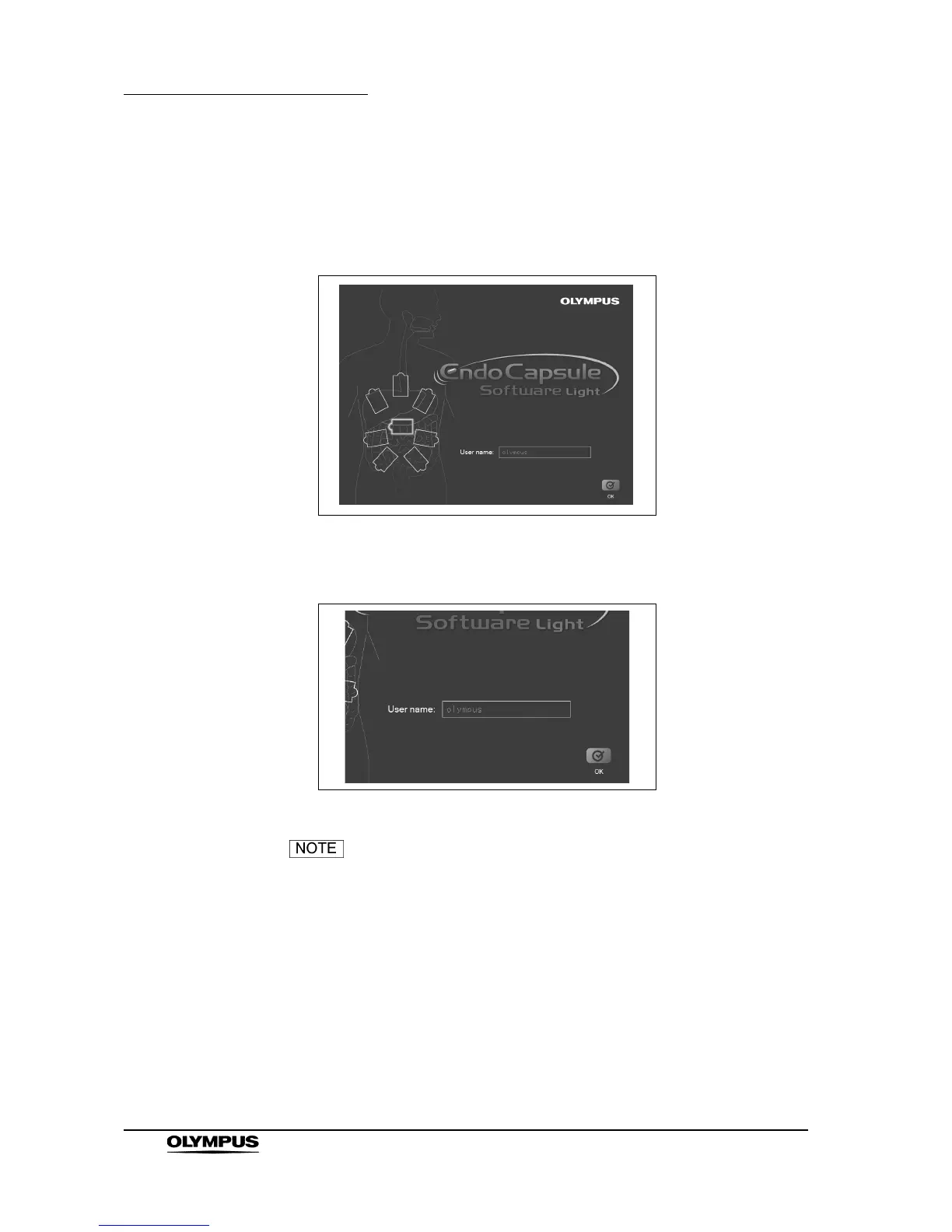
1. Double-click the icon of Endo Capsule Software Light on the desktop. Endo
Capsule Software Light runs and the user name screen is displayed.
Figure 4.7
2. Enter the user name and click [OK] button.
Figure 4.8
Entering the use name is necessary.







 To Next Page