Chapter 4 Workstation Access and Setup
73
OLYMPUS CAPSULE ENDOSCOPE SYSTEM
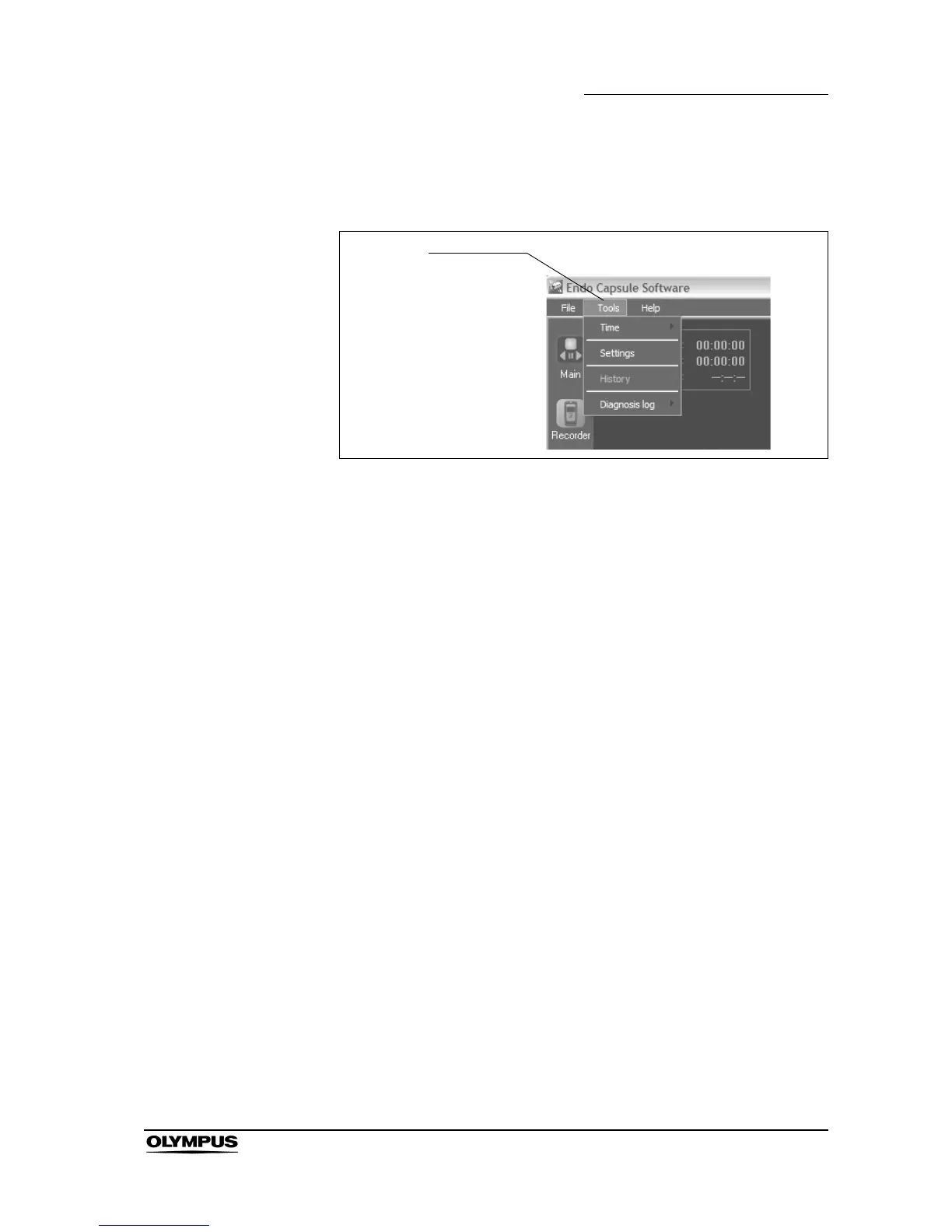
Tools menu
This menu is displayed by clicking “Tools” on the menu bar (see Figure 4.13).
Figure 4.13
Time
Sets up the time display on the thumbnail. Select from “Real Time” or
“Relative Time”.
Settings
Displays the settings screen.
History
Displays the history display screen.
Diagnosis log
Displays the diagnosis log. Select from “view” or “export”.
Tools menu







 To Next Page