17
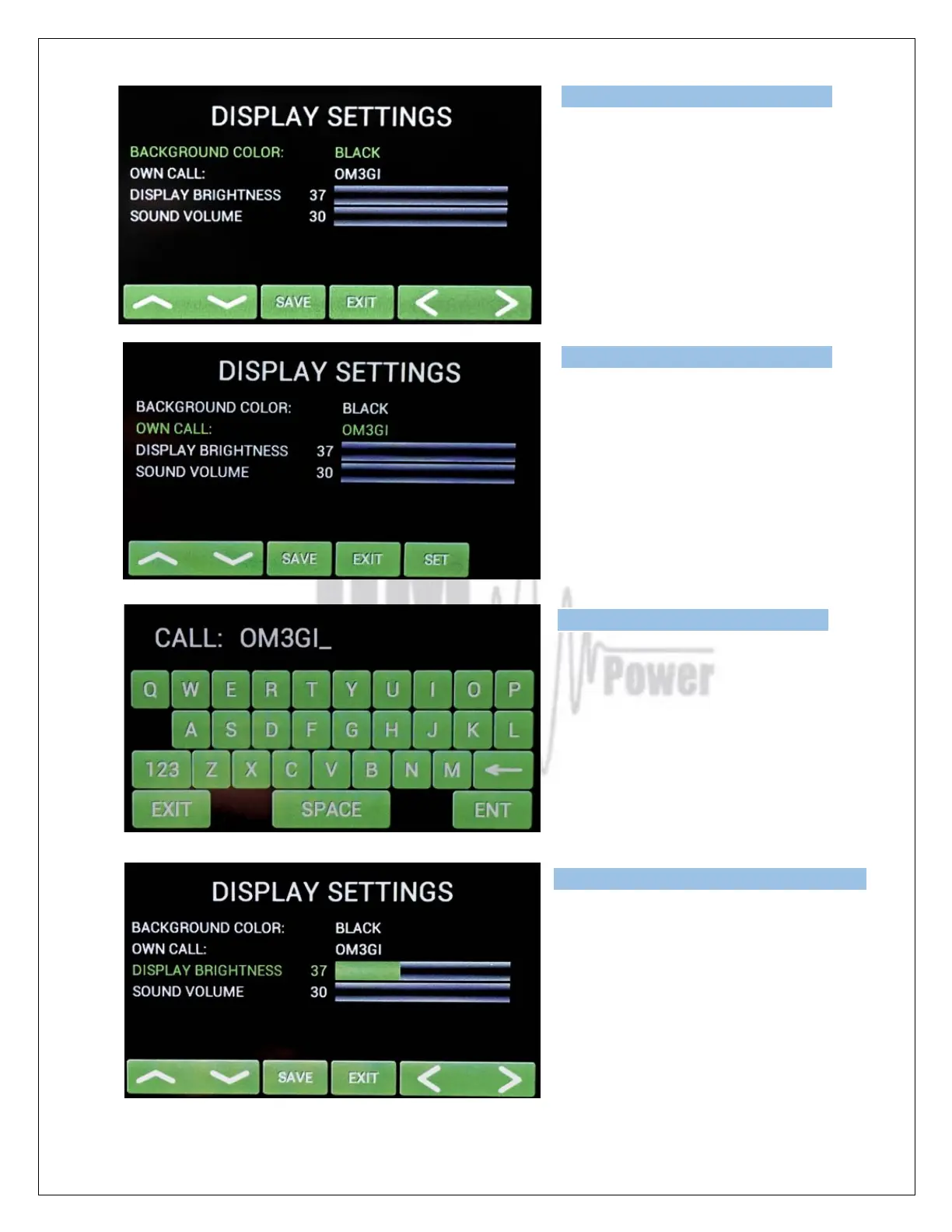
Next SETTINGS position is for display
parameters. First choose the background
color. Scroll on it and choose the color
(left/right).
Press SAVE twice, then scroll to OWN
CALL.
Press SET for your call sign edit. The
keyboard displays.
Type your call sign and press ENT.
Use next lines and set brightness and
sound volume (use up/down and left/right).
Confirm with SAVE.



 To Next Page