710.1760.00.04-05 22/05/2014
25
To access the “Pr1” user level:
1. Press the + keys for a few seconds (the LED start to flash), the display shows the ini-
tial parameters.
2. Use the and arrows to change the parameter.
3. Press the key to change its value.
4. Change the value with the and keys.
5. Press the key again to confirm the new value. After a few seconds, the next parameter ap-
pears.
To exit programming:
Press the + keys when a parameter is displayed or wait 15 sec. (timeout), without pressing
any key.
NOTE: The new parameter value is also saved if no keys are pressed during the timeout.
Press the key while programming in order to scroll through the parameter codes or increase the val-
ue.
The following parameters can be changed by means of the procedure described above:
Functioning Code Meaning CHW CHG
Set Set-point 15 -10
Hy Differential 3 3
Please contact the manufacturer for other parameters.
Displayed Description On our schemes
Pb1 Work probe temperature SL
Pb2 Antifreeze probe temperature SA
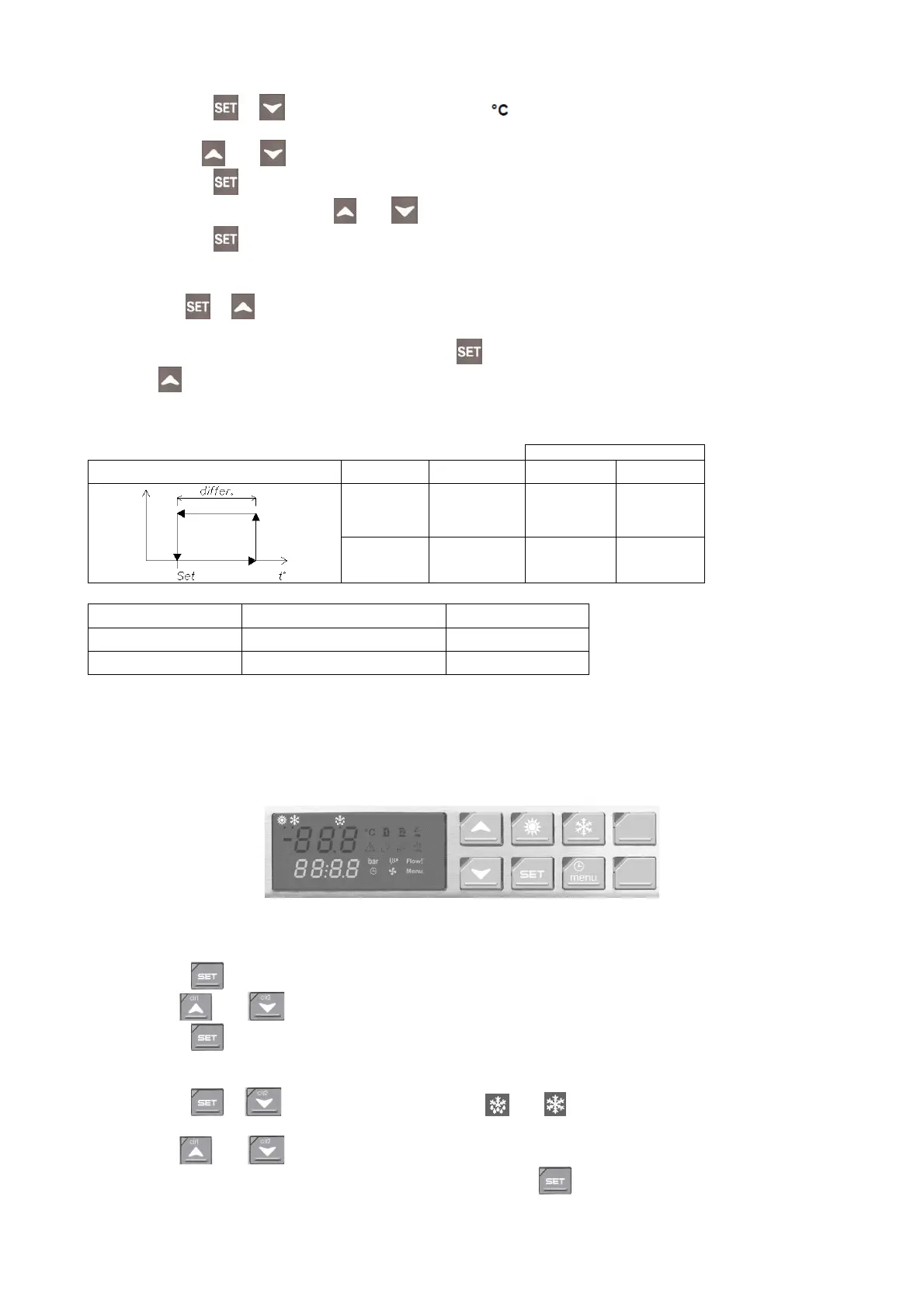
CONTROLLER TYPE “E” (CHW 162 TO CHW 602; CHG 140 TO CHG 180)
The operating thermostat is supplied pre-adjusted according to the standard specifications of the chiller
listed in the supplement. The operating thermostat controls both the temperature regulating functions
and the other safety parameters (e.g. alarm management and the running time of the electric motors).
The complete list of parameters is not supplied to the customer because changes in certain parameters
may lead to problems affecting the reliability and properties of the chiller.
Instructions for changing the parameters required by the user:
Changing the SET-POINT:
1. Press the key for 3 seconds (the set-point starts to flash).
2. Use the and arrows to change the SETPOINT.
3. Press the key or wait 15 sec. (timeout), without pressing any key.
To access the “Pr1” user level:
1. Press the + keys for a few seconds (the and LEDs start to flash)
the upper display (red script) shows “ALL”, which means the first group of parameters.
2. Use the
and arrows to scroll through the names of the parameter groups to be changed.
3. After you have found the right parameter group, press the key in order to enter and display all
the parameters belonging to this group.
The first parameter name appears on the display together with the value.



 To Next Page