710.1760.00.04-05 22/05/2014
33
No. Device
status
Alarm
code
Alarm de-
scription
Possible cause Recommended remedy Fault
rectification (*)
4
Pump, fan
and
compressor
are working
HA
High liquid
temperature
alarm
Ambient temperature too
high
Decrease ambient tempera-
ture, increasing ventilation of
the room, removing heat
sources or repairing the unit
from the direct rays of sun
A
Dirty condenser
Clean the condenser as
described in maintenance
Fan is not working fine or
the sense of rotation is not
correct
Check fuse of the fan (if
presents), and right rotation
Required cooling capacity is
higher than nominal
Decrease the required cooling
capacity
Unit low on refrigerant
Check liquid sight glass (if
present) and in case contact
service
Air filter dirty (only for unity
with this kind of option)
Dismount the filter from the
unit and clean it with air or
with water
LA
Low liquid
temperature
Ambient temperature too
low is decreasing liquid
temperature
The unit have to work in
ambient condition as specified
in this manual
P2
Sensor SA
defective
Probe can be defective or
not well connected
Check connection and in case
change probe
(*) A After fault rectification, system is automatically restored to standard setting – M Alarm function restored by settings made on
the control unit, procedure as described below.
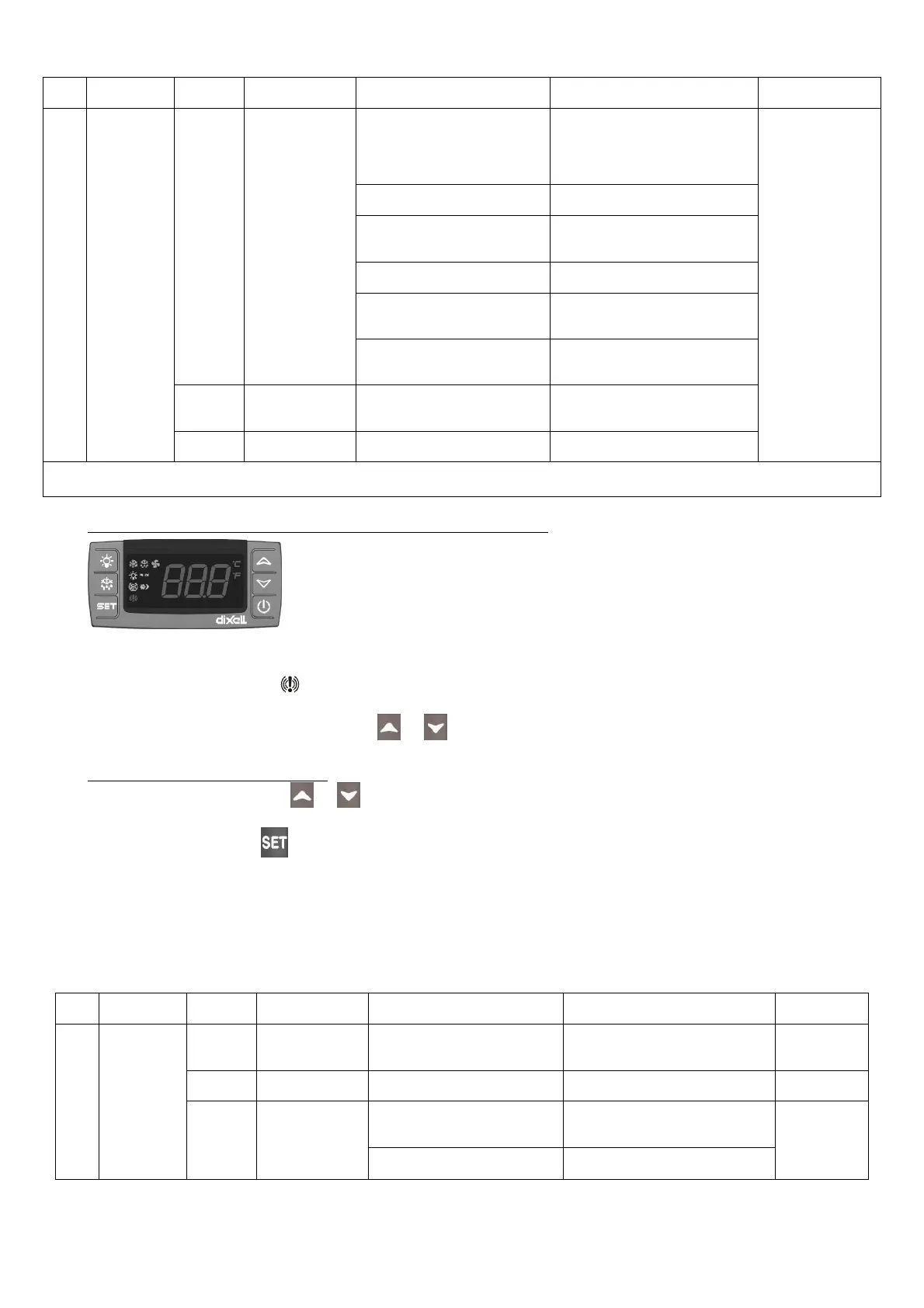
HOW TO VISUALIZE A WARNING/ALARM EVENT (CONTROLLER TYPE “D”)
CONTROLLER Type “D”
(CHW 11 to CHW 36; CHG 08)
The LED warning alarm on shows that an alarm is taking place.
To see which kind of alarm, the max temperature (minimum) and the length, act as follow:
1) Press one of the two buttons or the display will show “Hi” (high temperature alarm) or
“Lo“ (low temperature alarm) followed by Max. temperature or Min. temperature.
HOW TO RESET AN ALARM EVENT
1) Press the button or , the display shows “Hi” (high temperature alarm) or “Lo” (low
temperature alarm).
2) Keep button pressed
1) The display shows: “rST”, which after 2 sec starts lightening, to show that the values have
been cancelled
CONTROLLER TYPE “B” (CHW 29 TO CHW 149; CHO 29 TO CHO 149; CHG 24 TO CHG 100)
CONTROLLER TYPE “E”, (CHW 162 TO CHW 602; CHG 140 TO CHG 180)
No. Device
status
Alarm
code
Alarm de-
scription
Possible cause Recommended remedy Restore (*)
1
Fan, Com-
pressor and
pump are
not working
OFF
Unit is in Off by
remote ON/OFF
Remote ON/OFF contact is
open or internal bridge re-
moved
Check bridge ROO and close
the contact
A
z Unit in stand by
The unit is energized but not
switched on
Follow procedure to start up the
unit using button on controller
A
A08
Flow switch
alarm
Liquid flow too low
Check right rotation of the
pump and possible obstruction
on liquid circuit
A
becomes
M after 1
events in 1
hour
Liquid in the tank too low Fill the tank



 To Next Page