EN
33
Electronic version
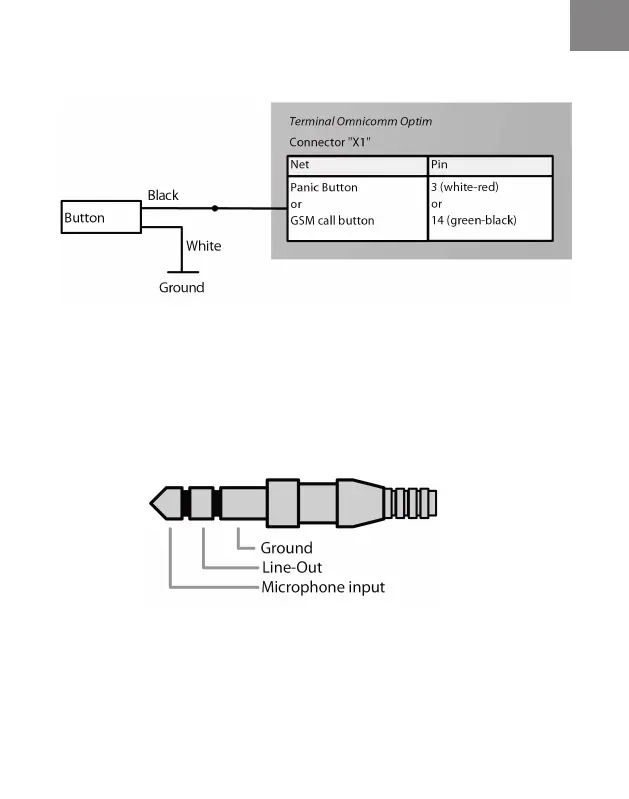
Connecting the Panic button and the GSM call button
Connecting the voice communication equipment
Unsolder the TRS 2.5 mm connector (MiniJack) to connect the
microphone and audio signal amplier in accordance with (Figure 8).
As the output signal is linear, an audio amplier is required..
Figure 7. Scheme of connecting both Panic button and GSM call button
Figure 8. The connector unsoldering is required to connect an active speaker and
microphone



 To Next Page