7
EtherNet/IP Connection Procedure
7.5. EtherNet/IP Communication Status Check
Confirm that the EtherNet/IP tag data links operate normally.
7.5.1. Checking the Connection Status
Check the connection status of the EtherNet/IP network.
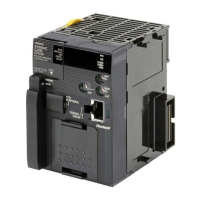
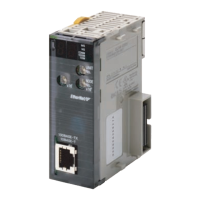
Check with LED indicators on PLC
(EtherNet/IP Unit) that the
EtherNet/IP tag data links operate
normally.
The LED indicators in normal status
are as follows:
MS: Green lit
NS: Green lit
COMM: Yellow lit
100M or 10M: Yellow lit
Check the LED indicators on Sensor
Controller.
The LED indicators in normal status
are as follows:
Red LED: Lighting
Green LED: Lighting
The normal operation of tag data
links is confirmed through the status
information in the Monitor Device
Dialog Box of Network Configurator.
Right-click the device icon of node 1
in the Network Configuration Pane
and select Monitor.






 To Next Page