Chapter 7: Operator Interface
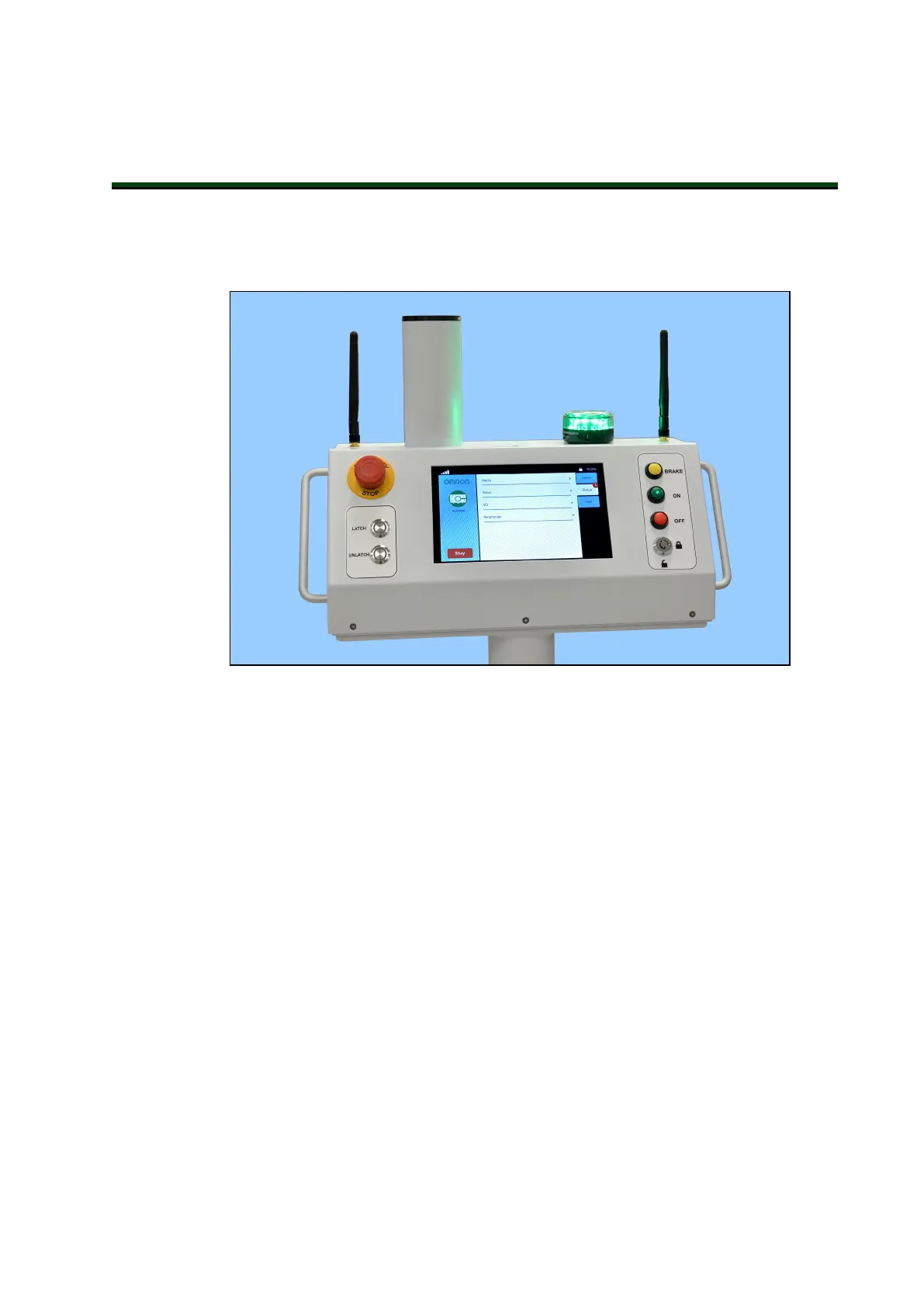
The Operator panel comprises a touchscreen, an E-Stopbutton, ON and OFF buttons, a brake-
release (BRAKE)button, a keyswitch, and LATCH and UNLATCH buttons. The panel is moun-
ted on the HMI post, so that it is easily reached by an Operator.
Figure 7-1. Operator Panel, with Acuity Option Shown
7.1 Touchscreen
Touchscreen Initialization
When first powered up, the bottom of the touchscreen will display its boot status.
1.
Initializing robot core connection...
NOTE: This may take a minute or two to initialize.
2.
Initializing touchscreen software...
3.
Connecting to the robot core...
4.
Downloading data from the robot core...
14766-000 Rev H LD Cart Transporter User's Manual 111


 To Next Page