Chapter 7: Operator Interface
NOTE: The state of charge displayed is continuous, not limited to 25% incre-
ments.
E-Stop
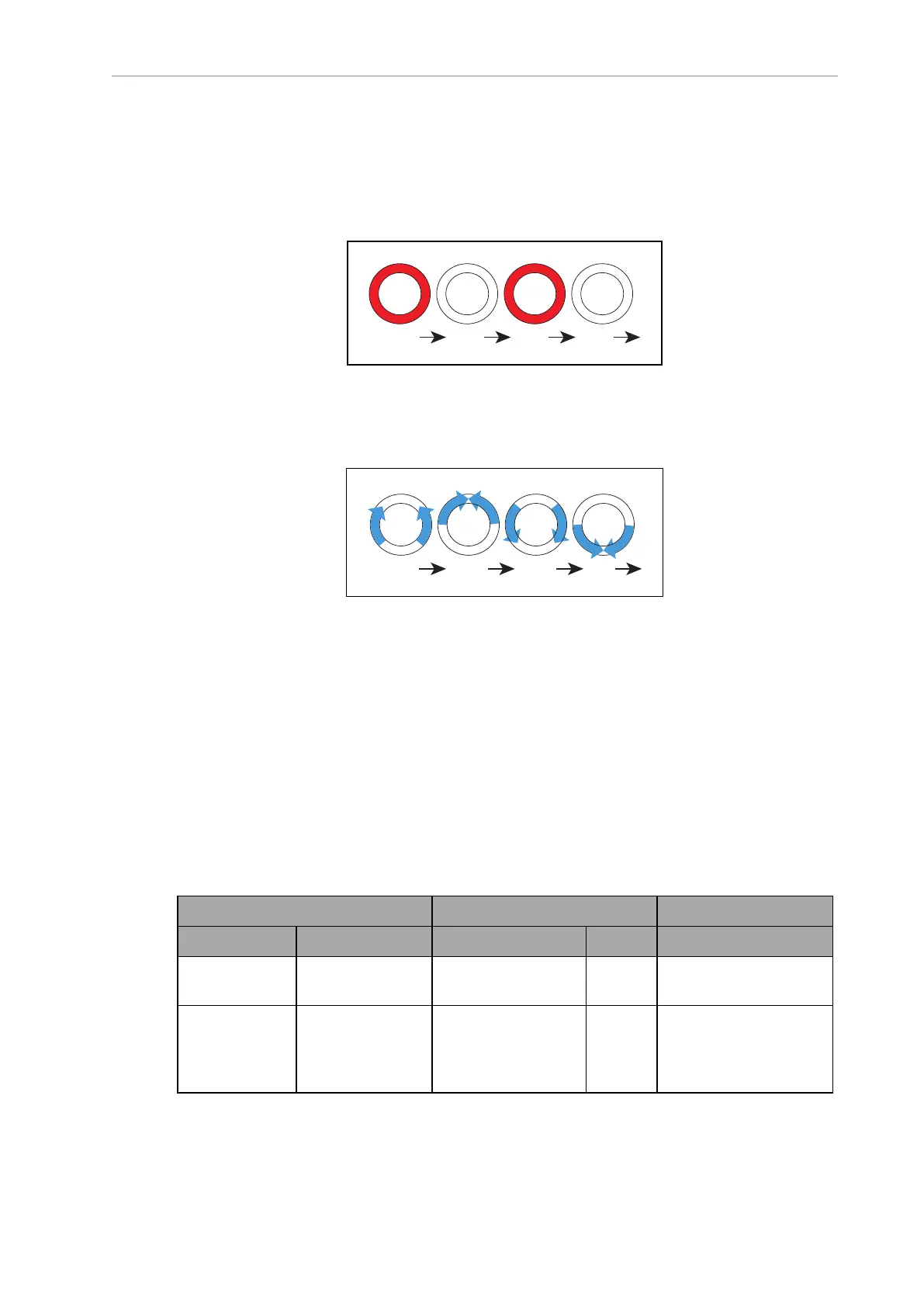
The Light Discs will blink red in an E-Stop condition. Beacon blinks red.
Booting
When booting, the Light Discs will display two blue arcs, traveling from the 6 o'clock to the 12
o'clock position and back, in opposite directions. Beacon alternates green, yellow, then red.
In the following table:
l
Blink indicates that a disc or light is on for a period, then off for a period.
l
Pulse indicates a 0.25 Hz fade on and off.
l
Circle indicates that the lights appear to be going in a circle.
l
Half-circles indicates two arcs, moving opposite each other between the top and bottom.
l
Solid indicates that a light is on continuously.
l
Alt indicates that the beacon switches between different lights, with no pause. Two
lights with Alt means one light is always on, but not two at once.
Table 7-1. Indicator Meanings
Light Disc Beacon Meaning
Color Pattern Color Pattern
Blue Moving
Circle
Green Blink Driving straight,
all ok
Blue/
Orange
@front
Moving
Circle/
Blinking signal
Green Blink Turning > 30 degrees
in
direction of orange turn
signal, all ok
14766-000 Rev H LD Cart Transporter User's Manual 127


 To Next Page
 Loading...