EasyManua.ls Logo

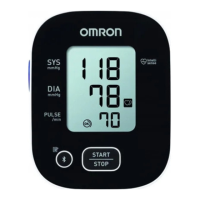
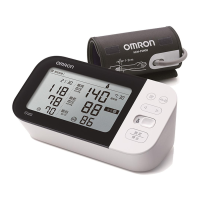
Omron M7 Intelli IT - User Manual

Omron M7 Intelli IT
140 pages
Print Icon
To Next Page IconTo Next Page
Loading...
Automatic Upper Arm
Blood Pressure Monitor
M7 Intelli IT (ALRU)
Instruction Manual
EN
RU
2895901-4A_HEM-7361T-ALRU_IM_M01_221028.pdf
2895901-4A_HEM-7361T-ALRU_IM.fm Page 0 Wednesday, October 26, 2022 10:46 AM

Table of Contents

Questions and Answers

  • V
    Vincent Woods Jr.Aug 29, 2025
    What to do if my Omron M7 Intelli IT Blood Pressure Monitor shows Er error?
    • J
      Jose MorganAug 29, 2025
      If your Omron Blood Pressure Monitor displays the “Er” error, it means that the monitor has malfunctioned. Press the [START/STOP] button again.
  • E
    ericksontonyaAug 30, 2025
    What to do if irregular heartbeat is detected on Omron Blood Pressure Monitor?
    • E
      Emily MartinezAug 30, 2025
      If your Omron Blood Pressure Monitor detects an irregular heartbeat, remove the arm cuff, wait 2-3 minutes, and take another measurement, repeating the steps as instructed. If the error persists, it is recommended to contact your physician.
  • S
    Shawn JonesAug 30, 2025
    Why nothing happens when I press the buttons on my Omron M7 Intelli IT Blood Pressure Monitor?
    • M
      Mary SmithAug 30, 2025
      If nothing happens when you press the buttons on your Omron Blood Pressure Monitor, it could be due to depleted or incorrectly inserted batteries. Replace all 4 batteries with new ones, ensuring they are inserted with the correct (+/-) polarity.
  • D
    Donna FloresAug 25, 2025
    Why arm cuff pressure does not rise on Omron M7 Intelli IT Blood Pressure Monitor?
    • J
      Jason HudsonAug 25, 2025
      If the arm cuff pressure isn't rising on your Omron Blood Pressure Monitor, ensure the air tube is securely connected to the air jack. Also, check for air leaks in the arm cuff; if leaking, replace the arm cuff with a new one.
  • M
    Madison HaydenSep 1, 2025
    How to fix connection failure on Omron M7 Intelli IT?
    • J
      John MckenzieSep 1, 2025
      A connection failure on your Omron Blood Pressure Monitor may occur if: the monitor is out of the smartphone's transmission range; the smartphone's Bluetooth® is off; the monitor's Bluetooth® is off; the devices didn't pair correctly; the monitor isn't ready; or the app isn't ready. Ensure the monitor is within 5m of the smartphone, both devices' Bluetooth® are on, and try re-pairing the devices. Check that the app is ready, and if the 'Err' symbol persists, contact your OMRON retailer or distributor.
  • R
    Ronald RamirezSep 1, 2025
    What to do if movement during measurement and the arm cuff has not been inflated sufficiently on Omron M7 Intelli IT?
    • Z
      Zachary LopezSep 2, 2025
      If you experience movement during measurement and the arm cuff hasn't inflated enough on your Omron Blood Pressure Monitor, repeat the measurement while remaining still and not talking. If 'E2' appears repeatedly, manually inflate the cuff 30-40 mmHg above your previous reading.
  • J
    Jason HardingSep 2, 2025
    What to do if the batteries are depleted on Omron Blood Pressure Monitor?
    • E
      erickhanSep 2, 2025
      If the batteries in your Omron Blood Pressure Monitor are depleted, immediately replace all 4 batteries with new ones.
  • J
    Jennifer BrownSep 3, 2025
    Why does the arm cuff deflate too soon on my Omron Blood Pressure Monitor?
    • J
      Jessica MarksSep 3, 2025
      If the arm cuff on your Omron Blood Pressure Monitor deflates too soon, it may be because the cuff is loose. Apply the arm cuff correctly so that it is firmly wrapped around your arm.
  • E
    Erica PittsSep 4, 2025
    Why can't I measure or the results are too low or too high on Omron Blood Pressure Monitor?
    • S
      Seth GonzalezSep 4, 2025
      If you cannot get a measurement, or the results are too low or too high on your Omron Blood Pressure Monitor, it could be that the arm cuff has not been inflated sufficiently. Inflate the arm cuff so that it is 30 to 40 mmHg above your previous measurement result.
  • J
    jillian15Sep 4, 2025
    What to do for other problems with Omron M7 Intelli IT?
    • D
      Dr. Michael JacksonSep 5, 2025
      For other problems with your Omron Blood Pressure Monitor, first, press the [START/STOP] button and repeat the measurement. If the issue continues, replace the batteries with new ones. If the problem still persists, contact your OMRON retail outlet or distributor.

Summary

Introduction

Safety Instructions

General safety guidelines for proper and safe use of the blood pressure monitor.

Important Safety Information

General Warnings

Crucial warnings about device usage, medication, environmental conditions, and data transmission.

Know Your Monitor

Display and Symbols Guide

Explains the meaning of various symbols and indicators on the monitor's display.

Preparation

Using Your Monitor without a Smart Device

Taking a Measurement

Step-by-step guide to performing a blood pressure measurement without a smart device.

Afib Mode Operation

Instructions on how to use the monitor's Afib detection mode.

Using Your Monitor with a Smart Device

Pairing with Smart Device

Steps to connect the monitor to a smartphone via Bluetooth.

Using Memory Function

Error Messages and Troubleshooting

Cuff Inflation Errors

Explains causes and solutions for errors related to cuff inflation or non-application.

Measurement Process Errors

Troubleshooting errors occurring during measurement like movement, pressure, or pulse issues.

Maintenance

General Maintenance and Storage

Guidelines for maintaining the monitor's condition and safe storage.

Specifications

Guidance and Manufacturers Declaration

Omron M7 Intelli IT Specifications

General IconGeneral
TypeAutomatic
Cuff size22 - 42 cm
CompatibilityiPhone, Android
Product colorBlack, Grey, White
Number of users2 user(s)
Placement supportedUpper arm
Mean arterial pressureYes
Diastolic blood pressure-
Package weight1380 g
Weight and Dimensions IconWeight and Dimensions
Depth180 mm
Width120 mm
Height220 mm

Related product manuals