
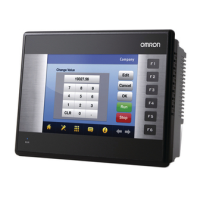
Why is the Omron NQ HMI Software LED and backlight OFF?
- BbonniephillipsJul 31, 2025
If the LED and backlight are off, it indicates a power supply failure. Please check the power supply and connections to resolve this issue.
Why is the Omron NQ HMI Software LED and backlight OFF?
If the LED and backlight are off, it indicates a power supply failure. Please check the power supply and connections to resolve this issue.
What does it mean when Omron NQ HMI Run LED is ON (flashing slow) and backlight is ON?
If the Run LED is flashing slowly and the backlight is on, the Omron Software is working correctly and is either downloading or uploading data.
Why is the backlight OFF when the Run LED is ON in Omron NQ HMI?
If the Run LED is on but the backlight is off, the Omron Software is in screen saver mode.
What does it mean when Omron NQ HMI Run LED and backlight are ON?
If the Run LED and backlight are both on, the Omron Software is working correctly.
What to do if Omron NQ HMI Software Run LED is off even after touching the screen?
If the Run LED is off and stays off even after touching the screen, check the cable connections and/or power supply.
Outlines general operational rules and precautions for using OMRON products.
Details critical safety warnings, including electrical shock and fire hazards.
Lists precautions to prevent system faults or damage during application use.
Technical details and procedures for connecting power and communication ports.
Explains the features and operation of the NQ-Designer software for creating HMIs.
Provides a practical guide through creating a sample application for the NQ-Series.
Details the process of transferring projects from a PC to the NQ-Series HMI.
Details the process of transferring projects from the NQ-Series HMI to a PC.
Describes how to use USB drives for data transfer without a PC.
Outlines general operational rules and precautions for using OMRON products.
Details critical safety warnings, including electrical shock and fire hazards.
Lists precautions to prevent system faults or damage during application use.
Technical details and procedures for connecting power and communication ports.
Explains the features and operation of the NQ-Designer software for creating HMIs.
Provides a practical guide through creating a sample application for the NQ-Series.
Details the process of transferring projects from a PC to the NQ-Series HMI.
Details the process of transferring projects from the NQ-Series HMI to a PC.
Describes how to use USB drives for data transfer without a PC.





