Appendix 4 Using NT-AL001 Converters
A-30
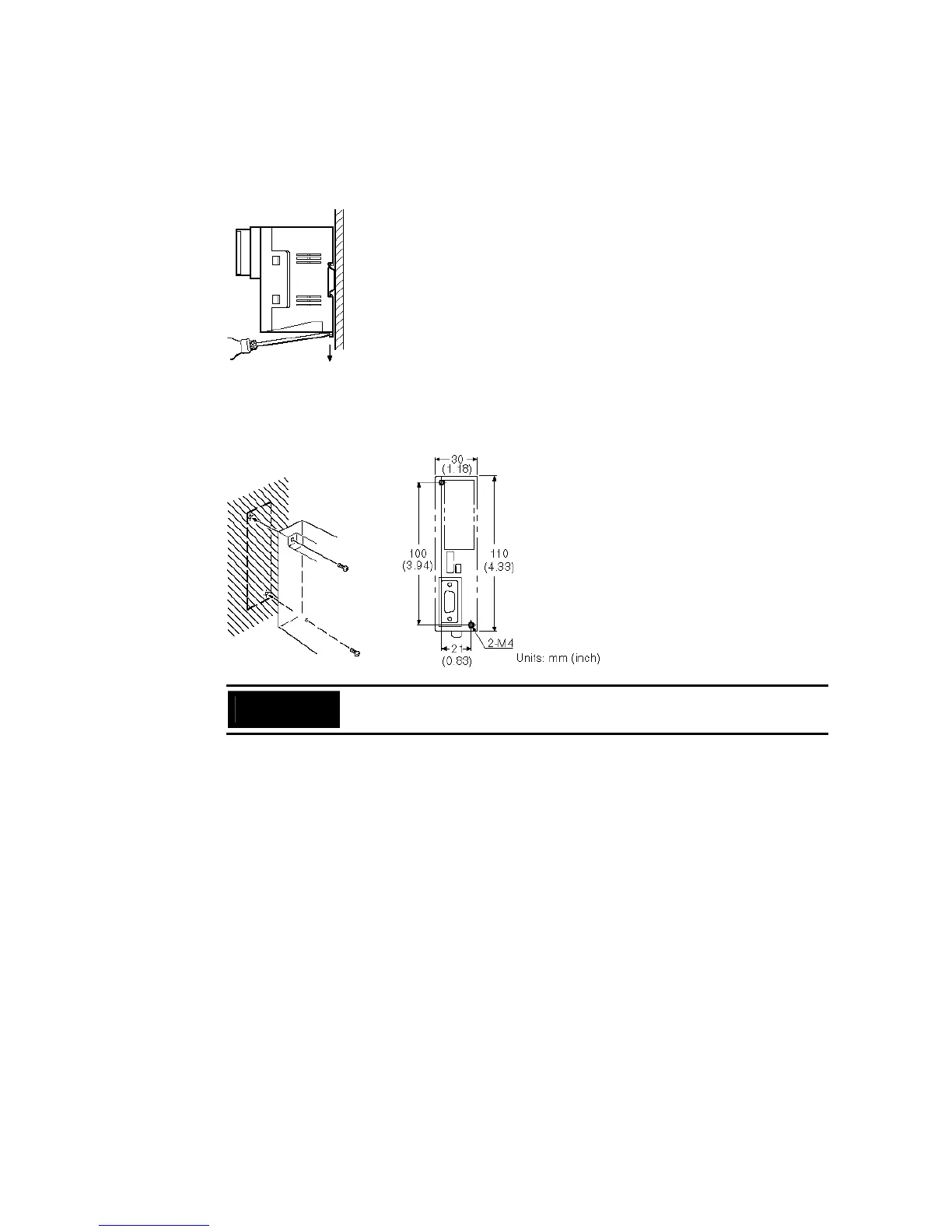
Removal from a DIN Rail
Remove the end plates at right and left of the converter unit and, as shown in the figure
below, insert a flat blade screwdriver into the rail stopper at the bottom face of the con-
verter unit and prize it free.
Mounting to an Operation Panel
Drill two mounting screw holes in an operation panel with a thickness of at least 2 mm
(0.08 inch) and secure the converter unit with screws.
Precautions
for Safe Use
In order to ensure a secure and strong mount, mount the converter unit in an
operation panel with a thickness of at least 2 mm (0.08 inch).


 To Next Page
 Loading...





