6-6 Communications Settings
6-26
When 1:1 NT Link is selected, there are no details settings.
6-6-3 Setting High-speed 1:N NT Links (Standard, High-speed)
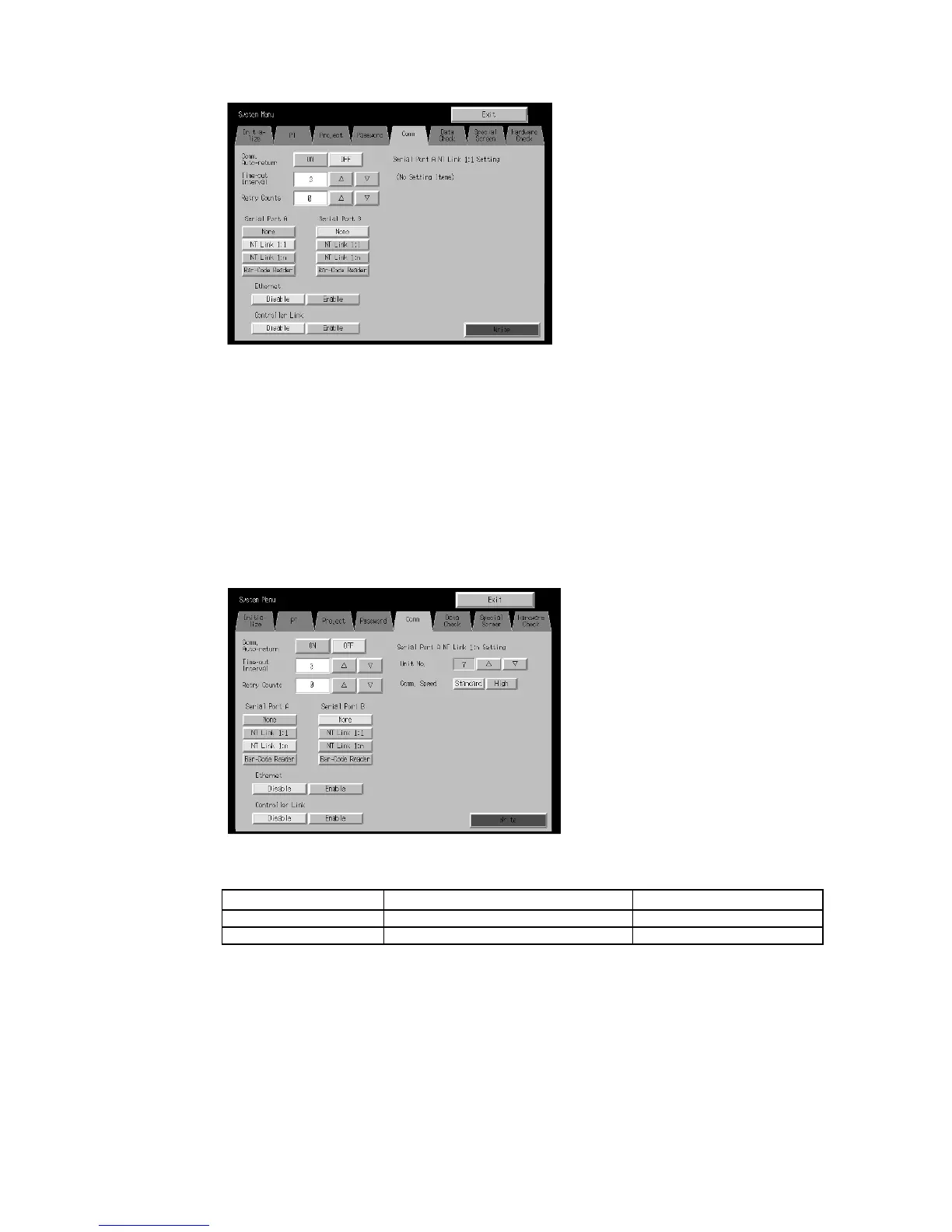
Select the Comm Tab from the System Menu, and press the NT Link 1:N Button as the
communications method for serial port A or B.
The setting items for high-speed 1:N NT Links will be displayed on the right side of the
screen. Set the unit number and communications speed.
After setting, press the Write Button.
• Communications Conditions for 1:N NT Links
Setting item Function Settings
Unit number Sets the unit number. 0 to 7
Communications Speed Sets the baud Communications speed. Standard, high-speed


 To Next Page
 Loading...