Version 1.03 Page 11
9.
NORMAL SCREEN
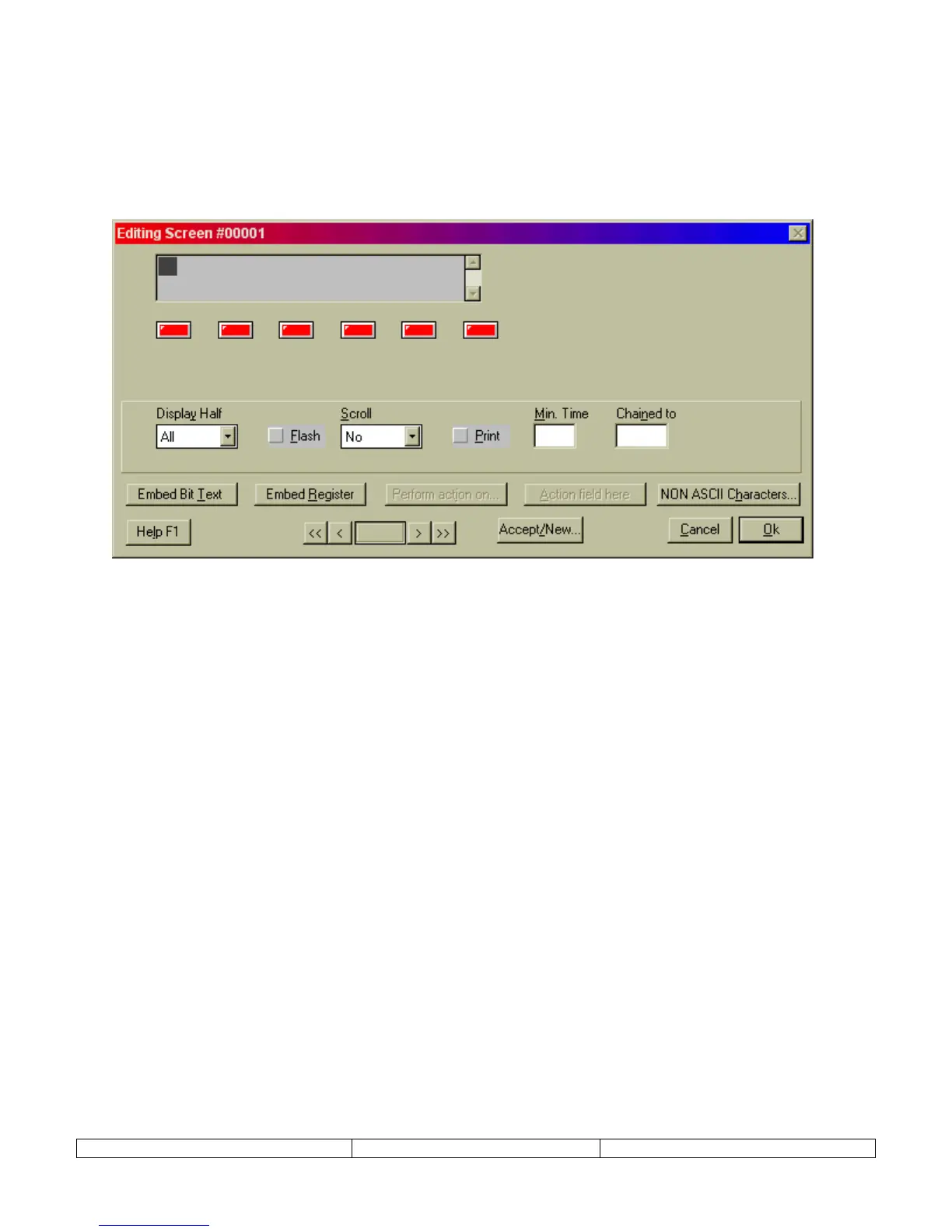
Normal screens will make up 90% of all project screens. This type can be used for text message
display, scrolling text messages, display of bit controlled text, display of analog values, and
function key control. The function keys, in red below, can be programmed uniquely for each
normal screen.
The text window in the upper left corner represents the NT2S display window. Some Normal
screen settings include:
DISPLAY HALF – set display for ALL, TOP, or BOTTOM. This is primarily for use with scrolling messages. If
ALL is selected, the scrolling rolls in from the bottom right and then pauses on the top line as the message continues
to scroll in on the bottom. If TOP is selected the message forms a continuous scroll across the top line. Likewise
for the BOTTOM setting.
SCROLL – Set scroll to NO, SLOW, MEDIUM, FAST. Activates scrolling messages. Scrolling messages cannot
display imbedded coil or register values. During NT2S operation, scrolling messages cannot be interrupted. Screen
cannot be changed until the entire scrolling message has been displayed.
FLASH – Selection box that allows the NT2S message to blink.
PRINT – Selection box that allows the NT2S screen data to print out the top serial port.
MIN TIME – A minimum time can be assigned to assure an operator can view the screen. If a number is entered in
this field, screens will display for the specified minimum time. This is useful when displaying chained messages,
confirming function key action, or displaying alarm/error messages.
CHAIN TO – If a screen number is placed in this box, the current screen will be displayed following the specified
screen. The screens in a “chain” will each display for the specified time in the MIN TIME box.


 To Next Page