Version 1.03 Page 5
4.
ADD/REMOVE DRIVERS
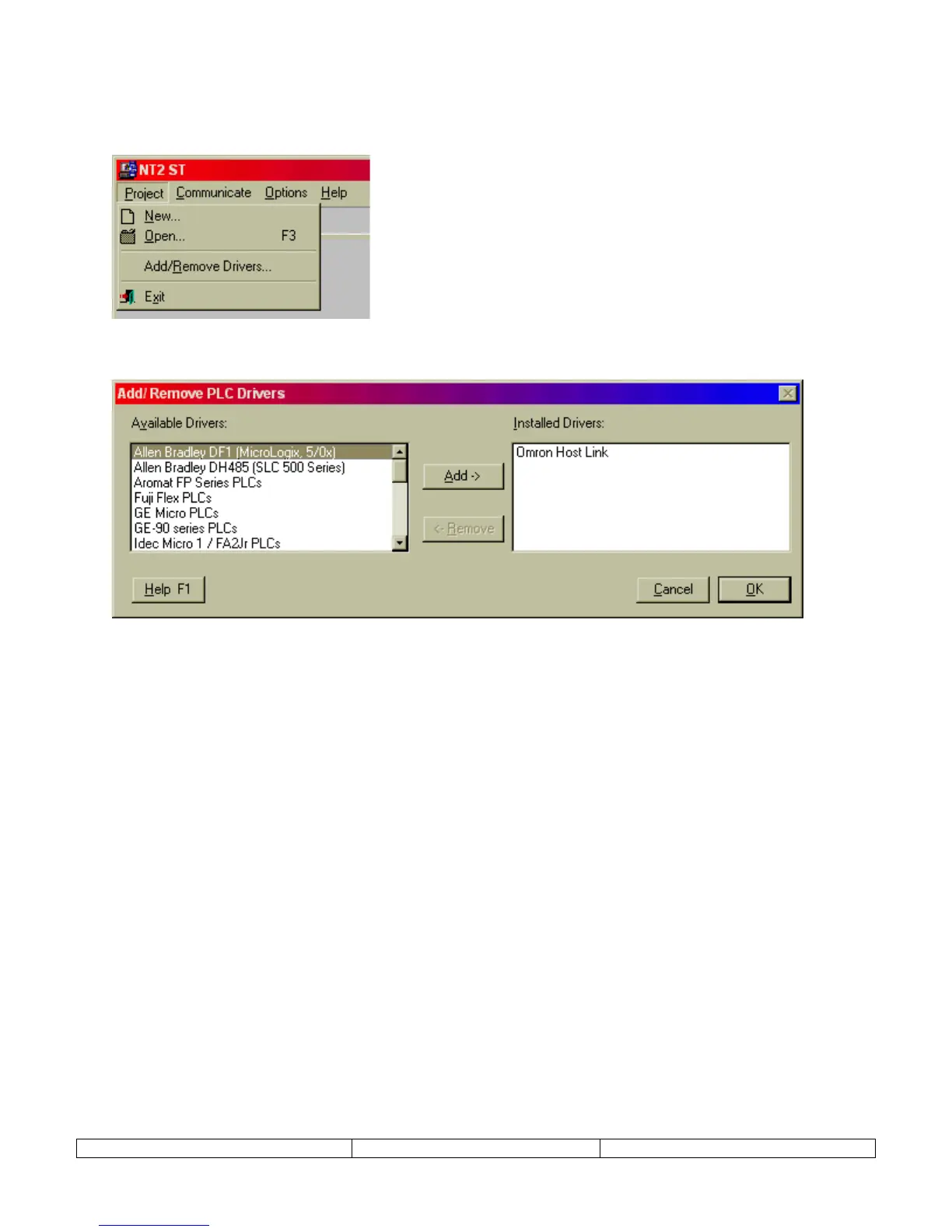
Before beginning the first project, select
Project
and
Add/Remove Drivers
. This menu item is
not available once a project has been created.
A dialog will appear that allows additional PLC models to be added to the PLC selection menu.
Make sure that the PLC needed for the project is included in the list on the right.
Select OK to complete addition of drivers to the project.


 To Next Page