Version 1.03 Page 15
10.
LINK SCREEN
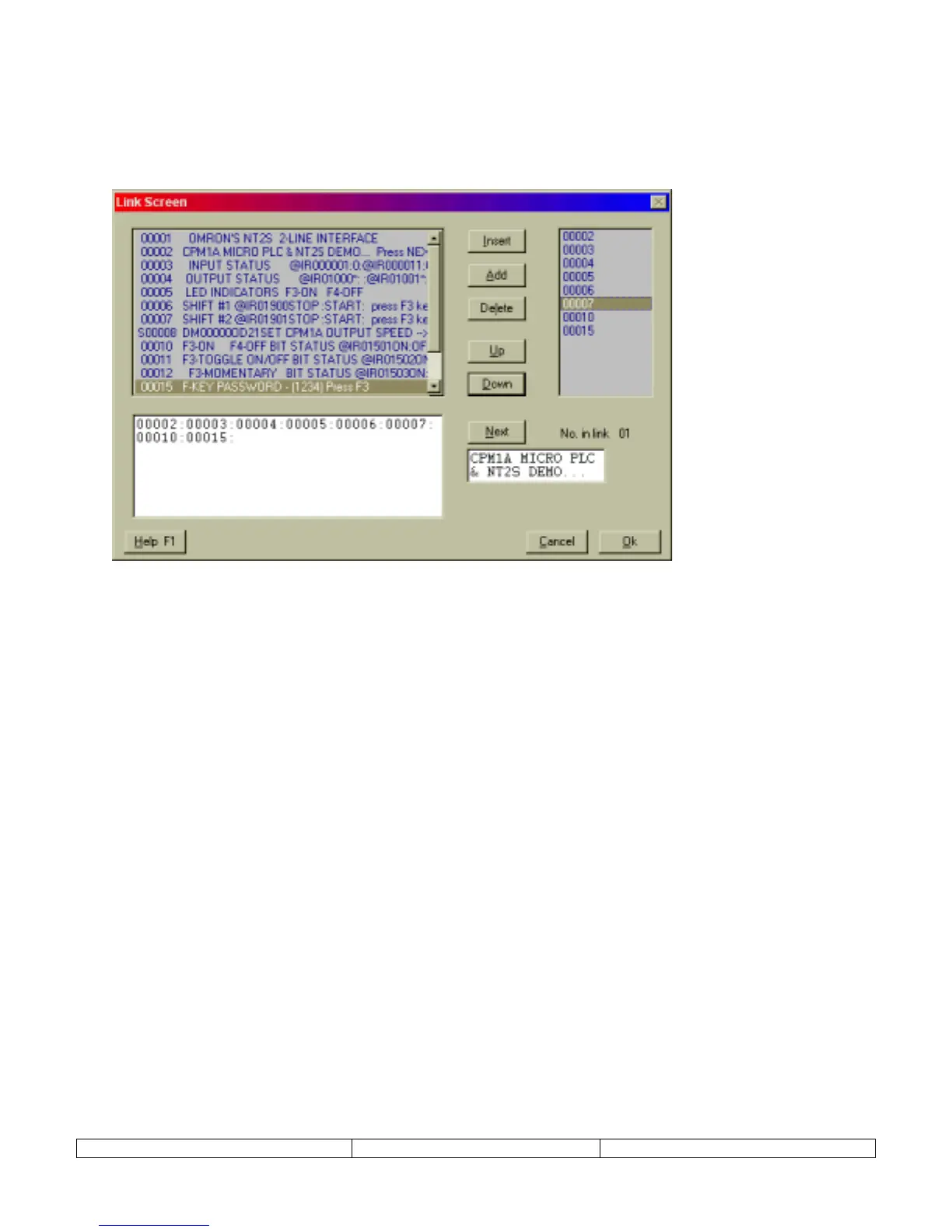
A link screen is a parent screen on which a series of child screens can be displayed. The link
screen is assigned a screen number which can be called by the Screen Trigger Register (STR).
When the link screen number is in the STR, the NEXT(F1) and PREV(F2) function keys can be
used to navigate through the list of specified child screens.
The child screens of the Link Screen can be any existing NORMAL or SPECIAL screen type.
NEXT and PREV functions of the link screen will override any function key programming on F1
and F2 of the child screens.
The progression of screens will follow the order listed in the right window. The order can be
changed using the UP and DOWN keys. Pressing the Next button will show how linked screens
will progress on the NT2S.


 To Next Page