Version 1.03 Page 10
8.
EDIT – SCREENS
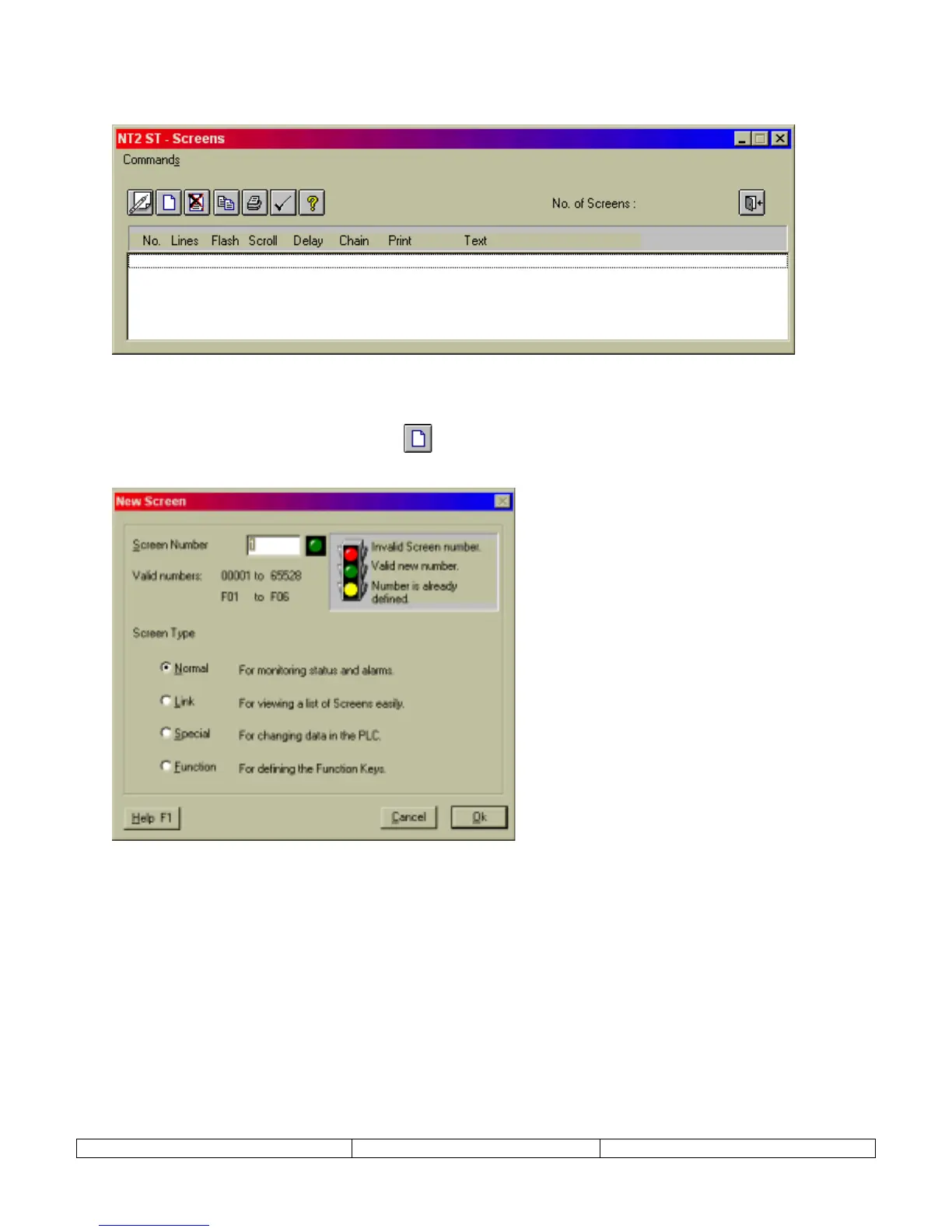
Launch Screen Editor from EDIT menu. Select SCREENS menu item.
1.
From the Edit menu, select the Screens item.
2.
Click on the new screen button
!
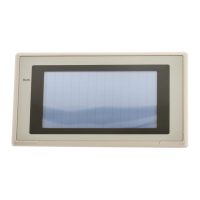
to launch the screen type selection dialog, New
Screen.
3.
Four different types of screens can be selected from the New Screen dialog: Normal, Link,
Special, and Function. The following sections will discuss each type of screen. Choose a
screen type, enter a screen number, and select OK to launch the Editing Screen dialog.


 To Next Page