Version 1.03 Page 19
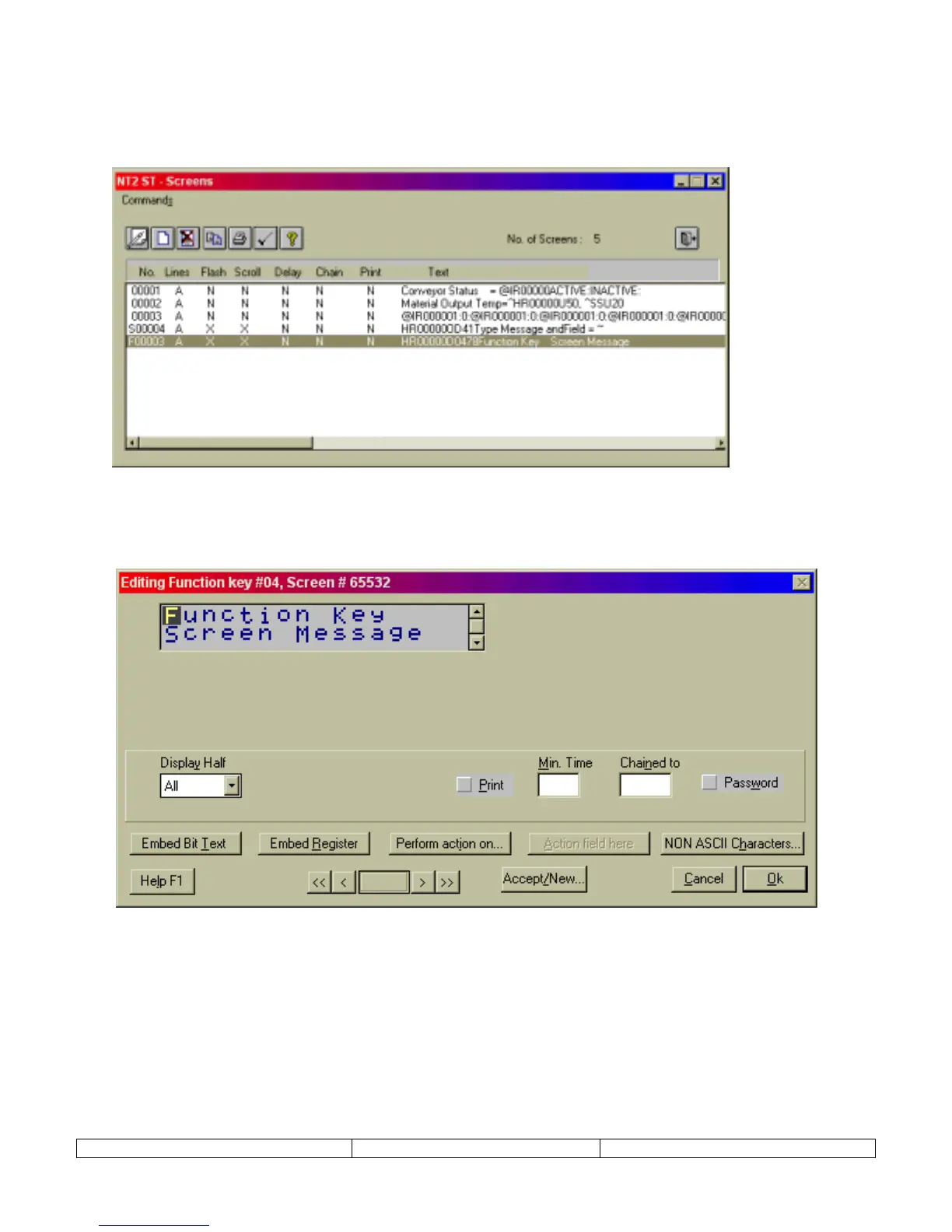
There are two ways to edit a programmed function key screen. Use the
Function Keys
selection
on the
Edit
menu item to access the Function Key editing dialog above. Or, click on the screen
number, F0#, as it appears in the SCREENS dialog, as highlighted below.
The following screen will appear.
Click on the PERFORM ACTION ON button to change global function key program. Enter
MIN TIME to control the time of display of function key message.


 To Next Page