Page 10 of 31
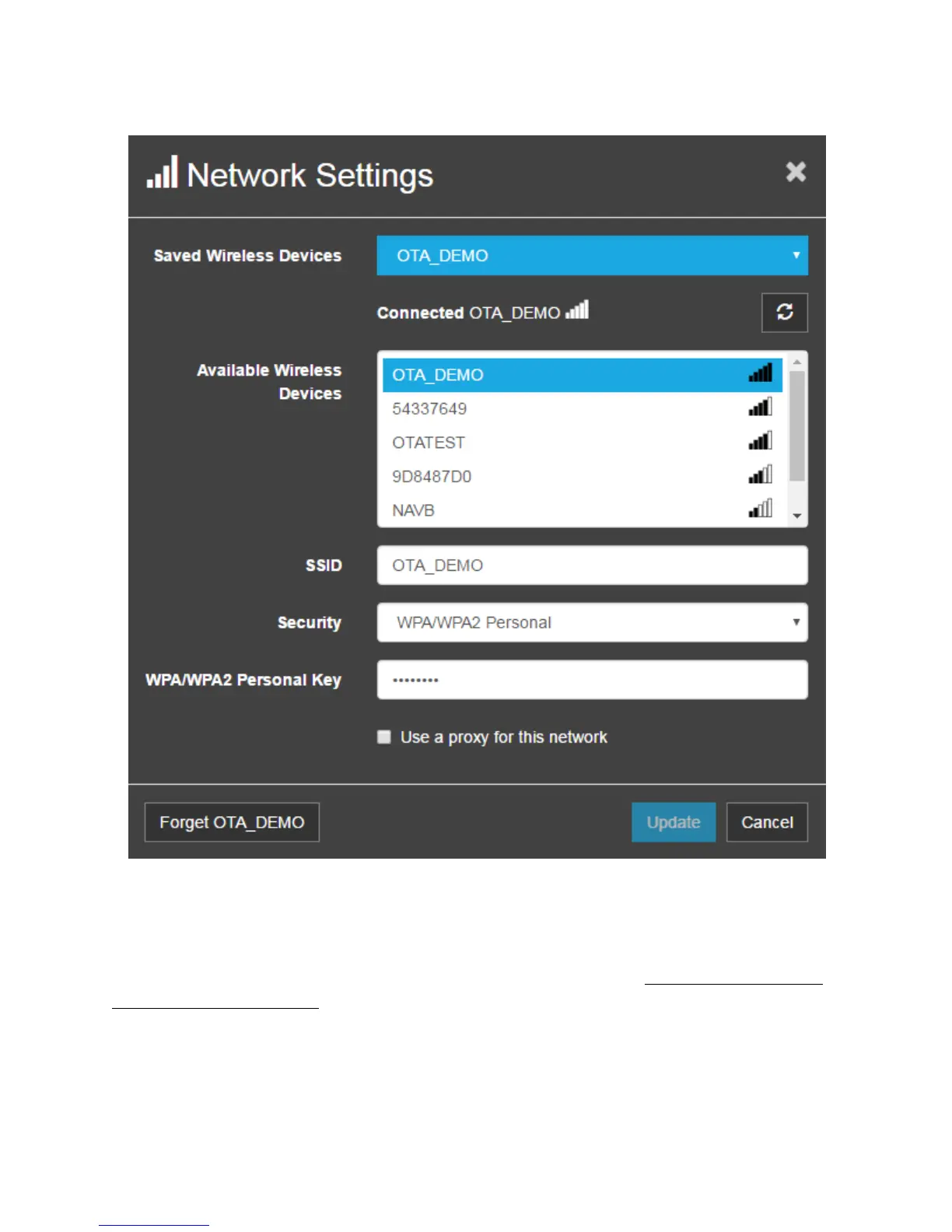
Figure 8. Network Settings
Select your network from the ‘Available Wireless Devices’, then enter the network key and click Save.
Security type will be auto-selected, but it can be changed manually if incorrect. You will need to re-
establish connection between your personal device and OnCommand® Link (Connecting Personal User
Device to OnCommand® Link). Once connected, you should see the SSID displayed in the top right
corner of device application page.


 To Next Page