FEB-4720 Main Board
22
C
C
h
h
a
a
p
p
t
t
e
e
r
r
3
3
S
S
o
o
f
f
t
t
w
w
a
a
r
r
e
e
S
S
e
e
t
t
u
u
p
p
Model H800 comes with a variety of drivers for different operating systems.
You will find 1 CD with Model H800. The CD has all the necessary drivers to setup Model H800.
Please follow this installation sequence exactly.
Model H800 Driver installation sequence:
Chipset Driver -> VGA Driver -> LAN Driver -> Audio Driver -> USB Driver -> Touch Tools -> FIX
COM PORT Tools
The reason to follow our sequence is that IRQ settings will be changed by Windows 2000 and XP
to non supported values, and you may encounter unnecessary problems later.
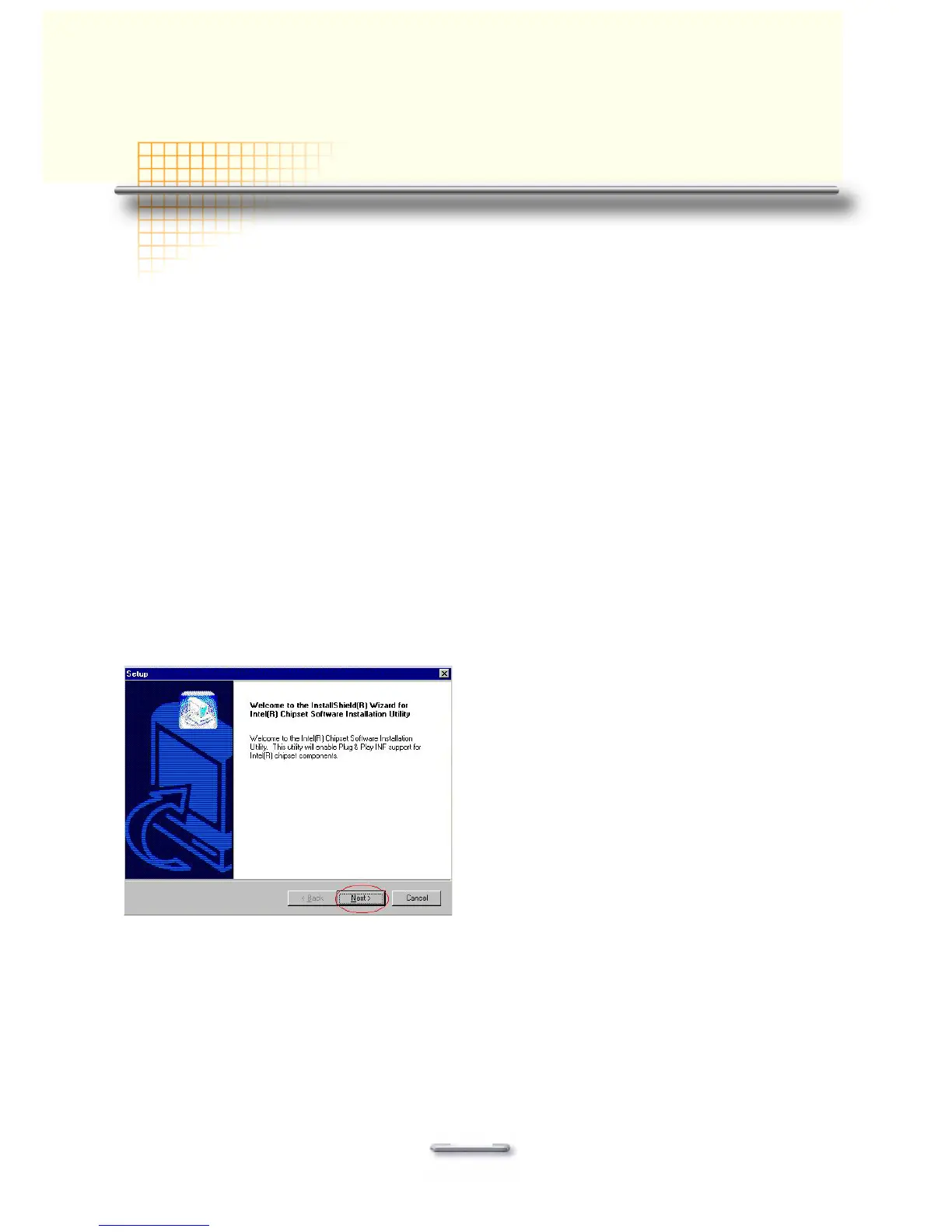
Intel Chip Set Driver Installation for all Windows Operating
Systems
1. Insert the CD into your CD ROM Drive.
2. Open D:\
DRIVER\CHIPSET\INF folder
3. Double click Setup.exe
4. Click Next.



 To Next Page