FEB-4720 Main Board
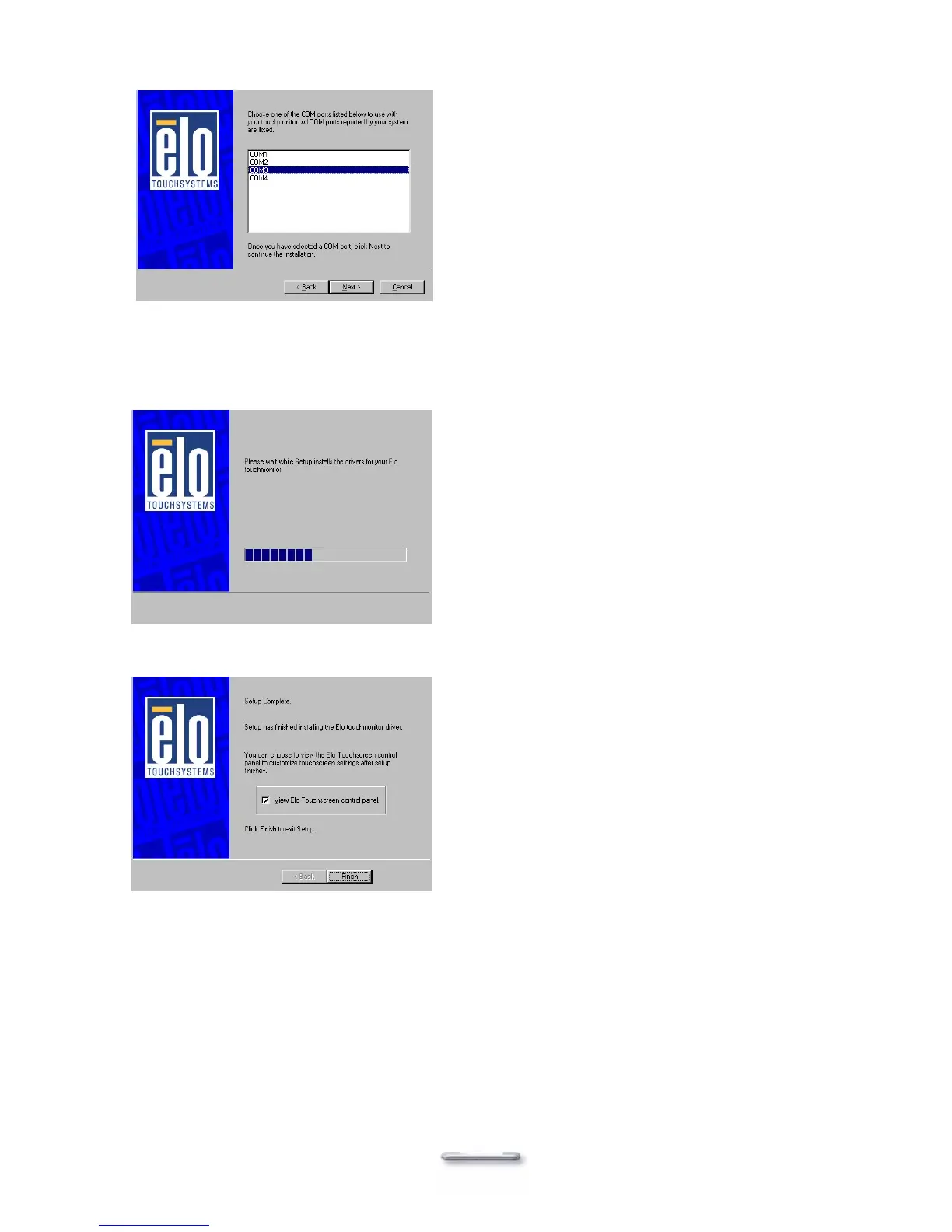
6. Select the COM port for the monitor. It is recommended that you select COM3 for primary
touch screen and COM4 for second touch screen. Then click Next.
7. Wait until the ELO Touch Tools have been installed.
8. Select View ELO touch screen control panel and click Finish.
10. Click Yes to restart the system.
11. After the system finishes rebooting follow the directions to calibrate ELO Touch Tools.
41



 To Next Page