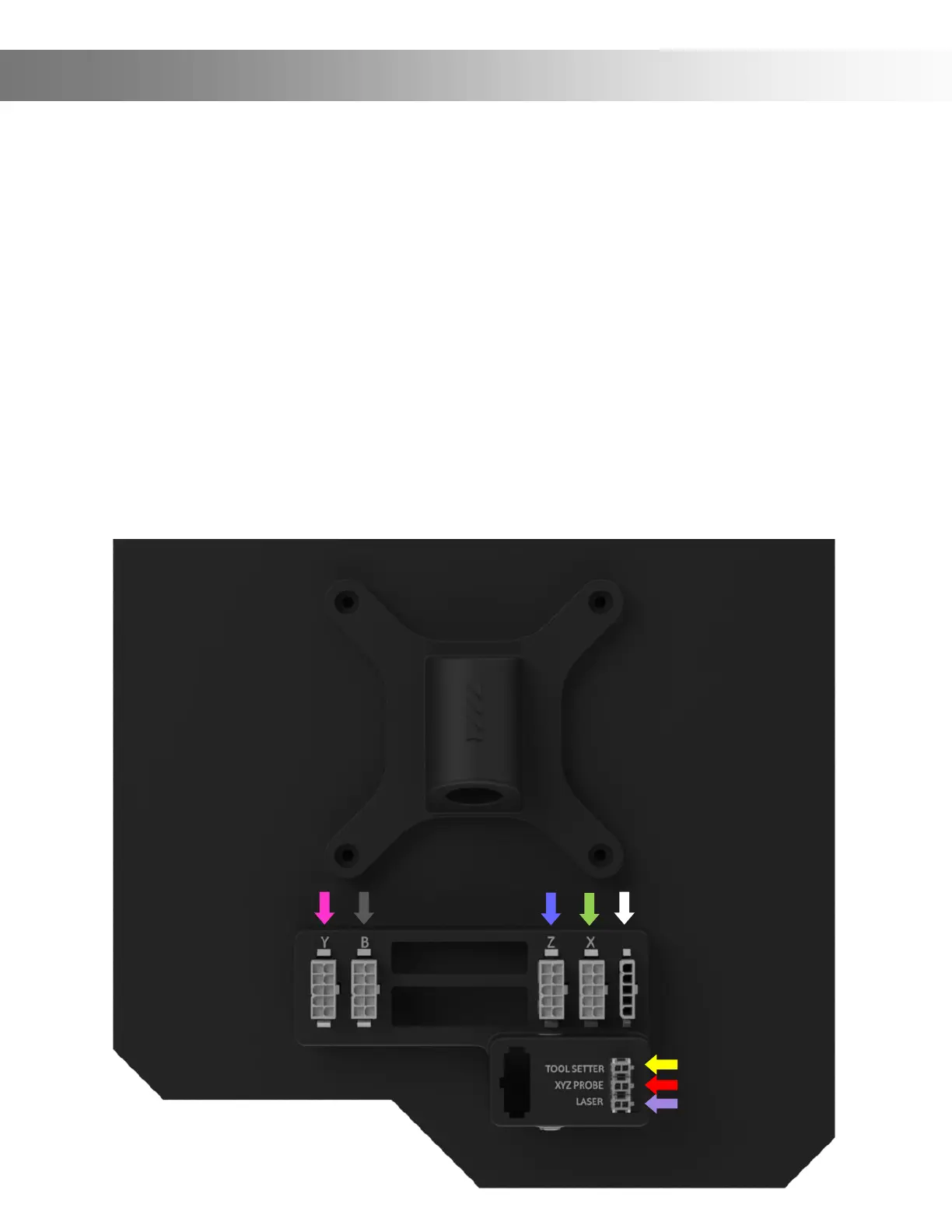
Step 16: We’ll now connect the wires to the Onenity MASSO Touch.
Plug the wire that’s labelled Y into the socket labelled Y (Pink Arrow).
Plug the wire that’s labelled B into the socket labelled B (Grey Arrow).
Plug the wire that’s labelled Z into the socket labelled Z (Blue Arrow).
Plug the wire that’s labelled X into the socket labelled X (Green Arrow).
Plug the Power wire into the Power socket (White Arrow).
Plug in the Tool Setter (Yellow Arrow) If applicable.
Plug in the XYZ Probe (Red Arrow) If applicable.
Plug in the Laser (Purple Arrow) If applicable.
Assembly Instructions (Wiring)


 To Next Page